2/3
3. Mode
35955
35955
Self-diagnostic
*1. If no reply was received for one second, Size, Time and TTL are not shown.
*2. 192.168.1.11 is an IP address, and it varies depending on the IP Address setting on the Machine Specification display.
!
!!
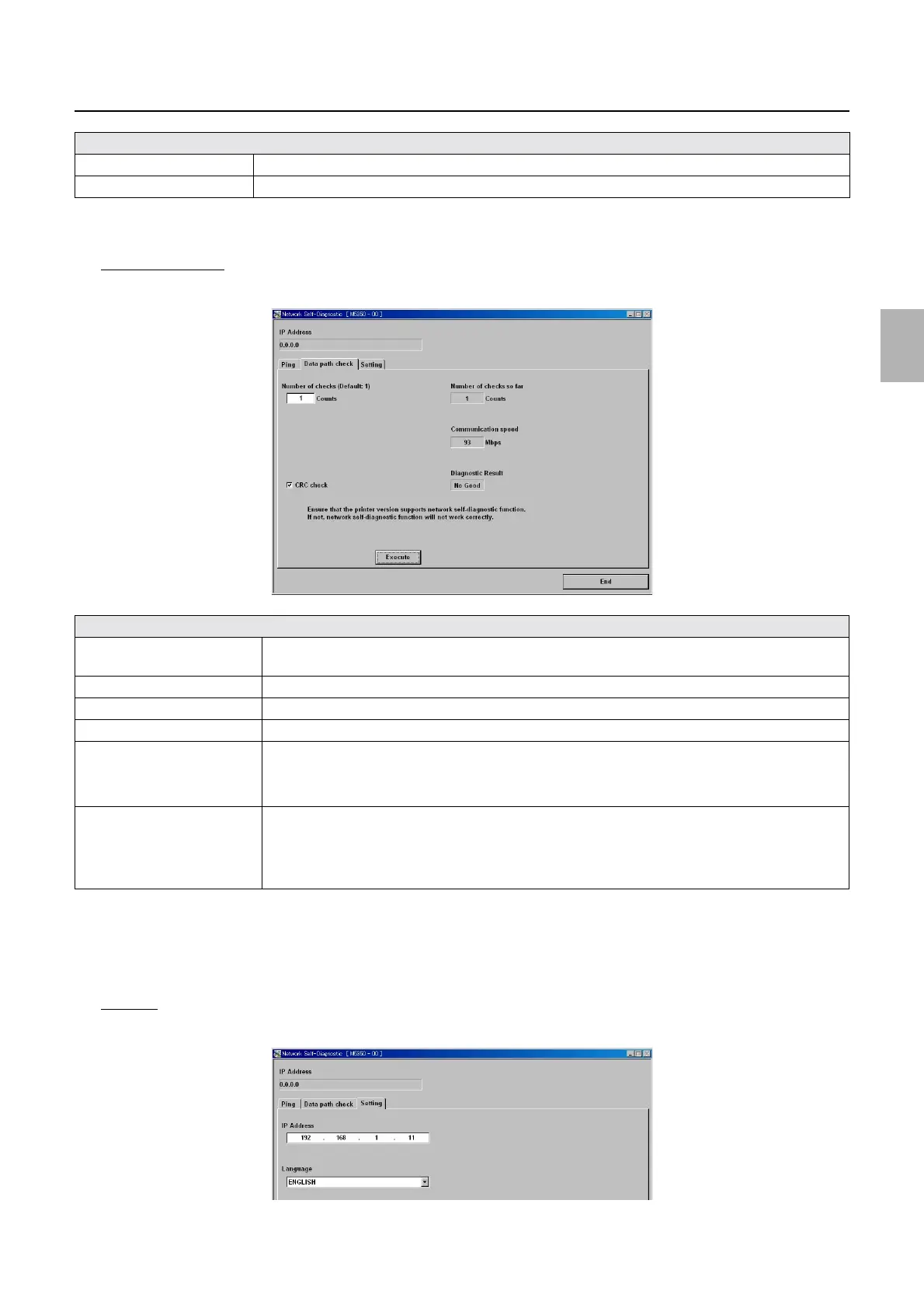
! Data path check
Image data transmission between the HDD and printer I/F main PCB can be tested.
*1. CRC check performs the following checks on the PC and printer I/F main PCB.
1. The PC calculates the image data to use for the CRC check by the bit.
2. The same data as the calculated one is transmitted to the printer I/F main PCB, and the PCB performs the same calculation.
3. The calculation results of the PC and printer I/F main PCB are compared, and image data damage is checked.
!
!!
! Setting
Specify the IP address and language to use.
Time
*1
Shows the time needed for the data transmission and reception by the msec.
TTL
*1
Shows the number of packets that passed the router.
Explanation
Number of checks Specify the number to perform Data path check.
(default: 1) (Input range: 1 to 99999)
CRC check
*1
Select whether to perform CRC check in addition to Data path check.
Number of checks so far Shows the number of Data path check and CRC check that are currently performed.
Communication speed Shows the communication speed calculated from the time needed for the data transmission and its size.
Diagnostic Result Shows the diagnosis result of CRC check.
• If data transmission and reception were performed normally: Good
• If data transmission and reception failed: No good
Execute Performs Data path checkCRC check.
• If only Data path check is performed, about seven seconds are required for each check.
• If Data path check and CRC check are performed at the same time, about 15 seconds are required
for each check.
Explanation
M5350-01
M5350-02
Distributed by: minilablaser.com



 To Next Page