7/9
4. Troubleshooting
4202
4202
Diagnosis appendix for the failures: Symptom due to the connection failure of wiring
!
!!
! Quad magazine PCB
J/P296 Connects to the paper
magazine lamp A.
Paper magazine lamp A does not turn on.
J/P297 Connects to the printer door
3 sensor.
No.01047-00002 Close printer door. occurs when printing is started.
J/P298 Connects to the paper
magazine code sensor A.
All the magazine code sensors A turn dark.
J/P299 Connects to the paper end
sensor A.
No.06210-00001 Paper remains in the printer section. occurs.
J/P300 Power supply from the
printer I/O PCB 1
(VCC5, IL36 V-1)
No.06210-00001 Paper remains in the printer section. occurs.
J/P301 Connects to the printer
control PCB.
No.01047-00002 Close printer door. occurs when printing is started.
J/P302 Unused -
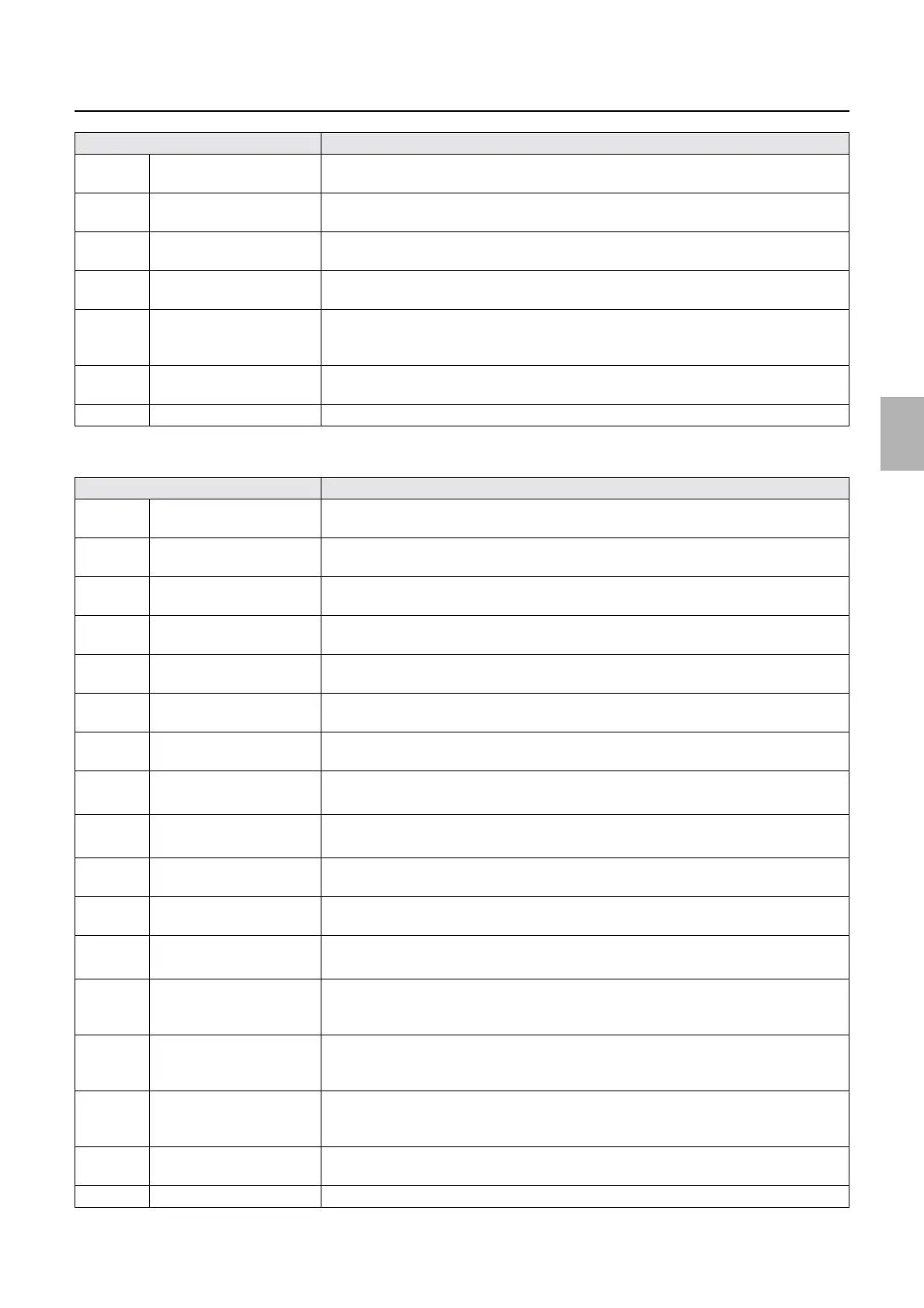
Connector No. Symptom
J/P295 Connects to the paper
magazine motor A.
No.06201-00001 Paper did not load. Paper Magazine A occurs while printing.
J/P296 Connects to the paper
magazine lamp A.
Paper magazine lamp A does not turn on.
J/P297 Connects to the printer door
3 sensor.
No.01047-00002 Close printer door. occurs when printing is started.
J/P298 Connects to the paper
magazine code sensor A.
All the magazine code sensors A turn dark.
J/P299 Connects to the paper end
sensor A.
No.06210-00001 Paper remains in the printer section. occurs.
J/P300 Power supply (VCC5V)
from the printer I/O PCB 1
No.06210-00001 Paper remains in the printer section. occurs.
J/P301 Connects to the printer
control PCB.
No.01047-00002 Close printer door. occurs when printing is started.
J/P1700 Connects to the printer
control PCB.
• No.06196-00002 Paper did not rewind. Paper Magazine A2 occurs.
• No.06210-00004 Paper remains in the Paper Supply Unit. occurs.
J/P1701 Connects to the paper end
sensor A2.
• No.06196-00002 Paper did not rewind. Paper Magazine A2 occurs.
• No.06210-00004 Paper remains in the Paper Supply Unit. occurs.
J/P1702 Connects to the paper
magazine code sensor A2.
All the magazine code sensors A2 turn DARK.
J/P1703 Connects to the paper
magazine motor A2.
No.06195-00001 Paper did not load. Paper Magazine A2 occurs when printing is started
using magazine A2.
J/P1704 Connects to the paper supply
motor A2.
• No error message is shown even if printing with magazine A2.
• When confirmed by input check, paper supply motor A2 does not operate.
J/P1705 Connects to the width
change motor A2 and
pressure release motor A2.
No.06199-00002 Pressure Release Motor A2 operation error. occurs.
J/P1707 Connects to the pressure
change sensor A2 and width
change sensor A2.
No.06199-00002 Pressure Release Motor A2 operation error. occurs.
J/P1708 Inputs the power supply
from printer power supply 1
(+IL24V)
• No.06196-00002 Paper did not rewind. Paper Magazine A2 occurs.
• No.06210-00004 Paper remains in the Paper Supply Unit. occurs.
J/P1709 Supplies the power (+24V)
to printer I/O PCB 1.
No malfunctions in the operations will occur on this condition.
J/P1710 Unused -
Connector No. Symptom
Distributed by: minilablaser.com



 To Next Page