2. Replacement and adjustment of parts
20120-5
2/2
20120-5
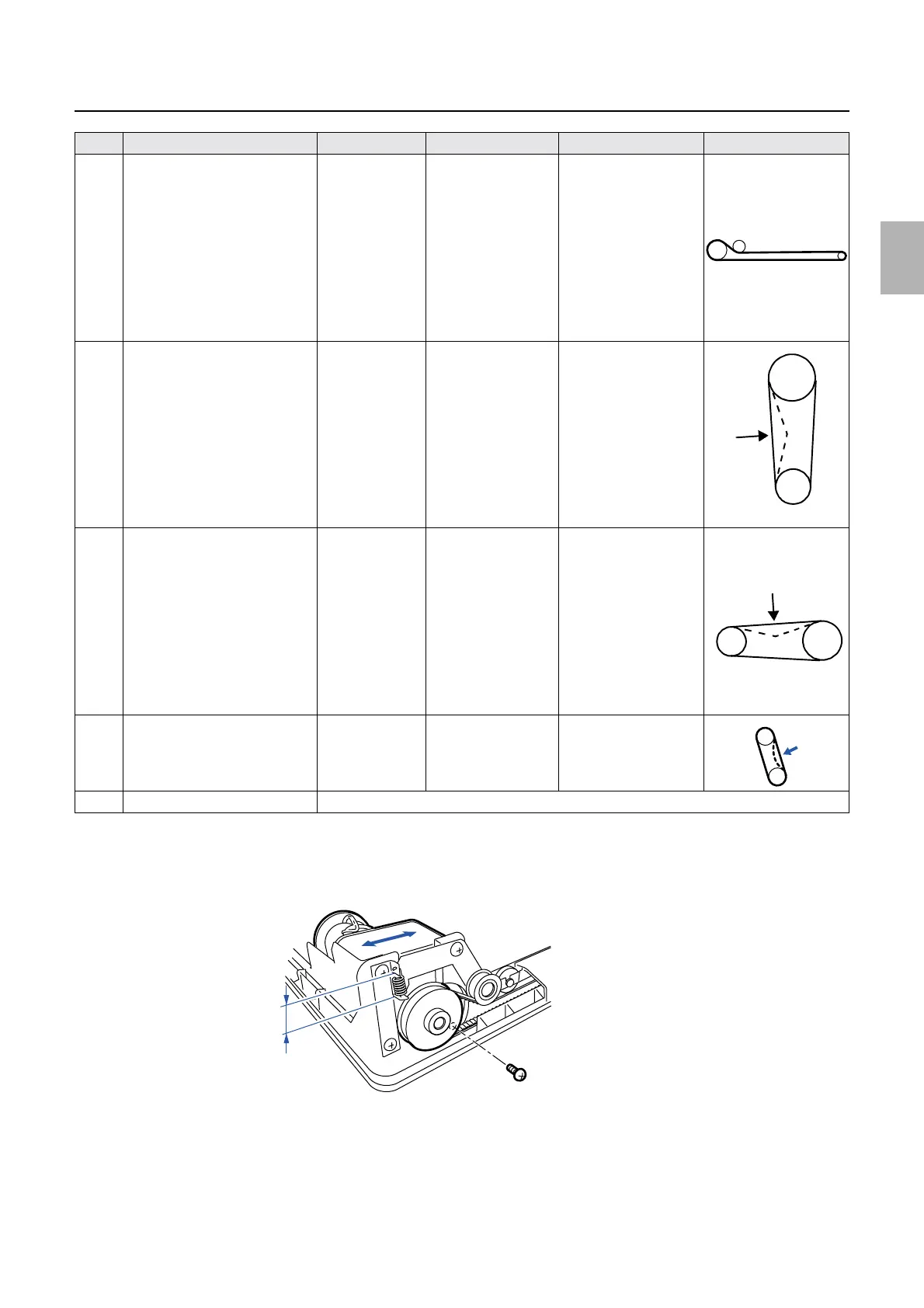
Adjusting belt tension
*1. Remove all the print receiving trays, then adjust tension on the sorter chain belt.
For the 10-inch type print sorter unit, there are two sorter chains. Adjust so that two chains become the same tension.
*2. The procedure for adjusting the conveyor motor timing belt is shown below:
Adjust the timing belt so that part A is 15.4±0.9 mm by moving the conveyor motor in the direction indicated by the arrow.
*3. For details, see
☞27270.
4 Conveyor motor timing belt
*2
Conveyor motor (four
screws)
5 Sorter motor timing belt
[Print sorter unit (10-inch type)]
From 2.8N to
3.1N
From 280 g to
310 g
1.8 mm Motor mount
6 Paper guide motor timing belt
[Print sorter unit (10-inch type)]
From 1.9N to
2.4N
From 190 g to
240 g
1.6 mm Motor mount
7 Drive motor belt
*3
From 255 to 402
g
(2.6 to 4.1 N)
1.6 mm Drive motor (four
screws)
8 Dryer rack drive chain It is automatically tensed. No adjustment is needed.
No. Name Force Deflection Adjusting point Illustration
A
G052513
Distributed by: minilablaser.com



 To Next Page