6. Electrical parts
66007
6/7
66007
Description of PCB (printer section)
17. End
!
!!
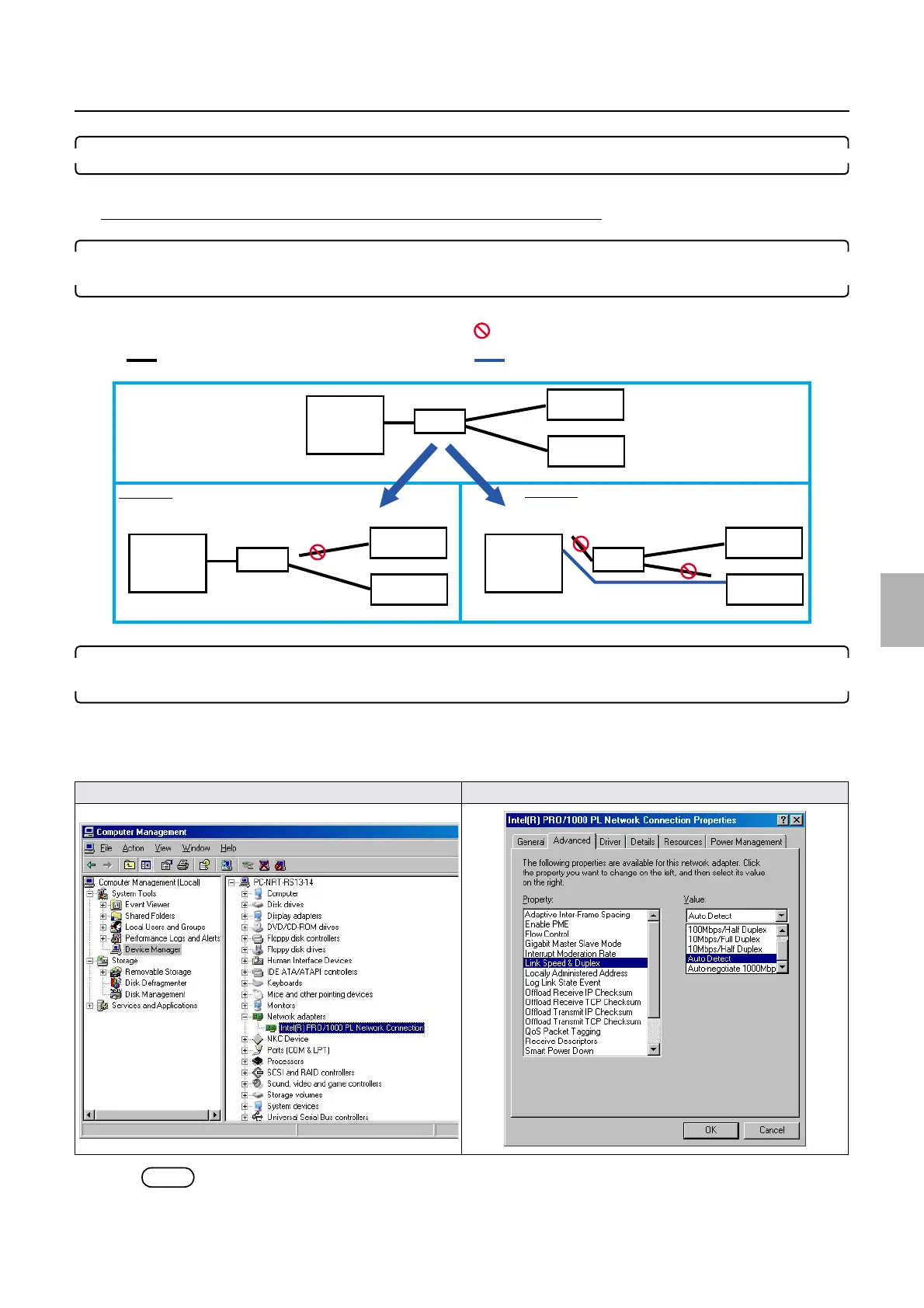
! How to change settings if several printers are connected
1. If several printers are connected, temporarily prepare the environment so that the operation PC can
connect the printer I/F main PCB one on one.
2. If the operation PC and the printer I/F main PCB are directly connected when the network is being
established as an example 2, confirm the Advanced setting in the Computer Management.
Bringing up the display
Start → Right-Click My Computer. → Manage (G) → Click Device Manager. → Double-click Network adapters. →
Right-click Ineel# # #. → Click Properties. → Click Advanced.
NOTE
• The Auto Detect display of the Link Speed & Duplex may vary depending on the the PC.
Computer Management Advanced
PC
HUB
PC
PC
HUB
HUB
Printer
Printer
Printer
Printer
Printer
Printer
Printer
Straight cable
Cross cable
Replacing the printer I/F main PCB
Disconnect the cable.
Example 2
Example 1
G085196
Distributed by: minilablaser.com



 To Next Page