5/7
6. Electrical parts
66007
66007
Description of PCB (printer section)
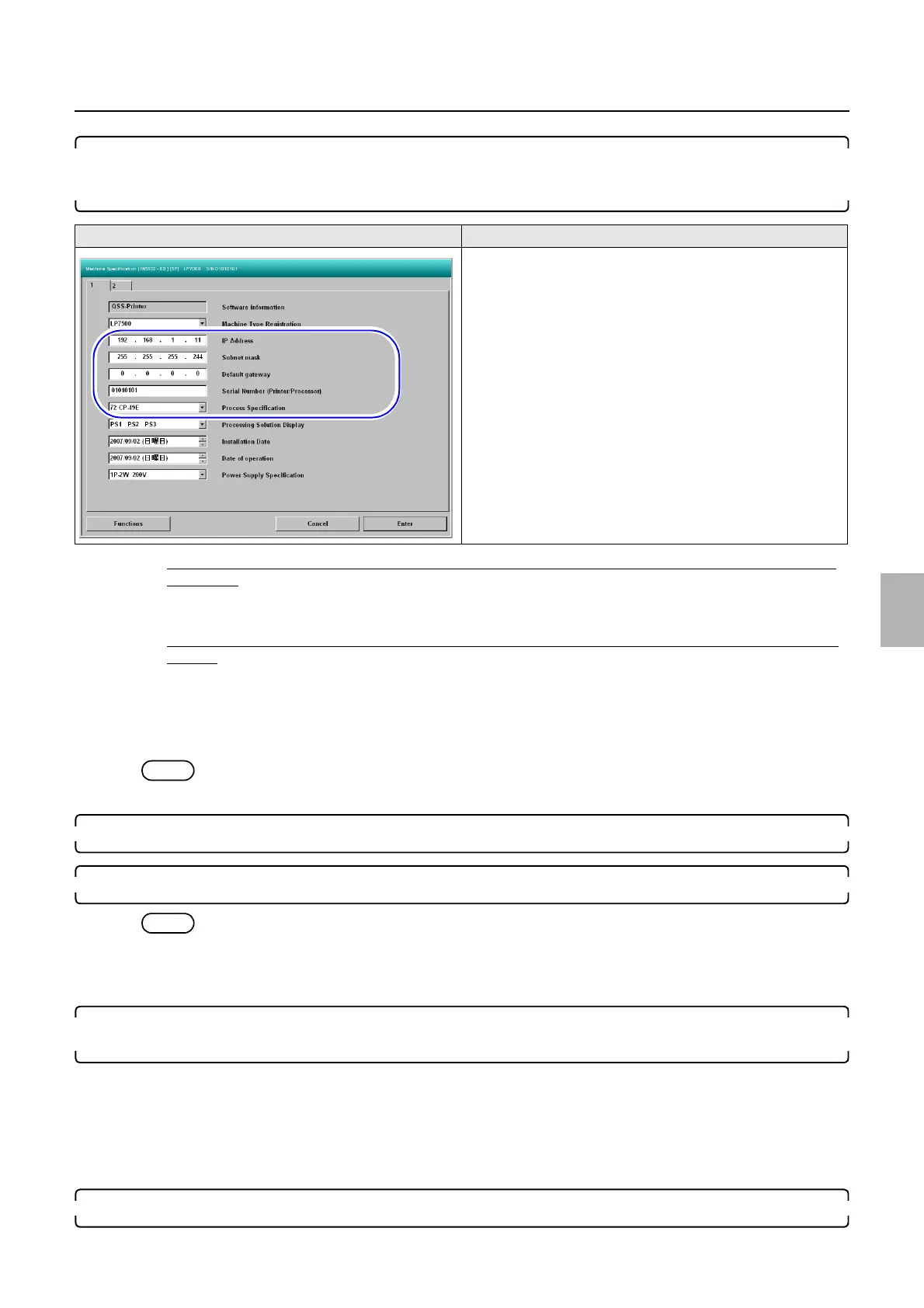
12. Configure the IP Address, Subnet mask, Default gateway and Serial Number (Printer/Processor)
settings on the Machine Specification display that were noted before replacing the printer I/F main
PCB in Step 1.
• If the settings of IP Address : 192 . 168 . 1 . 11, Subnet mask : 255 . 255 . 255 . 224, Default gateway : 0 . 0 . 0 . 0 are
not changed:
1. Set the Serial Number (Printer/Processor) on the Machine Specification display.
• If the settings of IP Address : 192 . 168 . 1 . 11, Subnet mask : 255 . 255 . 255 . 224, Default gateway : 0 . 0 . 0 . 0 are
changed:
1. Configure the IP Address, Subnet mask, Default gateway and Serial Number (Printer/Processor) on the
Machine Specification display.
Bringing up the display
Maintenance: 2260 → Extension → Maintenance → Machine Specification
NOTE
• It may take about one minute to complete the registration of Machine Specification.
13. Configure the Time setting in Machine Specification→Functions→Program Timer Setting.
14. Quit the printer maintenance application.
NOTE
• If the IP Address of the PC and the printer differ, the message Communication line was disconnected. Close the
maintenance screen. may be shown. However, the system will normally returns if Step 15 is performed.
• It may take about one minute to quit the printer maintenance application.
15. If IP Address, subnet mask and Default gateway have been changed to replace the printer I/F main
PCB, return the settings as below.
(1) If the environment for connecting the operation PC and printer I/F main PCB have been temporarily changed in
Step 1 of How to change settings if several printers are connected, return the settings as they were.
(2) Return the IP Address, Subnet mask and Default gateway settings in Step (3) of Step 7.
(3) Check if the printer maintenance application starts normally.
16. Check that print can be made properly.
Machine Specification (1)
Distributed by: minilablaser.com



 To Next Page