6/7
6. Electrical parts
68100
68100
Cables
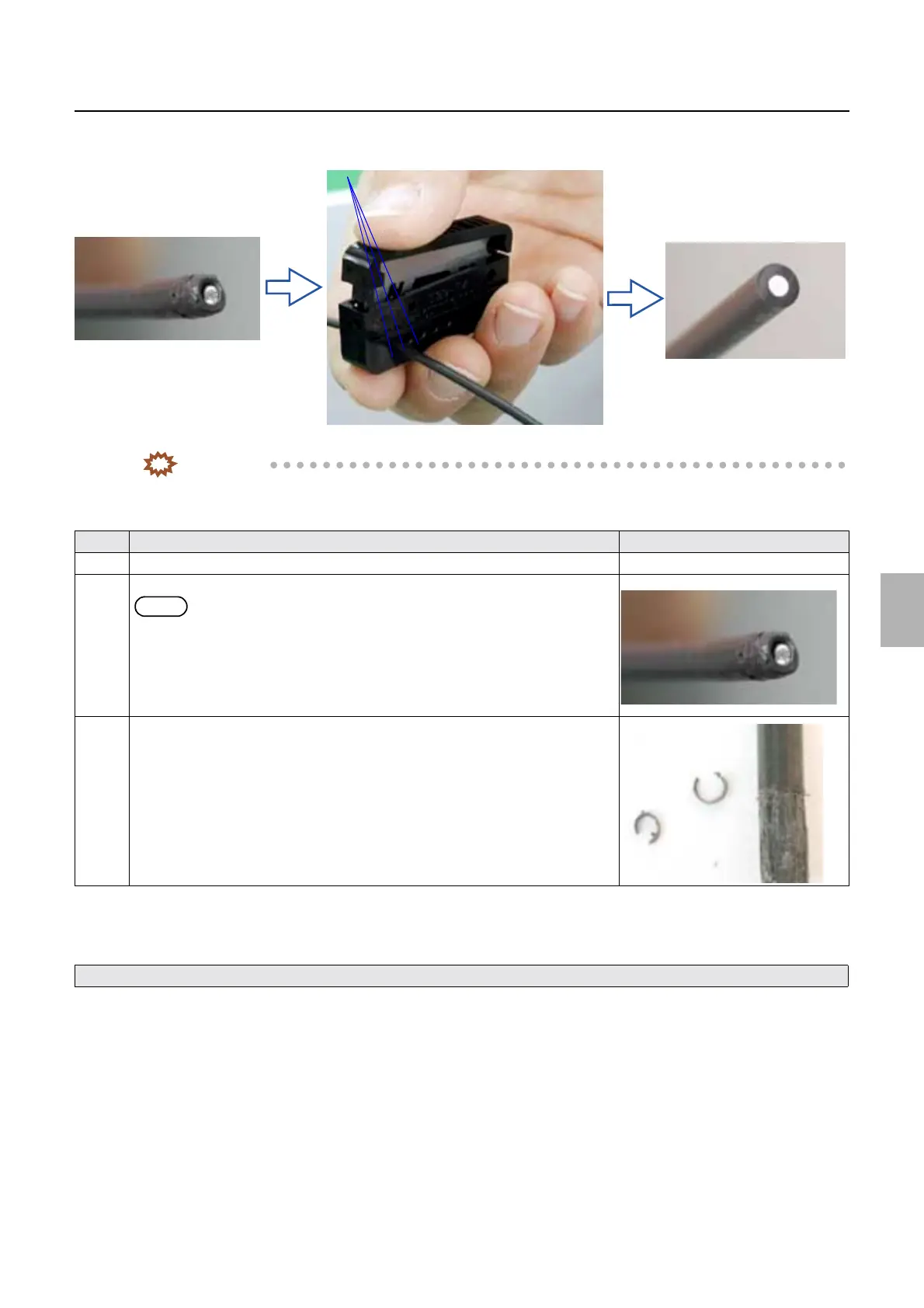
• To keep the quality of cutting surface, cut the ARCNET cable only once with each hole of the fiber cutter.
IMPORTANT
• If the end of ARCNET cable is in the following condition, cut it.
List of ARCNET tools
3. Check the condition of the end of ARCNET cable and that no dust is attached on it.
4. Clean inside of the ARCNET connector if necessary.
5. Connect the ARCNET cable.
!
!!
! How to use the aspirator
1. Remove the ARCNET cable.
No. Condition of ARCNET cable Illustration
1 The cable surface is sticky. -
2 The cable surface is thick and soft.
NOTE
• If the cable surface is thick and soft, it may not be inserted into the hole of fiber
cutter.
In this case, cut the ARCNET cable using a nipper or the like, and then cut the
end of the cable with the fiber cutter.
3 The cable surface is shaved.
See ☞ How to use the aspirator.
Cutting holes
After cutting (normal)
Before cutting (abnormal)
G081991
Distributed by: minilablaser.com



 To Next Page