4-40 F650 DIGITAL BAY CONTROLLER GEK-106310-AF
4.2 HUMAN-MACHINE INTERFACE (HMI) CHAPTER 4: INTERFACES, SETTINGS & ACTUAL VALUES
4.2.3.2 Command push button
The unit incorporates a command pushbutton located at the bottom right side of the HMI interface and at the top left for
Enhanced interface, with three options: local, remote, and off. The first option (LOCAL) allows executing operations in local
mode (HMI, front port, and rear COM2 port). The second option (REMOTE) allows operation execution only through remote
communications (COM1 and ETH_1/ETH2 or ETH_E/ETH_A/ETH_B (Depending on model)). The third option (OFF) blocks the
execution of operations. Each position is identified with an LED indicator, as follows:
LOCAL operations (green)
REMOTE operations (green)
OFF (red)
Press the command button to switch from local to remote operations mode and vice versa. OFF status (operation inhibited
for maintenance and safety) can be reach pressing the commands pushbutton during several seconds (local-remote-off
sequence).
The local-remote-off sequence can be also available through communications (see chapter 5.8), with a configurable signal
that can be set in the Setpoint > Relay Configuration > Control Elements screen.
4.2.4 Front port and cover sealing system
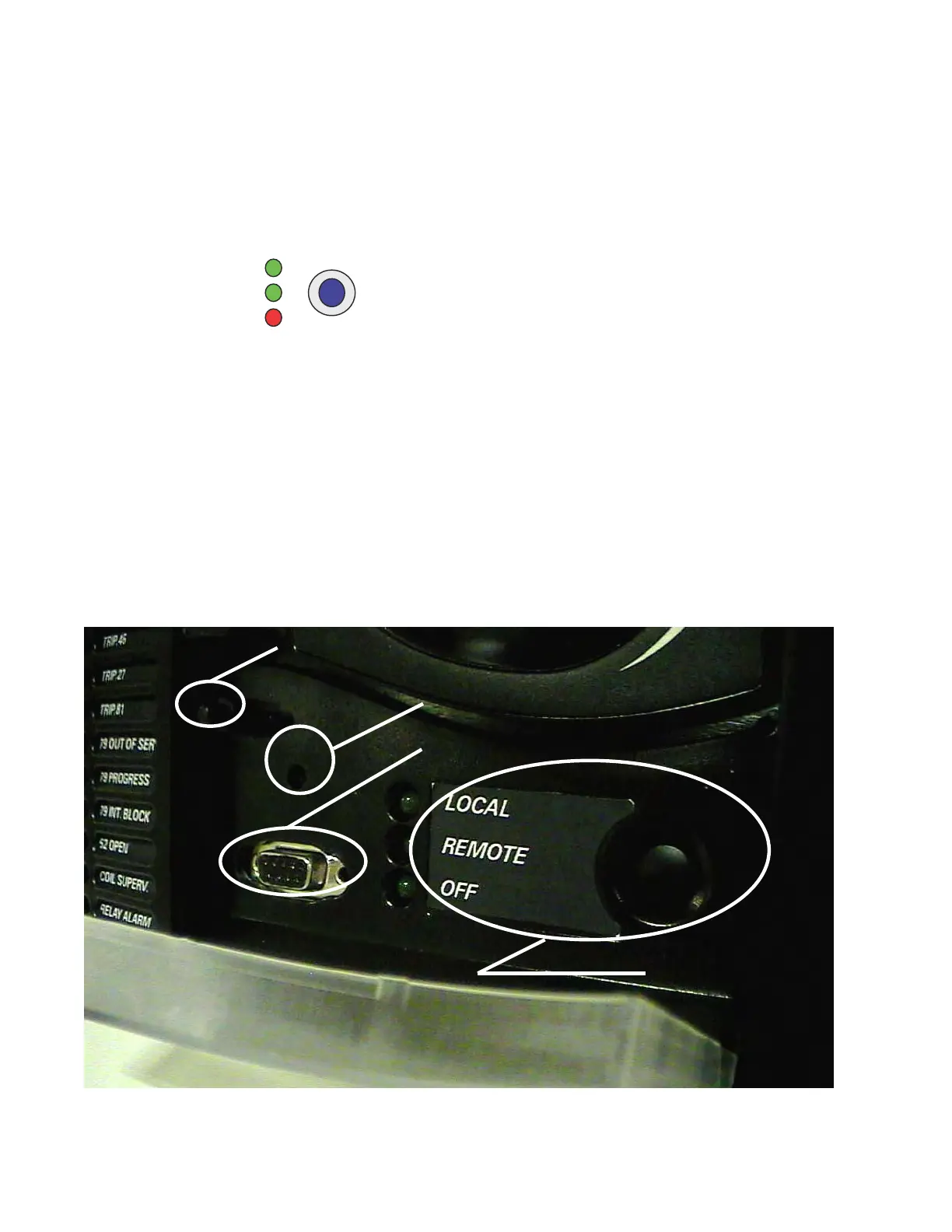
The following Figure 4-21: Detail of front port and cover sealing system shows a detail of the front RS232 communication
port and local/remote button access cover sealing system in basic (not enhanced) displays. The sealing system is similar
to the one used in energy meters, using wire and plumb seal. High quality plastic have been used in the design to
withstand extreme environmental conditions, both mechanical and electrical, sun radiation, humidity, etc. in order to
guarantee a long life for the unit.
Figure 4-21: Detail of front port and cover sealing system
Screen contrast regulator
Cover sealing system
Electrically isolated RS232 port
Local/remote Operations access



 To Next Page