CHAPTER 6: ACTUAL VALUES 6.5 RECORDS
GEK-106310-AF F650 DIGITAL BAY CONTROLLER 6-55
6.5.2 Waveform capture
The Actual > Records > Waveform Capture screen displays a list of all oscillography records available in the relay. The
F650 stores oscillography records from 1 to 999; this is the index of the obtained oscillography record. This screen allows
selecting the records to be saved among all records available. Download of these records is done through the selected
connection in the “Communication > Computer” menu, either serial mode or Ethernet.
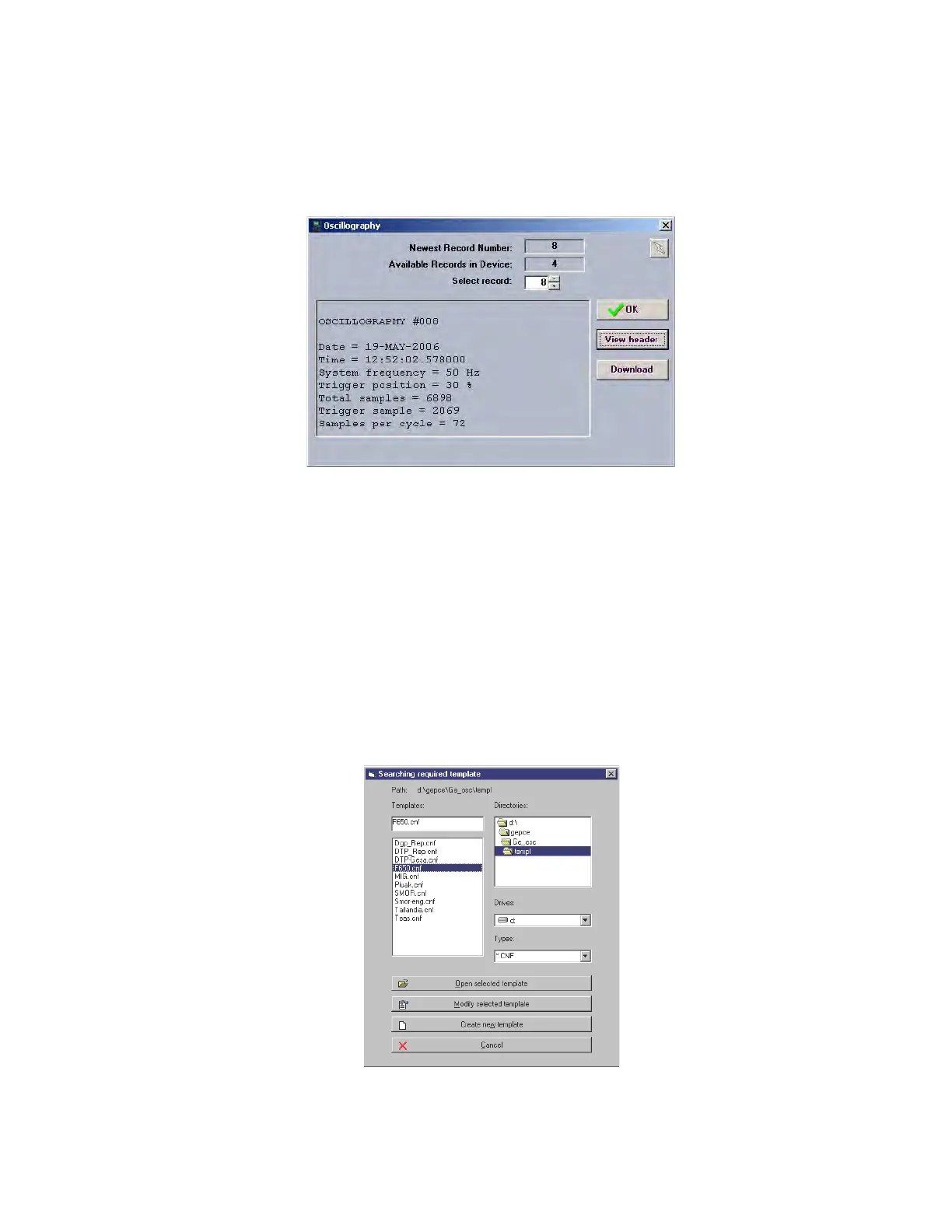
Figure 6-2: Oscillography record retrieval, EnerVista 650 Setup
The screen shows all the available records in the Relay, and by clicking on each of them, the system displays the heading
information for that record, allowing downloading the information to a disk. Once the file to be downloaded has been
selected, the oscillography record can be opened using GE-OSC software.
GE-OSC is GE proprietary software that is not distributed together with EnerVista 650 Setup. This program is a COMTRADE
viewer and analysis software for oscillography files.
If the user does not have the GE-OSC tool, the oscillography record can be stored and viewed using any other analysis tool
capable of reproducing COMTRADE.1999 files.
When using GE-OSC software, this program requires the use of a template for each relay. If there is a stored template for
F650 relays (as shown in the following figure), select the template and click Open Selected Template. The program then
prepares to view oscillography and digital records using the options in available menus (Waveforms and Digital Flags).
Otherwise, select the Create New Template option, and the program helps create a new template. See the GE-OSC
software instruction manual for details.
Figure 6-3: GE-OSC oscillography analysis software



 To Next Page