CHAPTER 7: IEC 61850 PROTOCOL 7.3 IEC 61850 CONFIGURATOR
GEK-106310-AF F650 DIGITAL BAY CONTROLLER 7-213
3. Connect to the relay as prompted if you are not already connected.
Once the download completes, a message displays indicating a successful download. The CID file can then be
viewed and edited in the IEC 61850 Configurator.
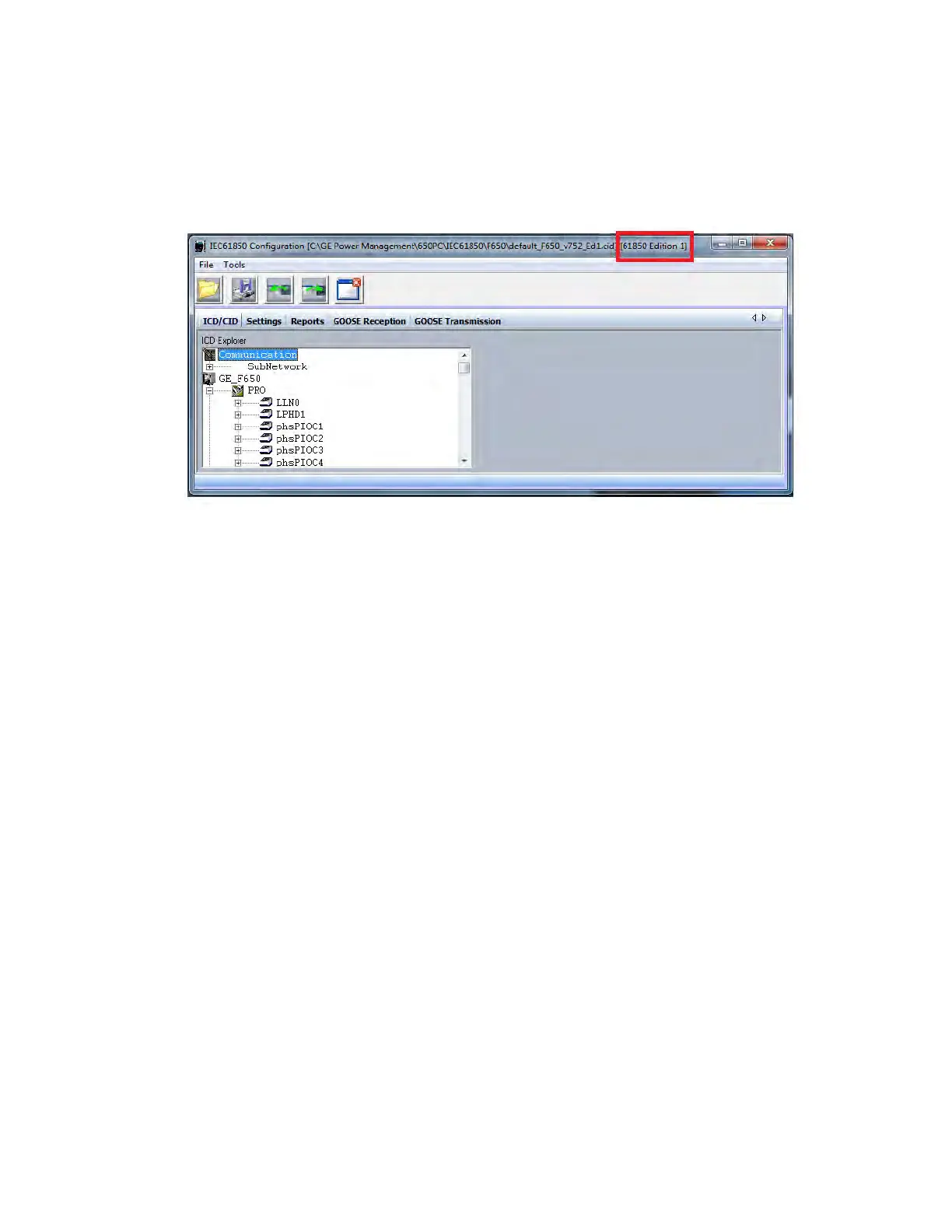
4. Check the title bar of the CID file to determine the IEC 61850 version, as shown in the figure below.
Figure 7-7: Information about the IEC 61850 Edition
For all scenarios, after opening the file all ICD data is displayed in the ICD/CID tab and the user can start configuring the IEC
61850 protocol in 650 devices.
7.3.2.3 Save IEC 61850 file to disk /save *CID file
After modifying the files using this tool the user can save them in the computer under the *.iec format (for firmware version
below 7.XX) or under the *.cid format (for firmware version 7.XX or above) , using the "Save IEC
61850 file to disk/Save *cid file" option.
7.3.2.4 Receive IEC 61850 file from device /receive CID file from device
The user can select the option "Receive IEC 61850 file from device" to retrieve the IEC 61850 files from the 650 device for
visualization or further modifications.
If the user is already communicating with the 650 device using the Modbus/TCP option in the Communication menu the
retrieve files options are performed over the IP Address selected in the Communication menu.
If the user is not communicating with a relay when the "Receive IEC 61850/CID file from device" menu is selected, the
program pops up a menu asking for the IP Address of the unit.



 To Next Page