5-180 F650 DIGITAL BAY CONTROLLER GEK-106310-AF
5.10 LOGIC CONFIGURATION (PLC EDITOR) CHAPTER 5: SETPOINTS
A single equation is composed of one or more inputs, one or more operations, and one output. The order of equations is
determined by the relative position of their outputs.
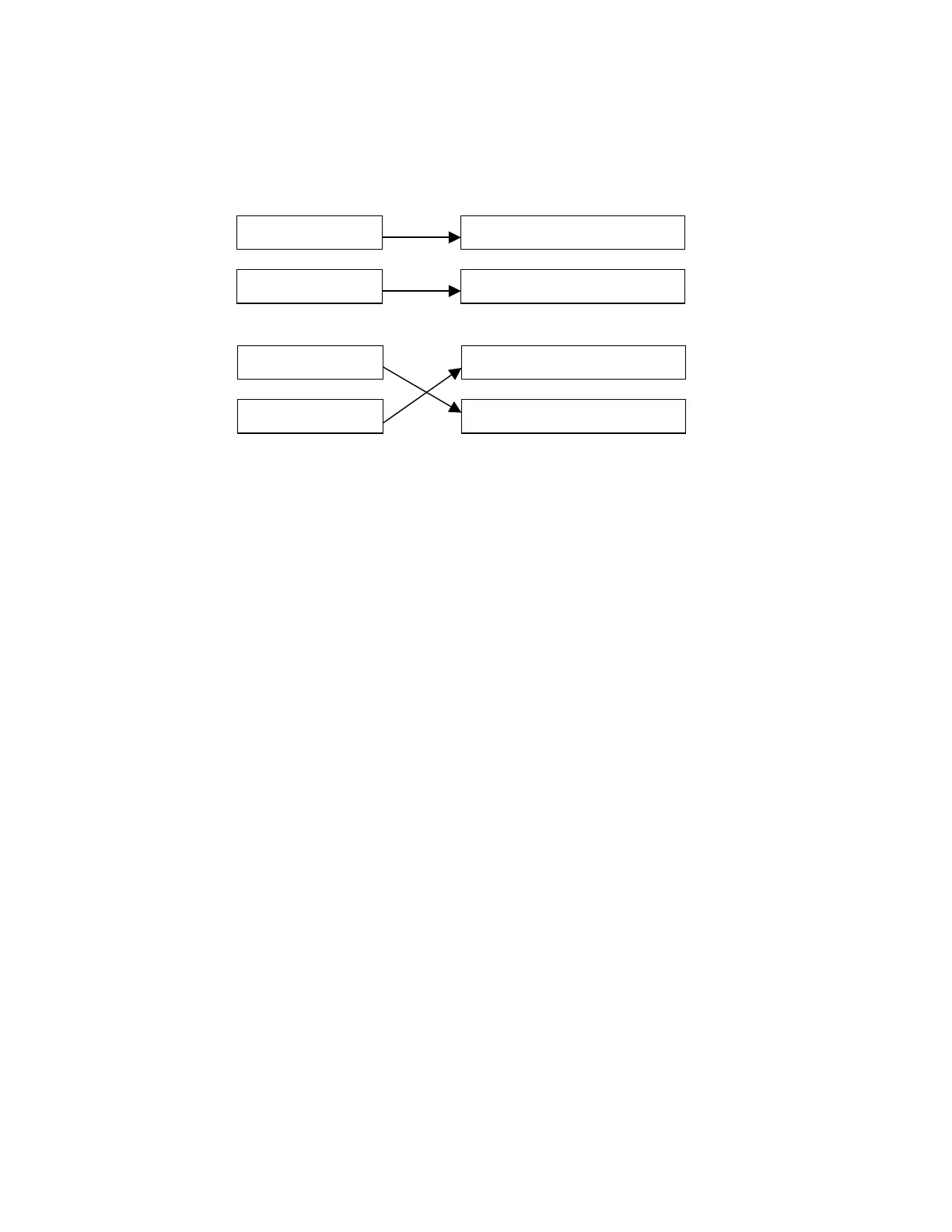
In the following example is shown the order of compilation for equations determined by their relative position in the
configuration file:
Figure 5-56: Order of equations
In this case, equation A is the first to be executed. However, in the second case, the first equation to be executed would be
B, as its output is before the Equation A output.
5.10.2 Main menu
The PLC Editor tool (Setpoint > Logic Configuration) provides a main menu with different submenus (File, Project, Edit, Run,
View, and Window) that allows the user to built customized logic for the F650 devices.
File menu
The FILE menu includes the following options:
New Project: Create a new project that includes the logic configuration files.
Open Project: Open an existing project.
Close Project: Close the currently open project.
Get Project from Relay: Retrieve a previously saved project from the relay.
Save Project and Save Project as: Save the open project.
Save Automatic Function &
Save Automatic Function As: Save the file of the active project.
Library: Give access to the library sub-menus, where new libraries can be created and
existing libraries can be modified and saved.
Print: Print the active configuration file.
Preview: Preview of the document before printing.
Exit: Close all open projects and exit the application.
Project menu
The Project menu includes the following options:
Project Explorer: Display a tree structure showing all files contained in the project.
Insert library: Insert a library in the active automatic function.
EQUATION A EQUATION A OUTPUT
EQUATION B EQUATION B OUTPUT
EQUATION A EQUATION B OUTPUT
EQUATION B EQUATION A OUTPUT



 To Next Page