4-12 F650 DIGITAL BAY CONTROLLER GEK-106310-AF
4.1 ENERVISTA 650 SETUP SOFTWARE CHAPTER 4: INTERFACES, SETTINGS & ACTUAL VALUES
4.1.6.1 New, Open, Save, Save as, and Close
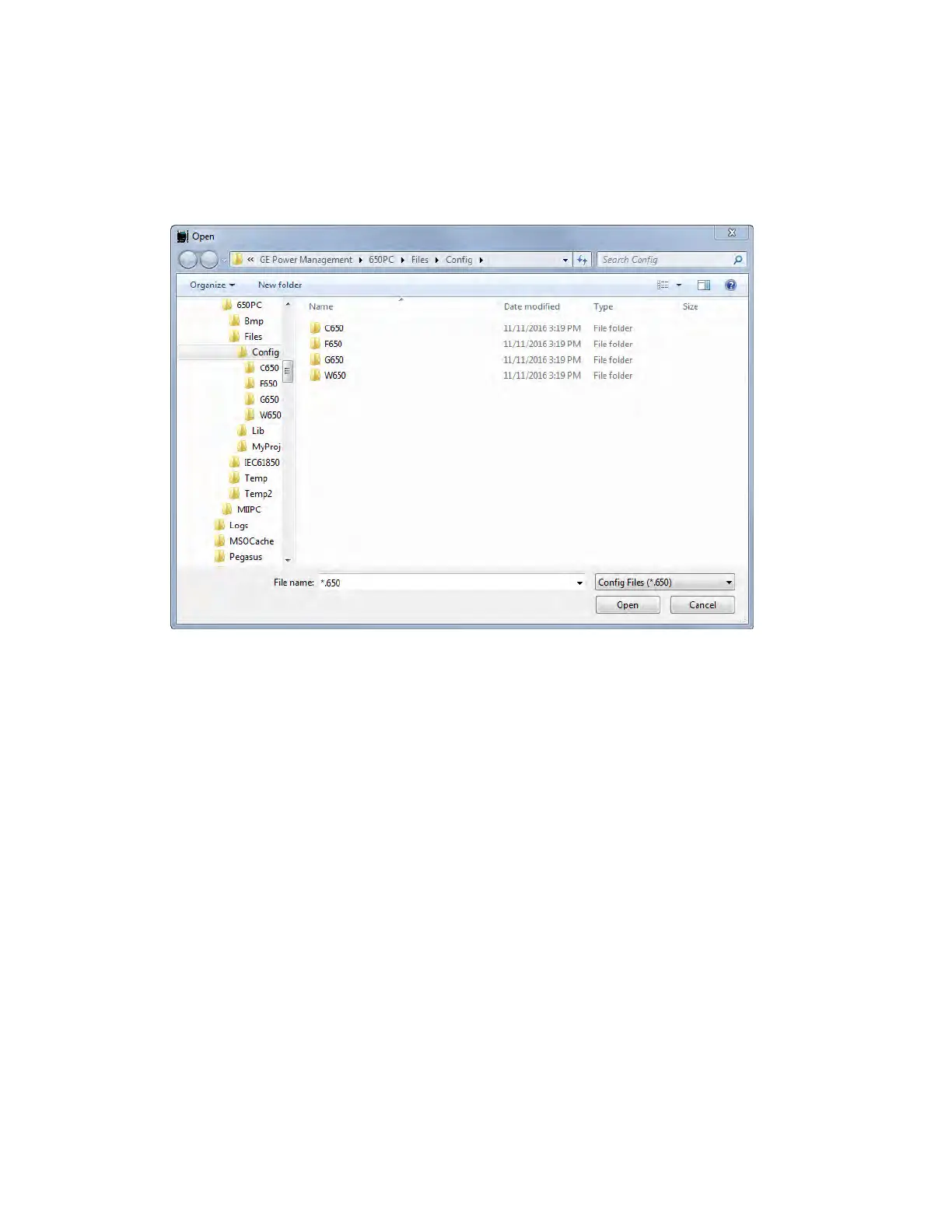
In these options, the EnerVista 650 Setup program opens a dialog box (with default path to Files > Config program folder)
where the setting and configuration files can be selected from offline files. To access this menu, there must be no
communication between the PC program and the relay (offline mode).
Figure 4-5: Open file menu
Once the *.650 file for the appropriate relay model (FXGX) is selected, the EnerVista 650 Setup program enables the offline
options to fully program the unit. The enabled menus in the EnerVista 650 Setup program are: File, Setpoint, Actual,
Communication, View and Help.
Offline mode displays the File, Setpoint, Actual, Communication, Security, View and Help submenus in order to program the
unit. The Actual values submenus are for structure purposes only. Values are not refreshed while the relay is not
communicating.
The Save as and Close file options are used to save the *.650 file into the computer and to close the current file. To work in
offline mode for settings and configuration editing, a new *.650 file can be opened without closing the previous file. The
Close option is instead used to clear all data in EnerVista 650 Setup program, enabling the Language, Upgrade firmware
version and Upgrade Operating system menu options.



 To Next Page