5-156 F650 DIGITAL BAY CONTROLLER GEK-106310-AF
5.9 RELAY CONFIGURATION CHAPTER 5: SETPOINTS
5.9 Relay configuration
Setpoint > Relay Configuration
This is the relay configuration section in which the relay can be configured (all input/output and LEDs configuration,
protection elements signals, graphic display configuration, etc.) using internal states or already compiled equation on PLC
Editor (see section 5.10 Logic configuration (PLC editor)).
5.9.1 Outputs
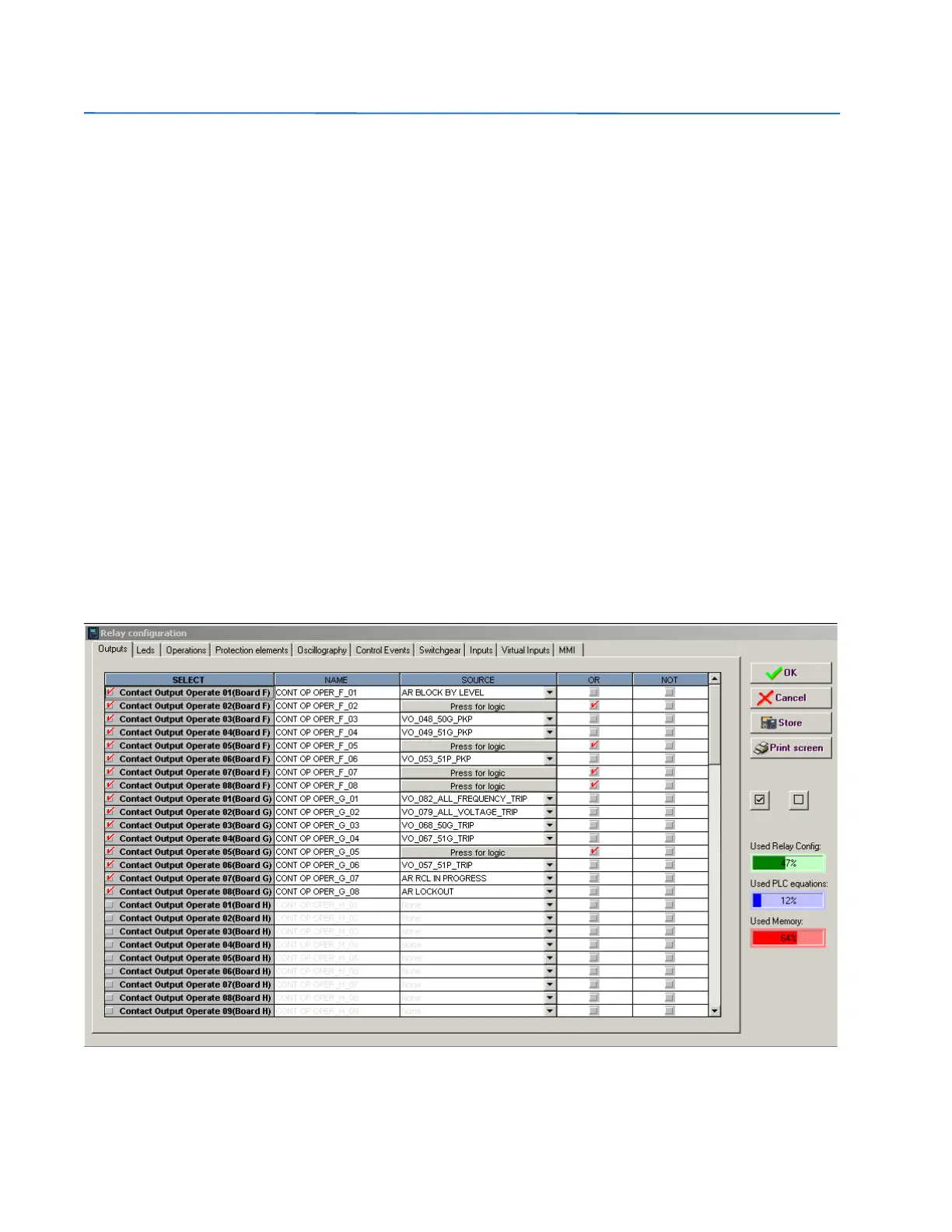
Configuration of contact output operates and reset signals for all boards available in the device:
To configure any output it is necessary to select the output to be configured, clicking on the checkbox in the select column
and choose the logic operand in the source column. Simple logics can be performed on this screen, using the “or” and “not”
columns, for more complex logics go to the logic configuration tool to create the virtual outputs and afterwards select it in
the source column.
The different options available in this screen are the following:
• Select checkbox enables each output. The output must be enabled before modifying any other setting on that output
• Na
me setting for defining identification for the output. Note: nor the Output name, nor the Input name, nor the Virtual
Input name is recorded into the relay.
• Sour
ce setting for defining a function, logic, remote input, digital input, etc. that activates the contact.
• OR check
box for configuring the output operation by activation of any of the indicated signals. The element performs
an OR of the signals, and its output produces operation.
• NO
T checkbox for inverting or not the configured logic.
Figure 5-46: Output configuration



 To Next Page