6-56 F650 DIGITAL BAY CONTROLLER GEK-106310-AF
6.5 RECORDS CHAPTER 6: ACTUAL VALUES
Note that any settings change in the oscillography removes all the information stored up to that moment.
6.5.3 Fault report
When selecting the Actual > Records > Fault Report menu, EnerVista 650 Setup shows the following screen, indicating the
fault reports available in the relay.
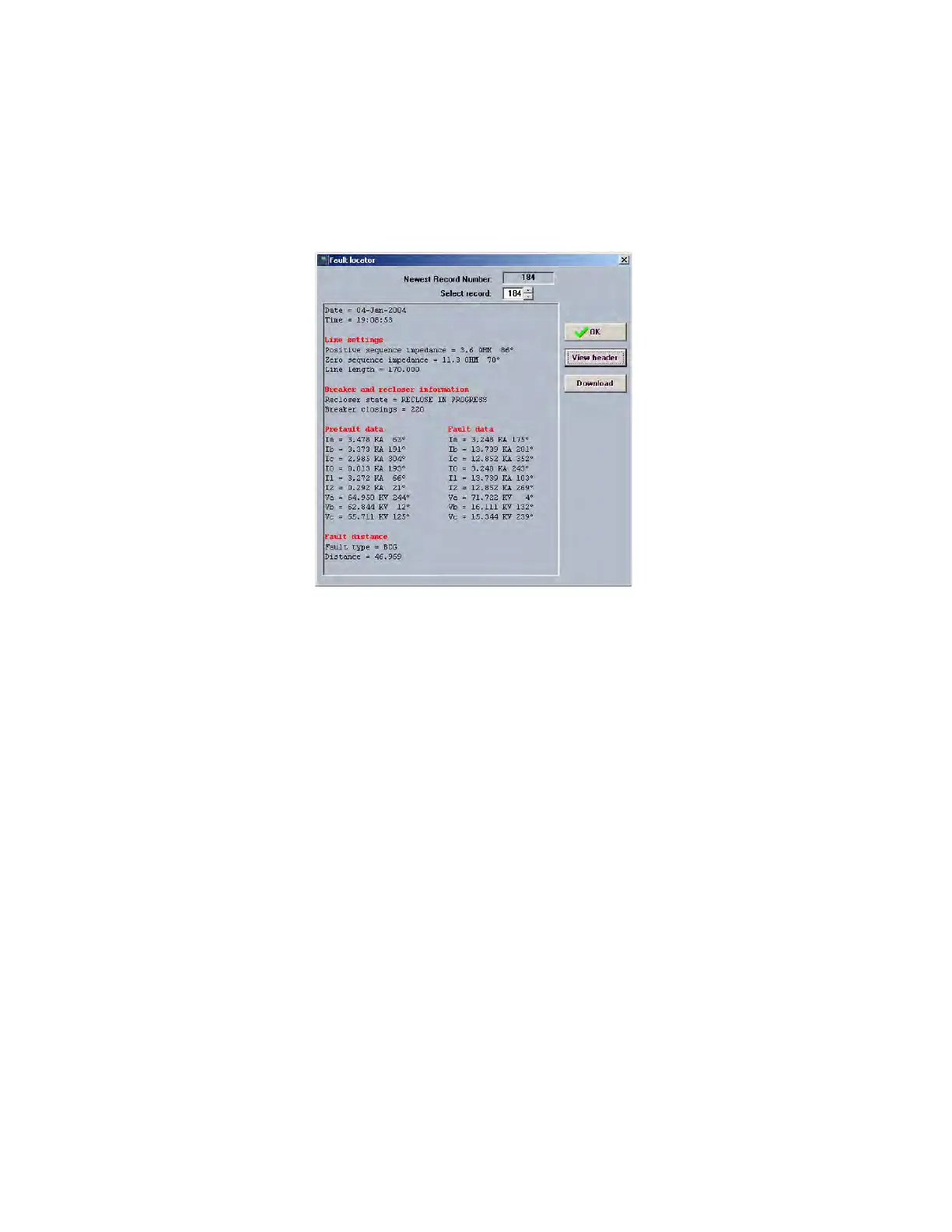
Figure 6-4: Fault report retrieval, EnerVista 650 Setup
When selecting one of the records, a new screen details the following information:
•Date
•Time
• Pre-fault current and voltage in primary values
• Fault current and voltage in primary values
• Fault type
• Distance to the fault
The operation of this screen is similar to that of the previous oscillography screen, being in this case the number of fault
reports a fixed number (10), instead of variable and setting-selected like as in the previous case.
Once a fault report is selected, its heading description is displayed, showing pre-fault information, fault information and
the distance to the fault. This file can be downloaded to the computer in a CSV format file.
Fault report file retrieval can be performed via serial or Ethernet communications. Note that any settings change in the
fault report remove all information stored up to that moment.



 To Next Page