4-70 F650 DIGITAL BAY CONTROLLER GEK-106310-AF
4.3 WEB SERVER CHAPTER 4: INTERFACES, SETTINGS & ACTUAL VALUES
4.3.5 Oscillography
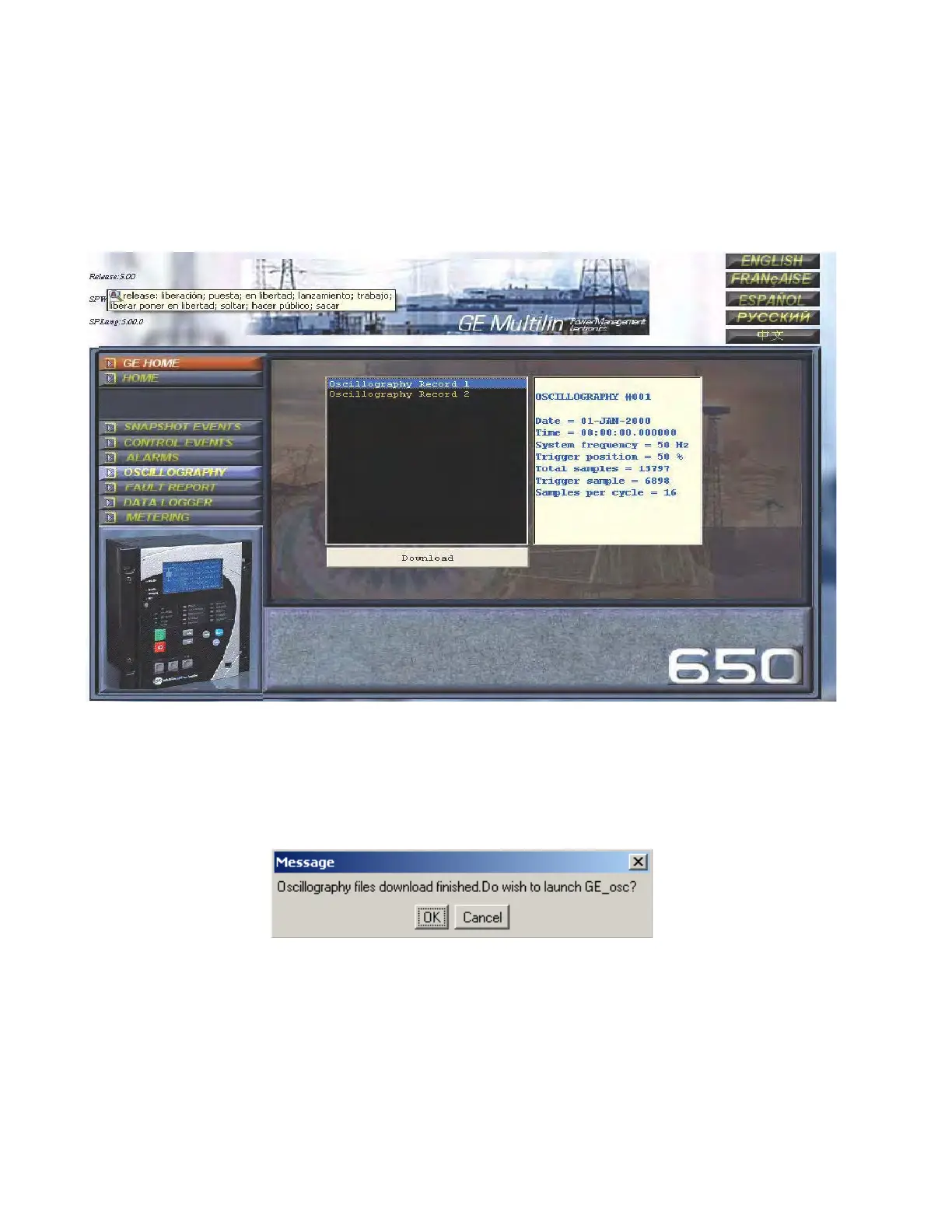
The oscillography screen allows obtaining from the relay available oscillography records in that moment.
This screen includes two windows. The first window shows oscillography records available in the relay, identified by an
index, being the highest index the most recent record (oscillography record No 6 in the example below).
Figure 4-43: Oscillography screen
If the user clicks on the oscillography record he wants to retrieve, the window on the right shows a description of the
record header, indicating its date, time, and the most relevant parameters of the record. Once a record is selected, it is
required to press the Download button. The system then opens a window to allow saving the files in Comtrade format on
the PC hard drive. Once the records have been saved, the system asks if the user wants to open GE-OSC tool (Comtrade
record viewer) to view the downloaded files.
Figure 4-44: GE-osc launch screen



 To Next Page