7-212 F650 DIGITAL BAY CONTROLLER GEK-106310-AF
7.3 IEC 61850 CONFIGURATOR CHAPTER 7: IEC 61850 PROTOCOL
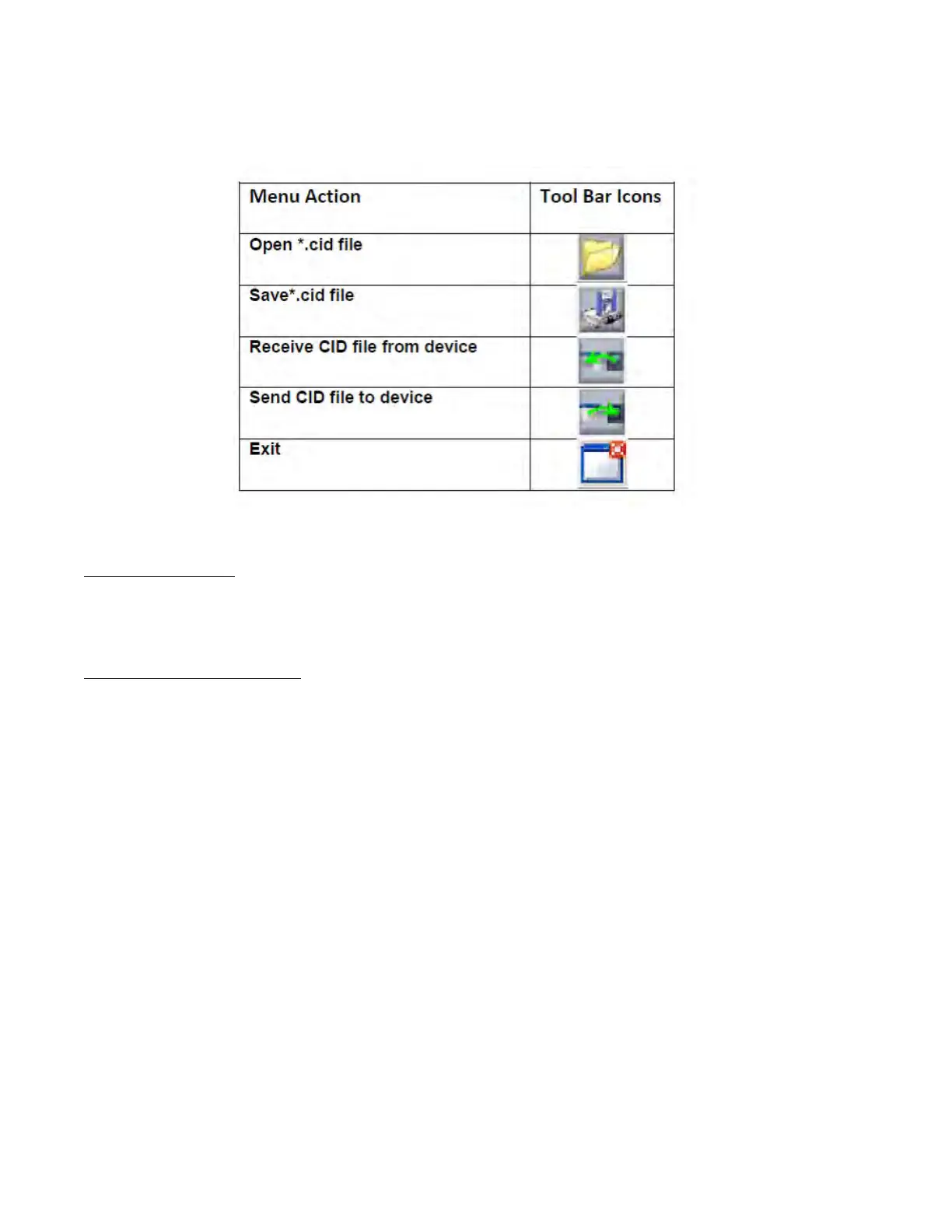
For firmware version 7.00 or higher the program options are listed below:
7.3.2.2 Open IEC61850 file from disk / open *CID file
For firmware below 7.XX, the "Open IEC 61850 file from disk" menu allows the user to work in offline mode to configure IEC
61850 protocol in 650 devices. The tool works with files of *.iec extension which contain the icd file from the devices and
proprietary files needed for the whole configuration.
In the EnerVista 650 Setup default files you will find the "F650_Vxxx.iec" corresponding to the firmware version related to
the EnerVista instalation.
For firmware version 7.XX or above, the "Open *CID file" menu allows the user to work in offline mode to configure IEC
61850 protocol in 650 devices. In that occasion, the tool shall work with *.cid file extension which contain the icd file from
the device.
In the Enervista 650 Setup default files, user will find the "default_F650_vXXX.cid" corresponding to the firmware version
related to Enervista installation.
For firmware version 7.XX or above, consider the following notes:
For firmware versions from 7.20 and below 7.50, two different *.cid files are available for each version:
– default_F650_vXXX.cid": Default IEC61850 CID file for F650 if Setting group option is disabled.
– default_F650SG_vXXX.cid": Default IEC61850 CID file for F650 if Setting group option is enabled.
For firmware version 7.52 or above, F650 will work with IEC 61850 Edition 1 or Edition 2 depending on which *.cid is
configured and sent to the device. Consider your firmware version when choosing a default CID file from the files
provided with 7.52 Enervista 650 Setup. For a default installation, these files are located at:
C:\GE Power Management\650PC\IEC61850\F650
For firmware version 7.52 or above, two different *.cid files are available for each version:
– default_F650_vXXX_Ed1.cid”: Default IEC61850 CID Edition 1 file for F650
– default_F650_vXXX_Ed2.cid”: Default IEC61850 CID Edition 2 file for F650
To determine whether the relay is working with CID Edition 1 or Edition 2, download the active CID file from the relay:
1. Open the Enervista Setup software, and click IEC 61850 Configurator on the menu bar.
2. Select File > Receive CID file from device, or click the download button.



 To Next Page