5-164 F650 DIGITAL BAY CONTROLLER GEK-106310-AF
5.9 RELAY CONFIGURATION CHAPTER 5: SETPOINTS
5.9.6 Oscillography
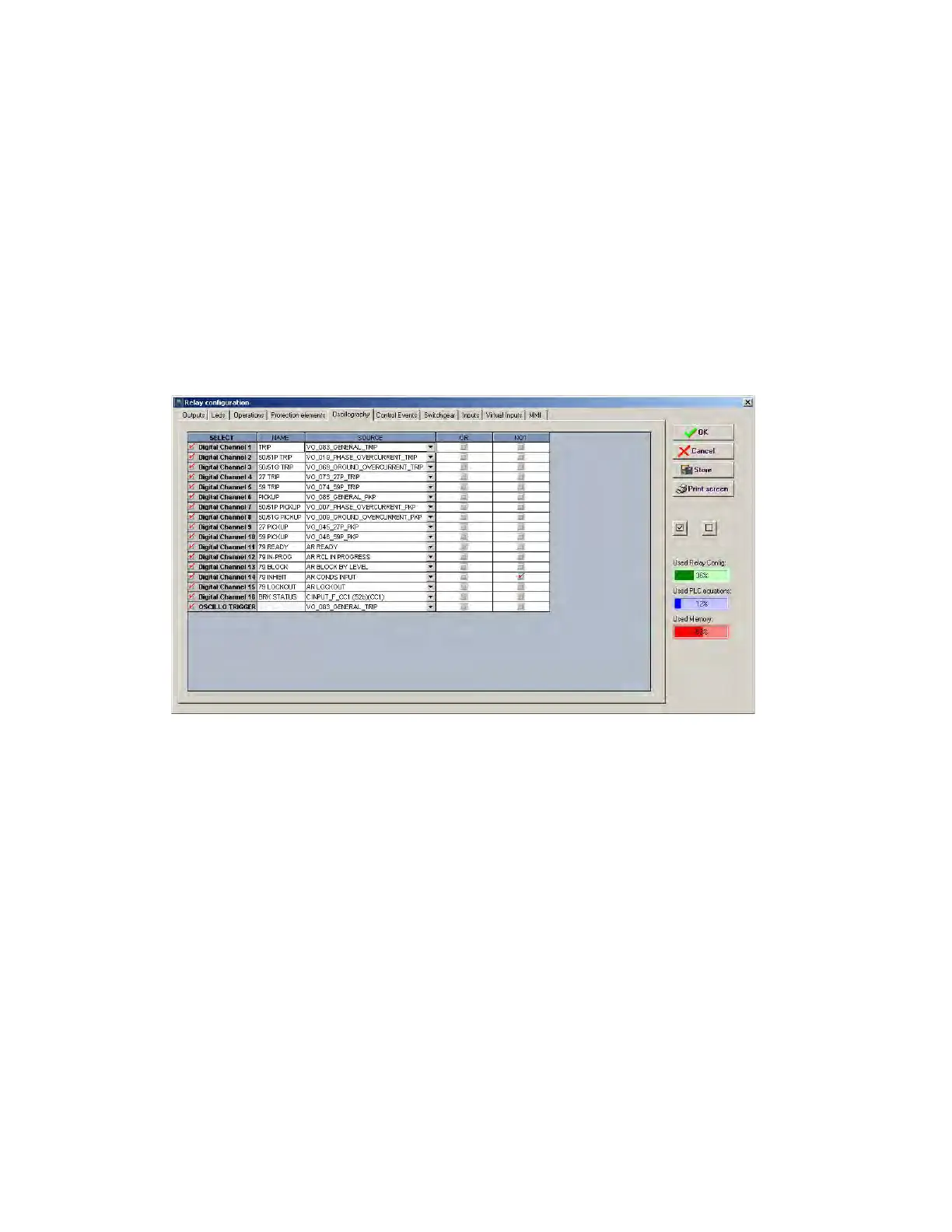
This menu is used for selecting the digital channels to be included in oscillography records, and the oscillo trigger signal. As
for the above-described settings, the trigger selection can be any of the signals provided by the relay or a logic
combination of these.
settings are described below:
• Select checkbox enables or disables a digital channel and the oscillography trigger.
• Na
me setting defines the name of the digital channel to be included in oscillography records.
• Sour
ce setting defines the source or signal to be recorded in that specific channel, which can be selected among all
the operands available in the signals menu.
• NO
T checkbox inverts the enabled digital channel signal.
• OR
checkbox to select a group of operands instead of a single one. The relay performs an OR of the signals, and its
output produces operation.
Figure 5-51: Oscillography conf
iguration
NOTE This screen is used for the configuration of digital channels and oscillography trigger. The rest of parameters,
such as function enabling/disabling, sampling rate, number of oscillography files, etc. must be set on the
Setpoint > Product Setup > Oscillography menu.



 To Next Page