Rev. 1
Card Gr1-
2
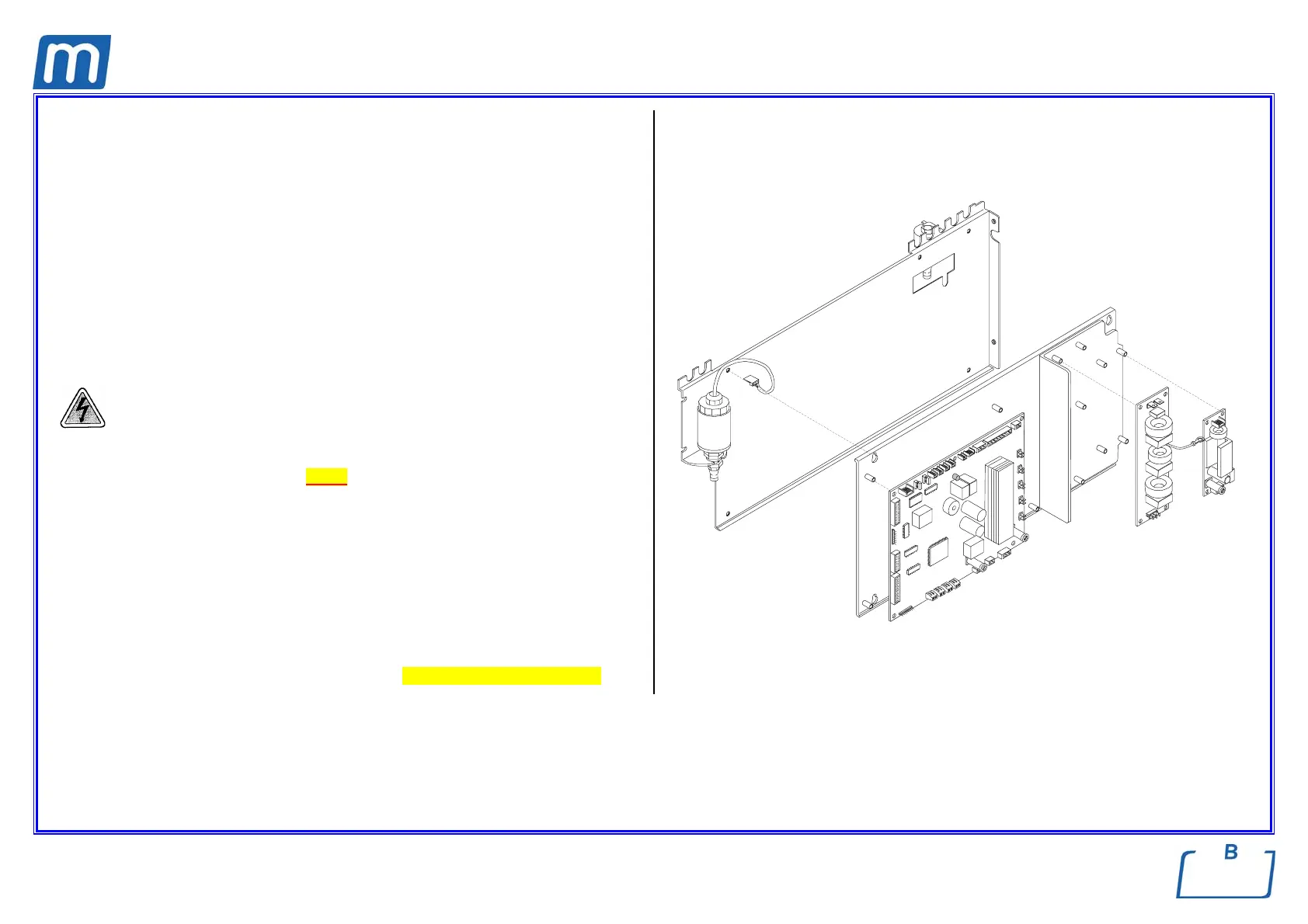
ELECTRONIC BOARD ASSEMBLY (TROLL VERSION)
A#0BM4760000
PRINTER POWER SUPPLY BOARD
C#5BM1430000
MAINS FILTER BOARD
C#5BM1420000
BASIC BOARD
A#5BM1400000
Before servicing, switch off the equipment and unplug the power
supply cable from the mains socket.
1. Remove the covers (see card Gr7-1 );
2. Unplug connectors and wirings from the board;
3. Remove the screws fixing the board;
4. Mount the new board, restore connections and assembly all items proceeding
in reverse order as above;
5. Run a sterilization cycle.
Note: in case of power supply printer board replacing, perform a printout check
selecting the menu Setup, option NORMAL (see Setting the printer options).
MAINS FILTER
BOARD
PRINTER
BOARD
Ground
wire
BASIC BOARD



 To Next Page