Rev. 1
Attach.
2
ATTACHMENT B -
ADJUST PARABOLA
Before servicing, switch off the equipment and unplug the power
supply cable from the mains socket
1. Open the door;
2. Remove the plastic door cover (see card Gr7-2);
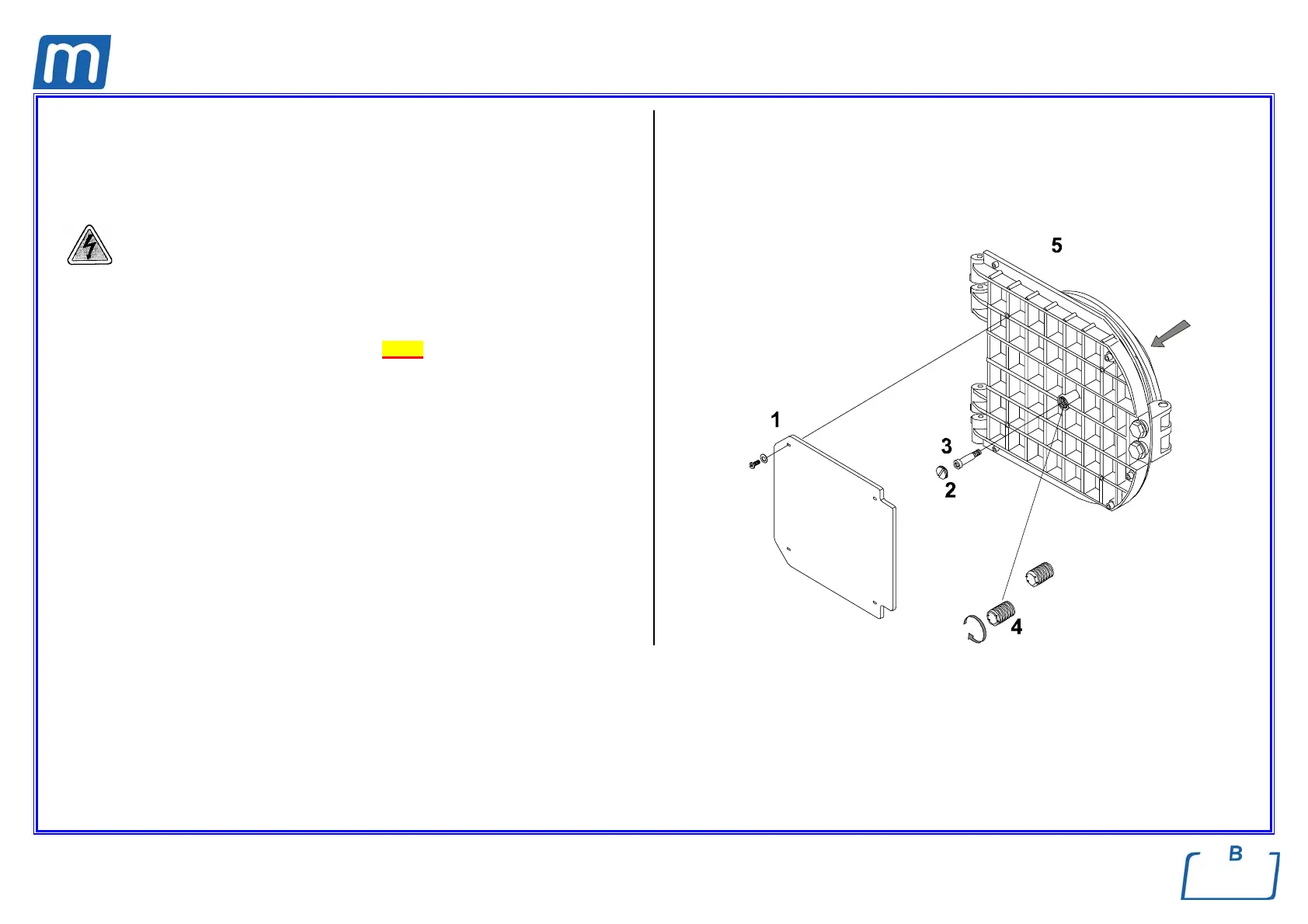
3. Remove the insulating panel (1);
4. Remove the screw-plug (2) at the center of the door;
5. Loosen the central screw (3) and loosen the threaded bush (4);
6. Maintaining the parabola panel against the door, turn completely clockwise
the central threaded bush (4), then turn it ¾ anti-clockwise;
7. Fix the parabola panel by means of the central screw (3);
8. Remount all items proceeding in reverse order as above;
9. Perform a sterilization cycle.



 To Next Page