Rev. 1
Card Gr1-
7
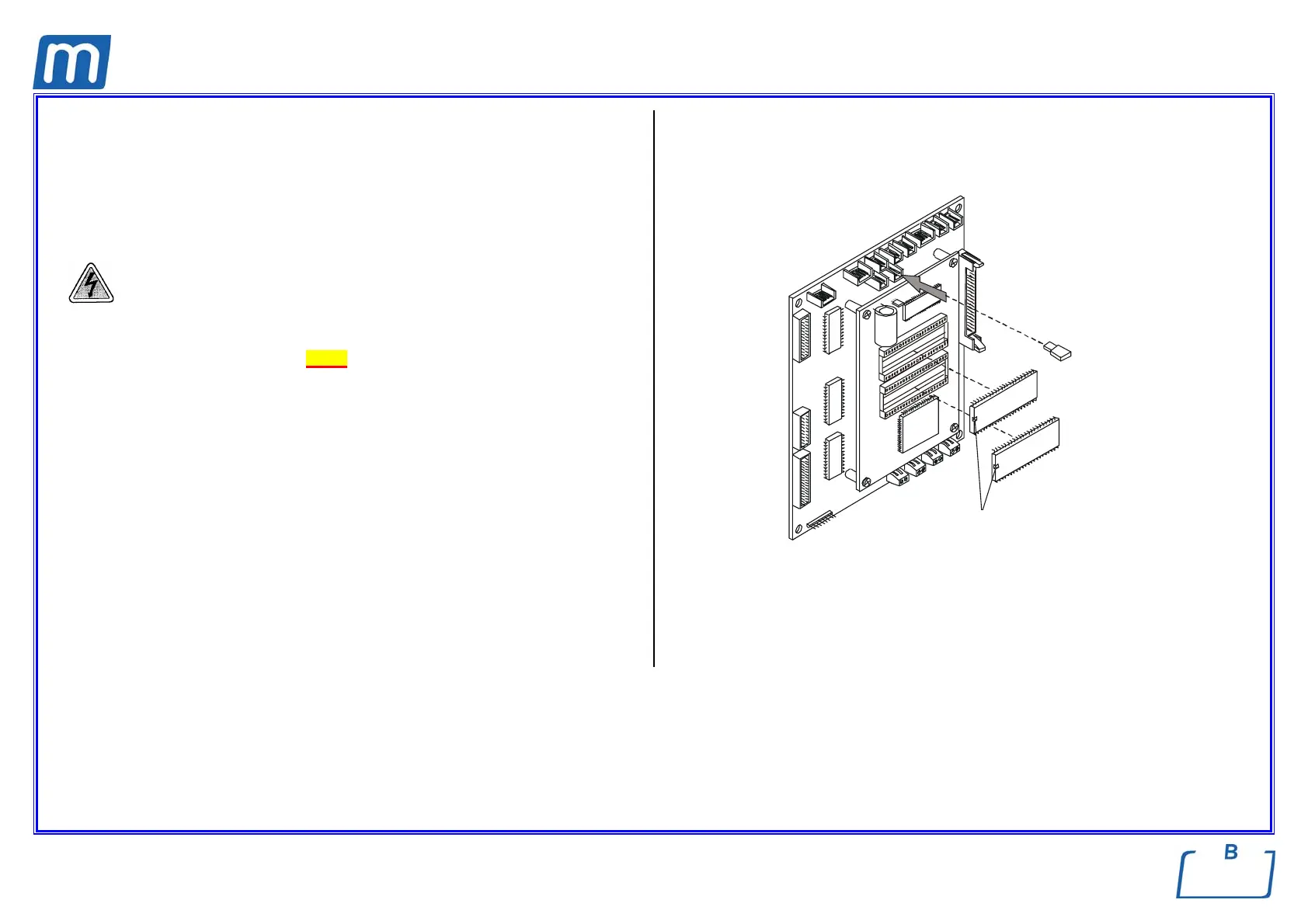
FIRMWARE EPROM
440#00300000
FLASH EPROM
440#00290000
Before servicing, switch off the equipment and unplug the power
supply cable from the mains socket
1. Remove the covers (see card Gr7-1);
2. Remove carefully the two EPROM’s;
3. Replace EPROM’s observing the mounting orientation;
4. Plug off the jumper X21;
5. Switch on the unit;
6. “Release Software update” will appear on the LCD, followed by the message
“Release Software update OK”;
7. Switch off the unit;
8. Restore the jumper X21;
9. Switch on the unit;
10. Restore the covers;
11. Run a sterilization cycle.
X21
EPROMFfirmware
EPROM Flash
tacca
marks



 To Next Page