Rev. 1
Card Gr4-
9
FILTER HOLDER
286#00290000
LP1 FILTER
472#00030000
Before servicing, switch off the equipment and unplug the power
supply cable from the mains socket
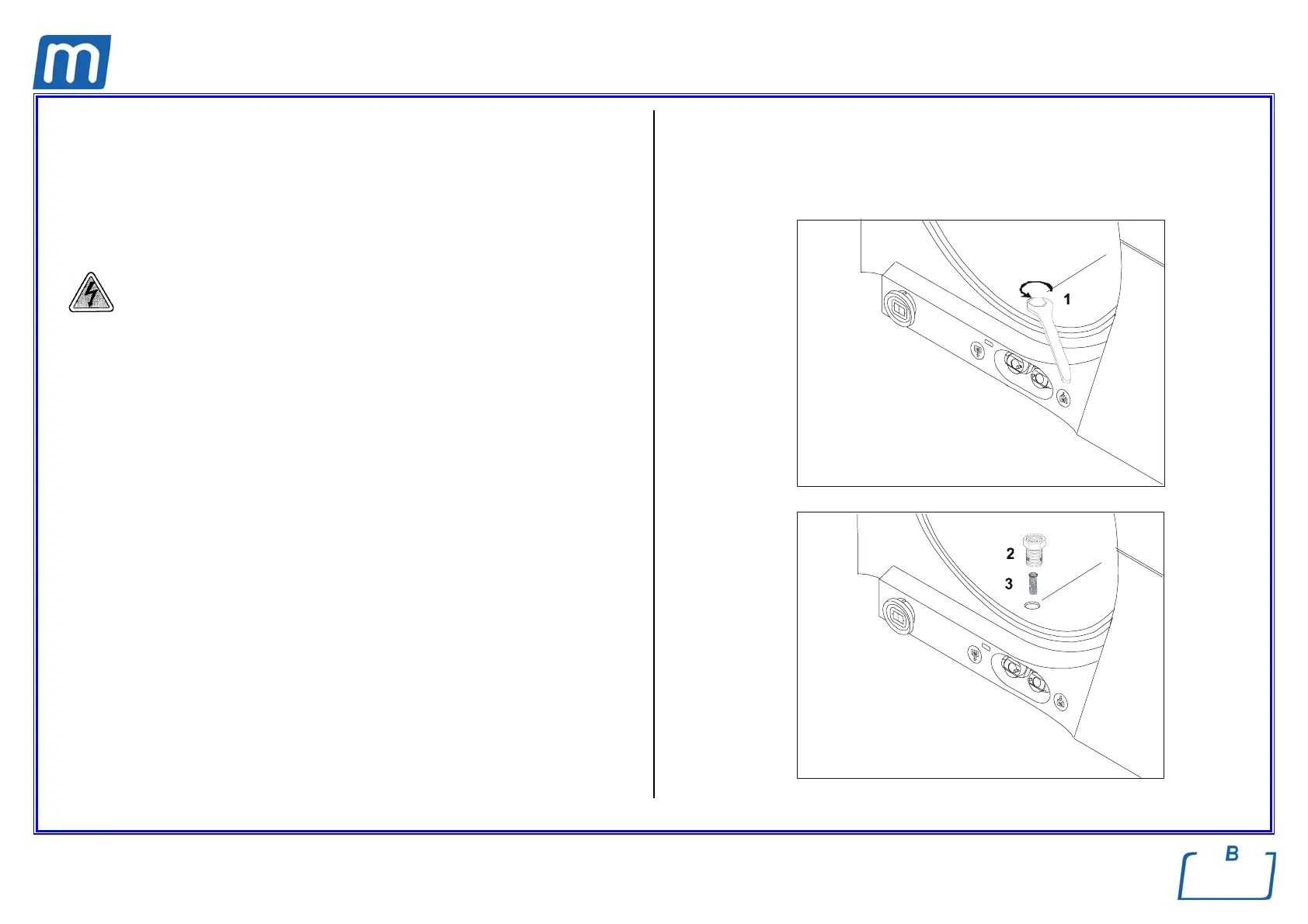
1. For cleaning (or replace) the filter, open the door of the sterilizer and remove
the nut (1) with a hexagonal wrench n. 14.
2. Then remove the fitting (2) and the filter (3).
3. Remove the filter from the support and carefully clean it under a throw of
running water, using if necessary a pointed tool to remove possible material
of greater dimensions.
4. If the filter cannot be reused, replace it with a new one.
5. Plug the filter in the support, block it with a drop of sealing (if available),
having care to not obstruct the holes
6. Reassemble all parts following reversely the above procedure, paying
attention on screwing down the fitting (2) so as to let the draining holes (4) at
level of the chamber wall.
7. Run a sterilization cycle



 To Next Page