Rev. 1
Attach.
15
ATTACHMENT M -
CHECK CALIBRATION
Before servicing, switch off the equipment and unplug the power
supply cable from the mains socket
1. Remove the covers (see card Gr7-1 );
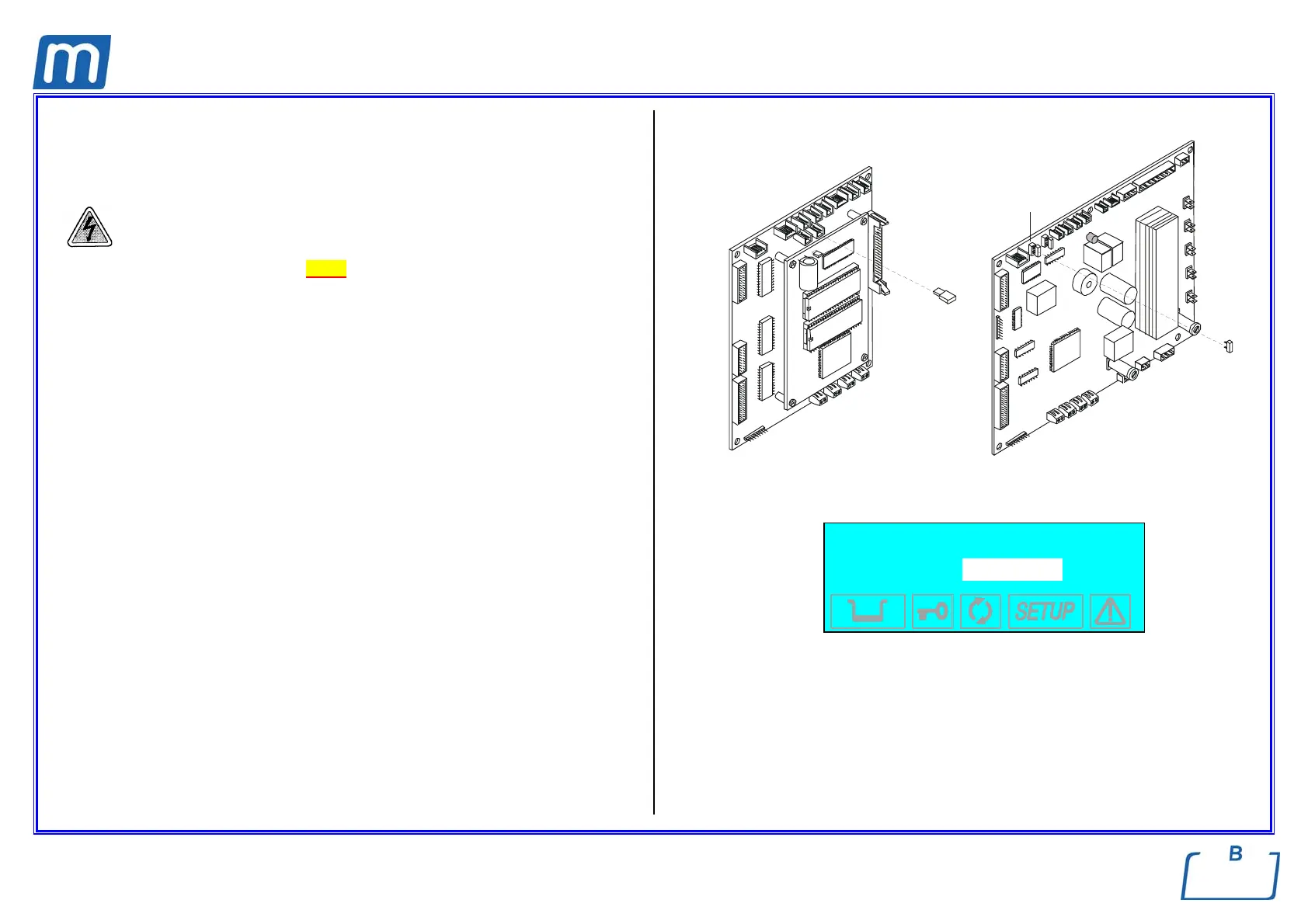
2. Unplug jumper X21 of the CPU board;
3. Remove the wirings of any PT probes;
4. Plug-in the sample connector provided with the pin for checking value 000,0;
5. Press the Start key and switch-on the unit; LCD will show the message
“SETUP” and then the PT1 value (see figure);
6. Check that PT1 value matches the calibration one, i.e. 000,0;
7. Press the Start key and repeat the check for PT2, PT3 and PT4 on the
relating connector;
8. Should any value to be different from the calibration one, use key + and – to
increase or decrease the value;
9. At the end of the last check, remove the sample connector, plug-in it again in
reverse direction in order to check PTn value at 130.4° reference;
10. Repeat the check for any PTn as above, and adjust the value in case of
mismatch from 000,0;
11. Ended the PTn checks, push again key Start to continue with the next check,
i.e. pressure transducer at 0,00 , 2,10 and -.90 bar;
12. Press the Start key, the display will show “SETUP COMPLETE”;
13. Press again the Start key to exit the calibration function and launch the self-
test;
14. At the end of the self-test, switch-off the unit and restore the jumper X21;
15. Switch-on the unit and perform a sterilization cycle;
X21
GAM TROLL
X21
Example of LCD display
PT1 000,0
015,0 7.395
Sensor
Value to be edited in
order to match the
reference one
Reference value
Ohm value



 To Next Page