Rev. 1
Attach.
4
Custom type
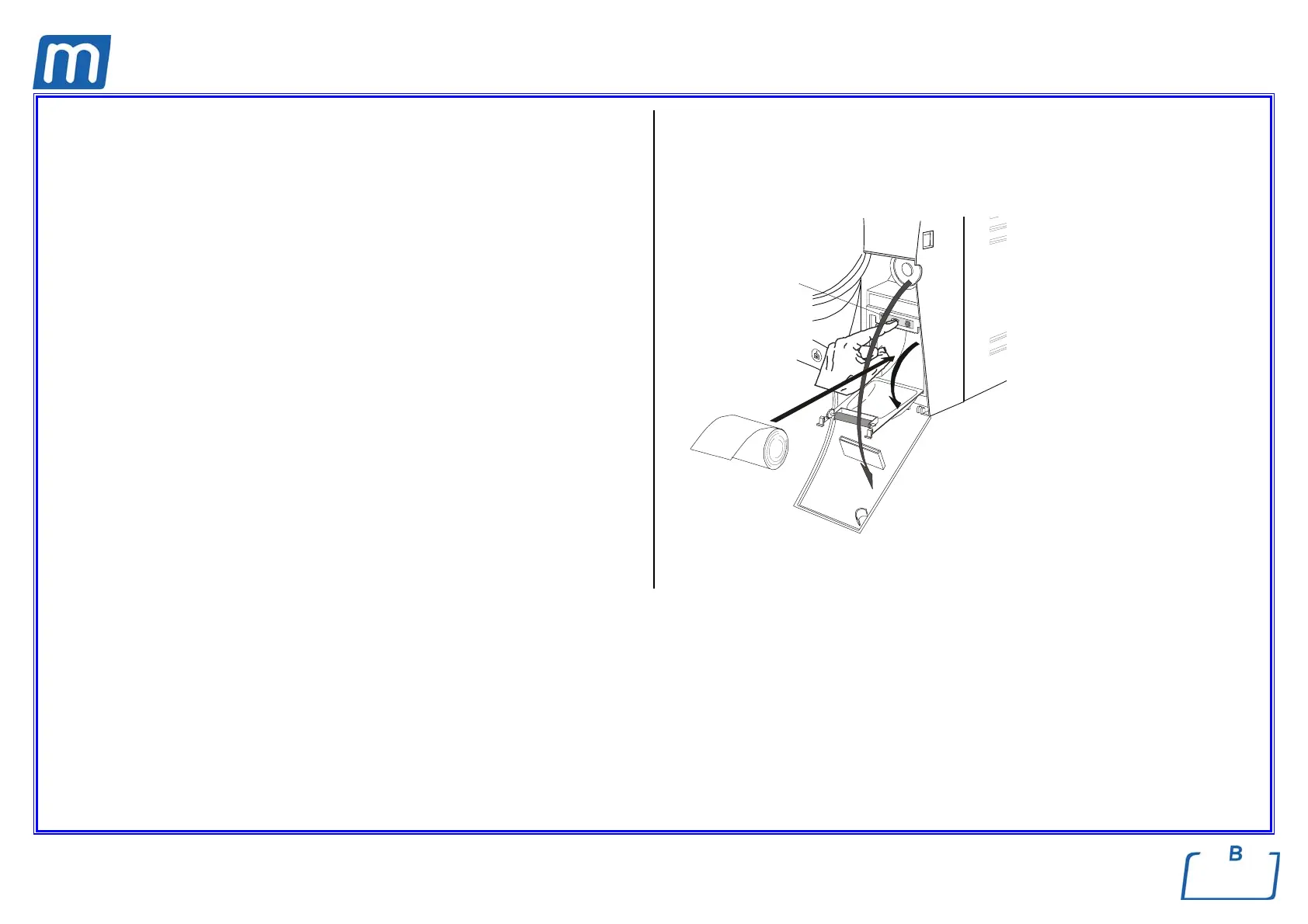
1. open the service compartment door (1) to access the printer;
2. push the central button (2) to open the printer door and access the paper
compartment;
3. remove the empty roll and place a new one so that the paper unrolls off the
top;
use thermal paper roll:
- width 57 mm / diameter max 45 mm
4. unroll about 15 cm of paper and close the printer door;
5. thread the paper in the slot of the service compartment and close;
6. switch on the equipment;
7. perform a sterilization cycle.
N.B. The central button is lighted steady when the paper is regularly present,
and is flashing when the paper rool is empty
WARNING
- Use only thermal paper;
- Arrange the paper roll with the correct direction (see figure).
1
2
3



 To Next Page