Rev. 1
Attach.
12
ATTACHMENT K -
UPDATE SOFTWARE
Before servicing, switch off the equipment and unplug the power
supply cable from the mains socket
GAM electronic boards
1. Remove the covers (see card Gr7-1 );
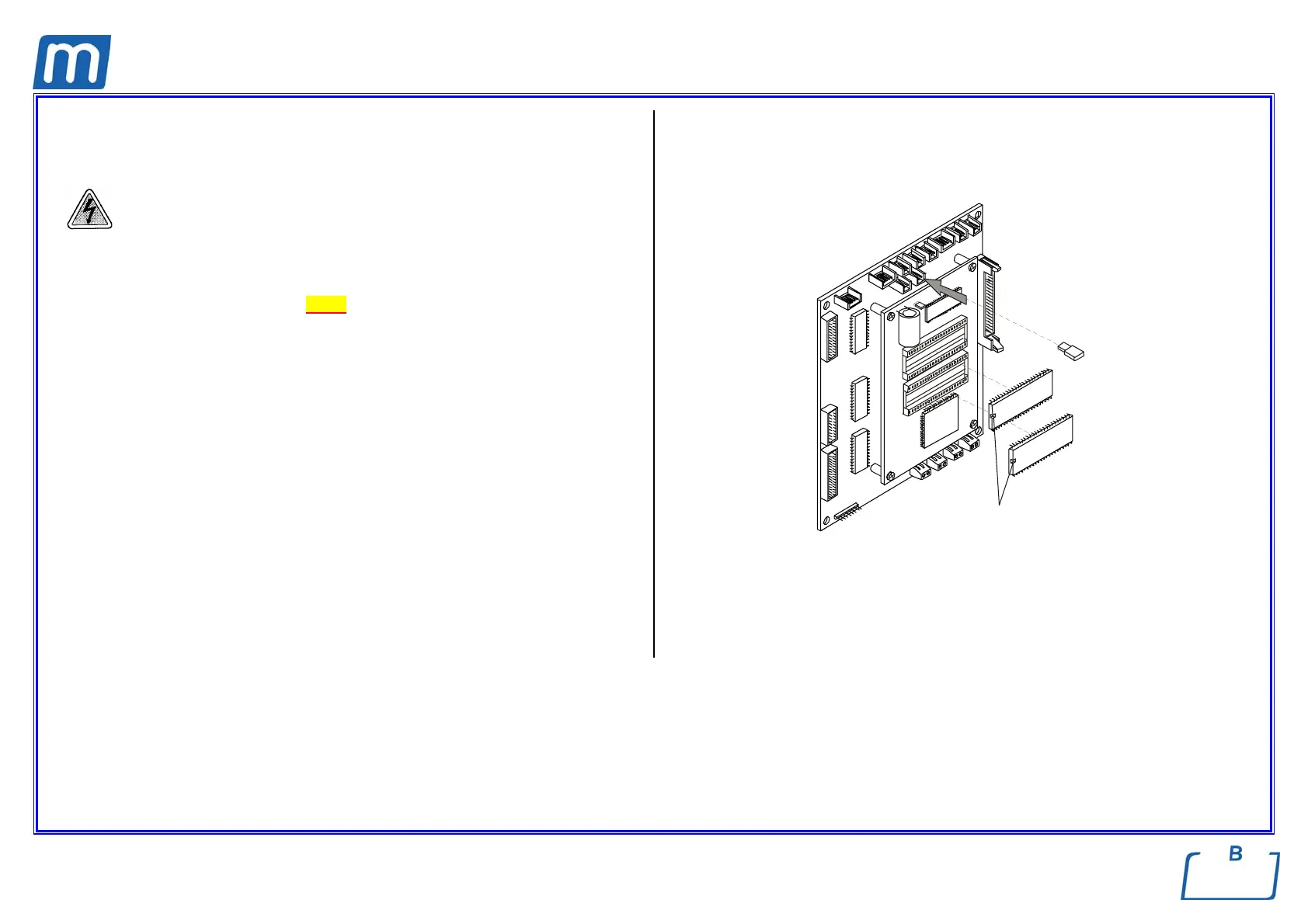
2. Unplug jumper X21 of the CPU board;
3. Replace the old EPROM’s with the new ones ;
4. Switch-on the unit;
5. The display will show the message “RELEASE SOFTWARE UPDATE”;
6. Wait for completing the update with the message “OK”;
7. Switch-off the unit;
8. Restore the jumper X21 and switch on again the unit;
9. Perform a sterilization cycle.
WARNING
Should, at the first switching-on after the EPROM replacement, the message
“RAM DATA LOSS” be shown, switch-off at once the unit and switch-on it again.
X21
Mark



 To Next Page