Rev. 1
Attach.
3
ATTACHMENT C -
REPLACE PRINTER PAPER ROLL
Before servicing, switch off the equipment and unplug the power
supply cable from the mains socket
Fenix type
1. open the service compartment door (1) to access the printer;
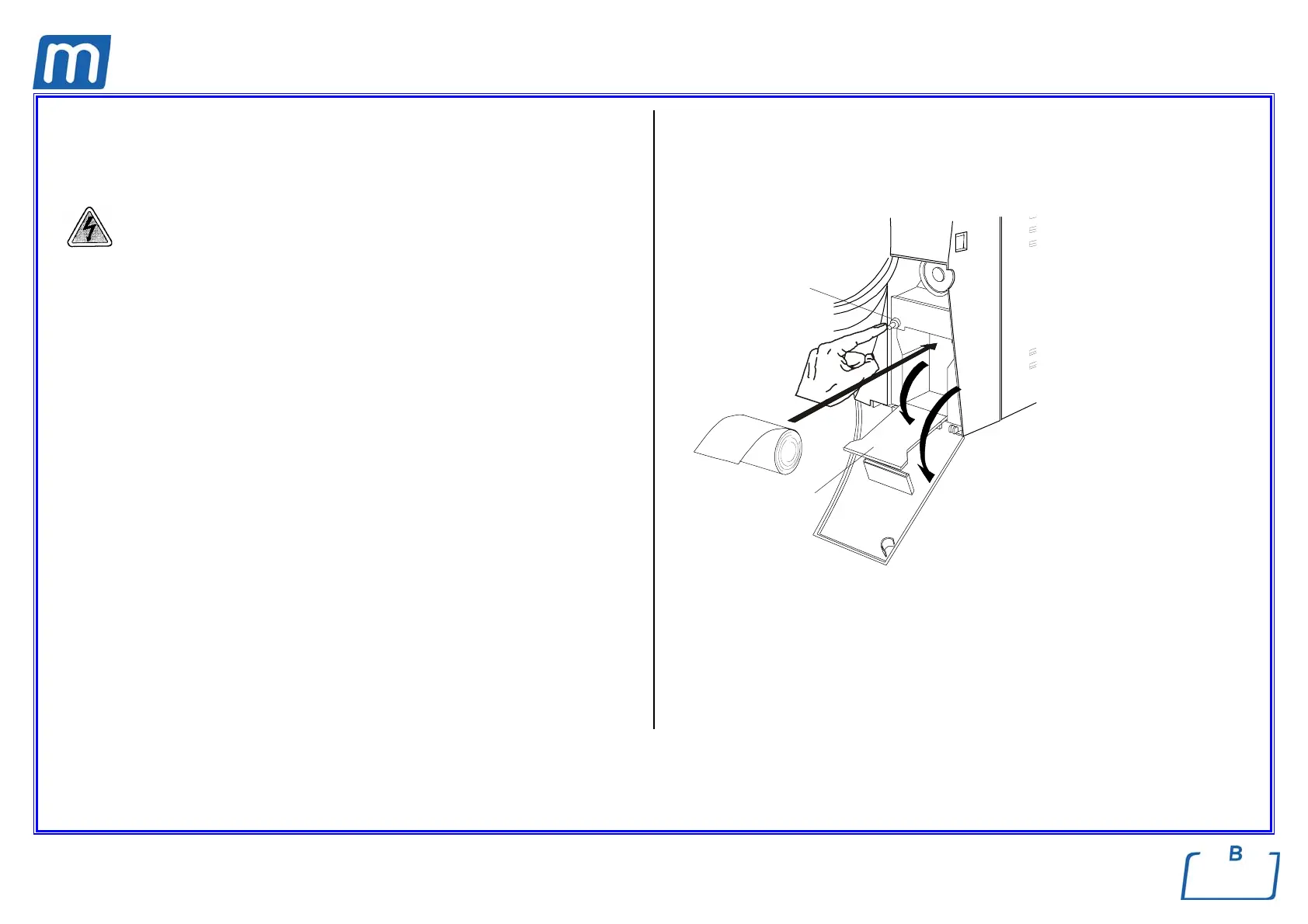
2. push the button (2) to open the printer door and access the paper
compartment;
3. remove the empty roll and place a new one so that the paper unrolls off the
top;
use thermal paper roll:
- width 57 mm / diameter max 45 mm
4. unroll about 15 cm of paper and close the printer door (the paper will
automatically advance a few centimeters outside the window;
5. thread the paper in the slot of the service compartment and close;
6. switch on the equipment;
7. perform a sterilization cycle.
WARNING
- Use only thermal paper;
- Arrange the paper roll with the correct direction (see figure).
1
2
3



 To Next Page