Rev. 1
Card Gr6-
2
PARABOLA
A#1BP027000Y
Before servicing, switch off the equipment and unplug the power
supply cable from the mains socket
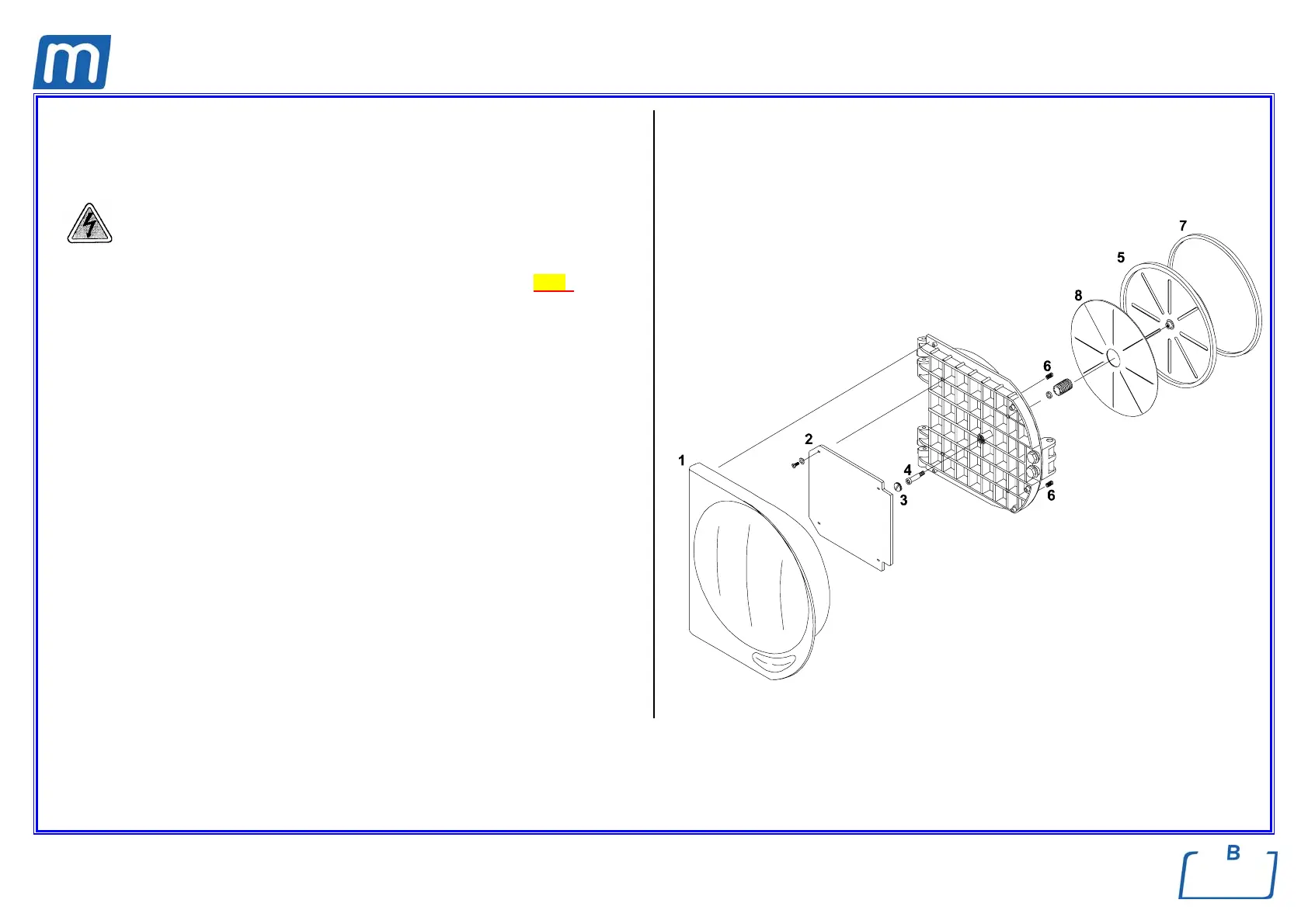
1. Open the door and remove the plastic door cover (1) (see card Gr7-2);
2. Remove the insulating panel (2);
3. Remove the screw-plug (3) at the center of the door and the parabola fixing
screw (4);
4. Remove parabola (5), gasket (7), the insulating sheet (8) taking care for the
spring (6);
5. Mount the new gasket and insulating sheet on the new parabola;
6. Mount the new assembled parabola and all items proceeding in reverse order
as above
7. Perform a sterilization cycle.



 To Next Page