Rev. 1
Card Gr4-
6
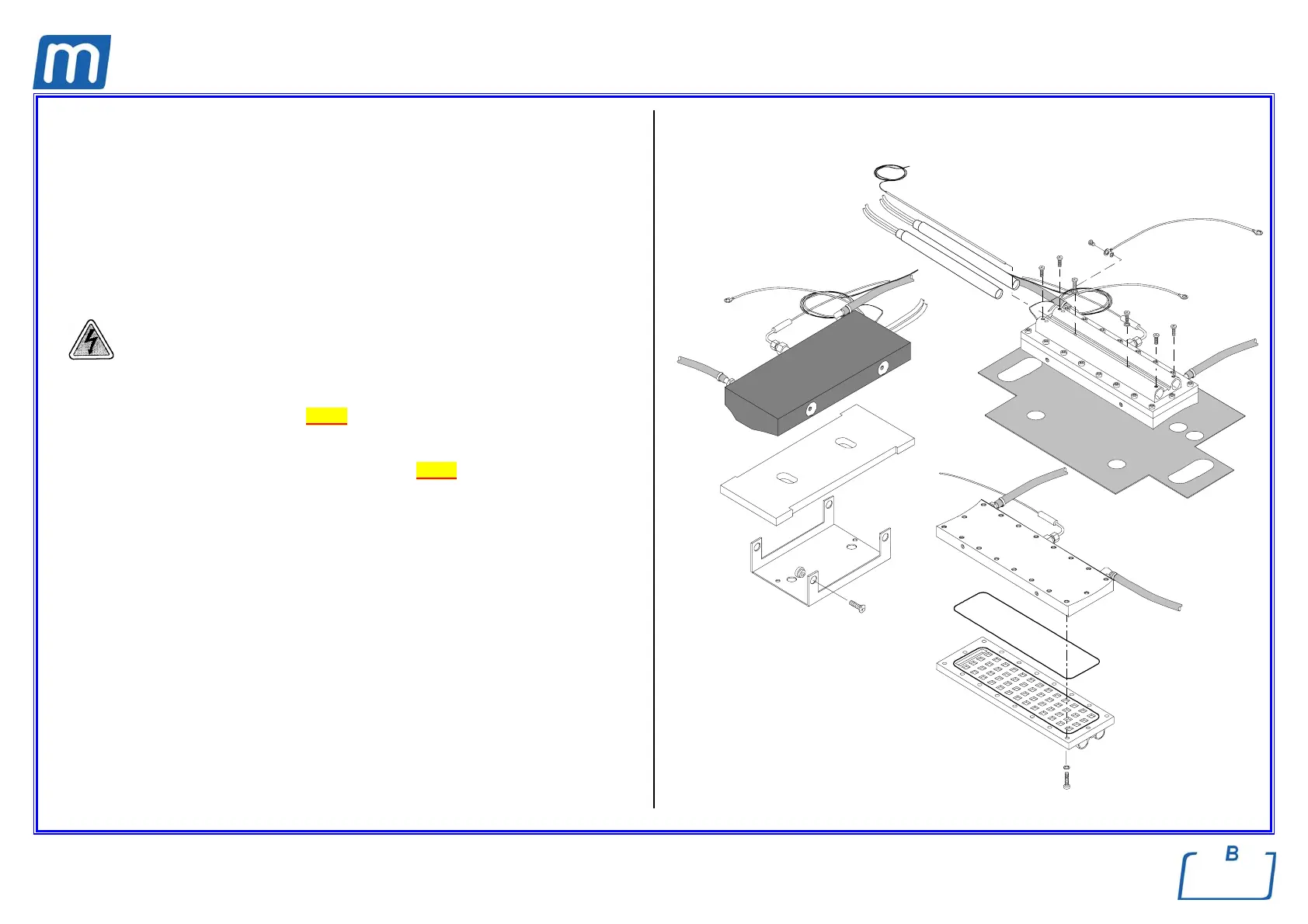
STEAM GENERATOR ASSEMBLY
A#0BP2810000
BOTTOM SECTION
C#0XP007000P
O-RING
481#00080000
Before servicing, switch off the equipment and unplug the power
supply cable from the mains socket
1. Remove the covers (see card Gr7-1 );
2. Empty both reservoirs;
3. Remove the water pump assembly - see card Gr3-1;
4. Remove, under the bottom frame, the fixing screws and move out the steam
generator as possible;
5. Remove the steam generator from its support (1) and remove the thermal
insulation layer;
6. Remove the bulb of the thermostat (2);
7. Loosen the screws and remove the cartridge resistors (3);
8. Remove the screws (4) and separate the base section (5) from the upper
section;
9. Clean the upper section of the steam generator;
10. Replace the base section, mount a new O-R (6) between the sections and
assembly all items and restore connections proceeding in reverse order as
above;
11. Run a sterilization cycle.
1
2
3
OR
4
5
6



 To Next Page