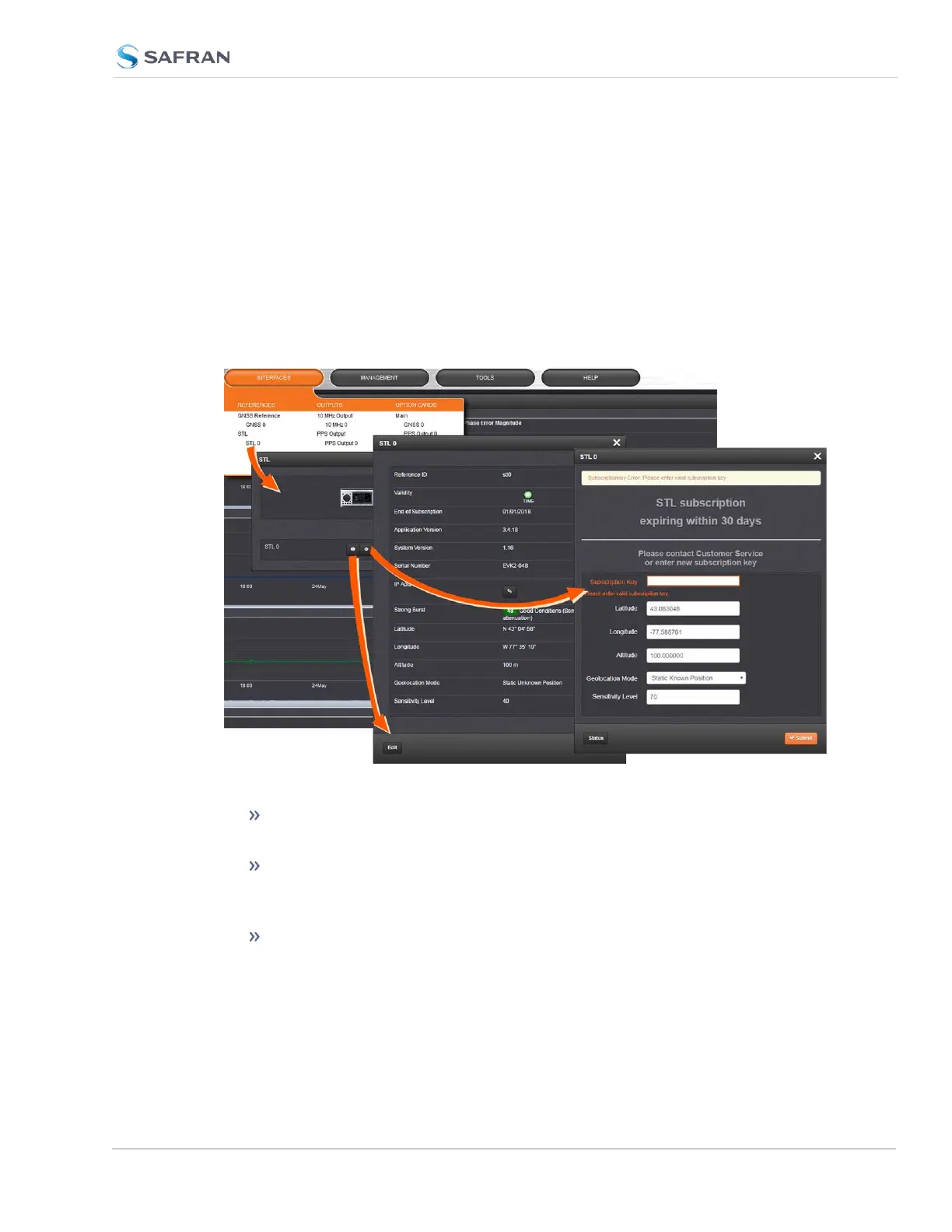
The STL option card 1204-3E is configured via the SecureSync WebUI. See "The
SecureSync Web UI" on page34 for basic SecureSync setup and initial login
information.
To configure STL settings:
1.
Log into the Web UI, and navigate to INTERFACES > OPTION CARDS: STL
0. The STL 0 status window will be displayed.
2.
In the STL 0 status window, click on the Edit button to open the STL 0
setup window.
In the STL 0 setup window, you can configure the following parameters:
Subscription Key: [required] Enter the key obtained from customer
service in order to activate STL access.
Latitude, Longitude, Altitude: [decimal degrees, meters] Actual geo-
graphic position of SecureSync's STL antenna. For help determining
your actual position, see "Determining Your Position" on page242.
Geolocation Mode: Static Known Position/Static Unknown Position
[default]/Pseudo Static/Dynamic: This parameter refers to how the
SecureSync 2400 User Manual 521
APPENDIX



 To Next Page