ID 442426.04 150WE KEEP THINGS MOVING
Basic properties
8
Manual SD6
8.2 Interfaces
The following options are available to access the drive controllers.
For example, if you want to control the drive via local mode or change
parameters, use the control field of the drive controller.
If you want to generally put the drive controller into operation, you need the
"DriveControlSuite" software. Using the DriveControlSuite, you can select
applications and transfer relevant data to the drive controller.
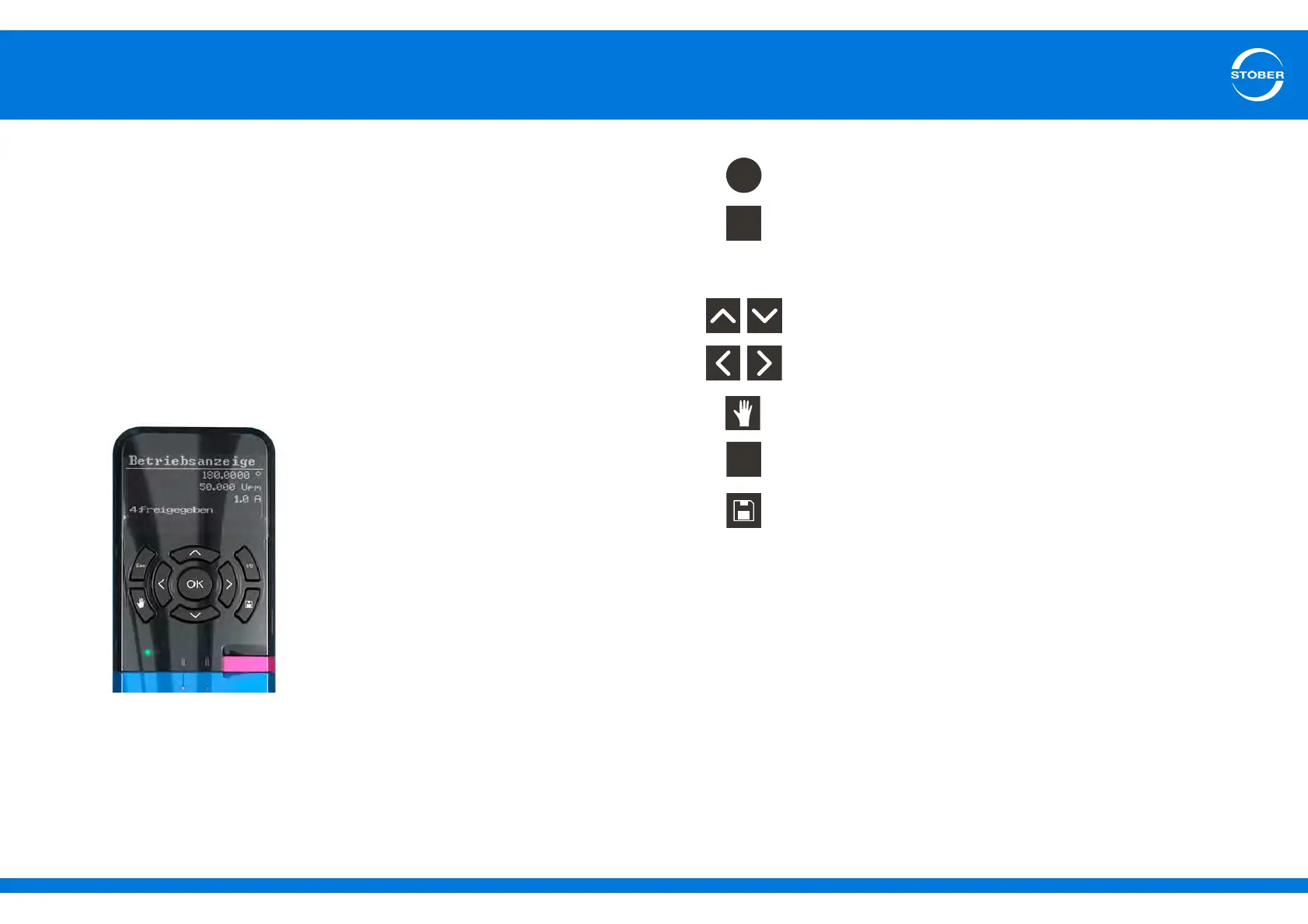
8.2.1 Operator panel
8.2.1.1 Setup
The control unit consists of a graphical display (LCD) and sensor keys.
• Select the level, parameter groups and parameters.
• Accept modified parameter values.
• Display parameters of the start display.
• Navigate one level back.
• Reject modified parameter values.
• Acknowledge fault.
• Select parameter within a parameter group.
• Change parameter values.
• Select parameter group.
• Select character position of a parameter.
• Activate/deactivate local mode (deactivation causes the
enable to be deleted).
• Enable drive in local mode if parameterized.
• To save data with protection against power failure: Press
the key and hold it for 3 seconds.



 To Next Page