ID 442426.04 181WE KEEP THINGS MOVING
Drive controller
9
Manual SD6
9.4 Local mode
In local mode you can move the drive with setup functions on or in an
emergency mode. If you would like to use local mode, set A55 key hand
function = 1:active on.
You can activate and control local mode with the keys on the drive controller
operator panel.
Detailed information about the drive controller operator panel can be found in
section 8.2.1.
You can activate local mode with the key and enable the drive in local mode
with the key. When the drive is enabled in local mode you can move the
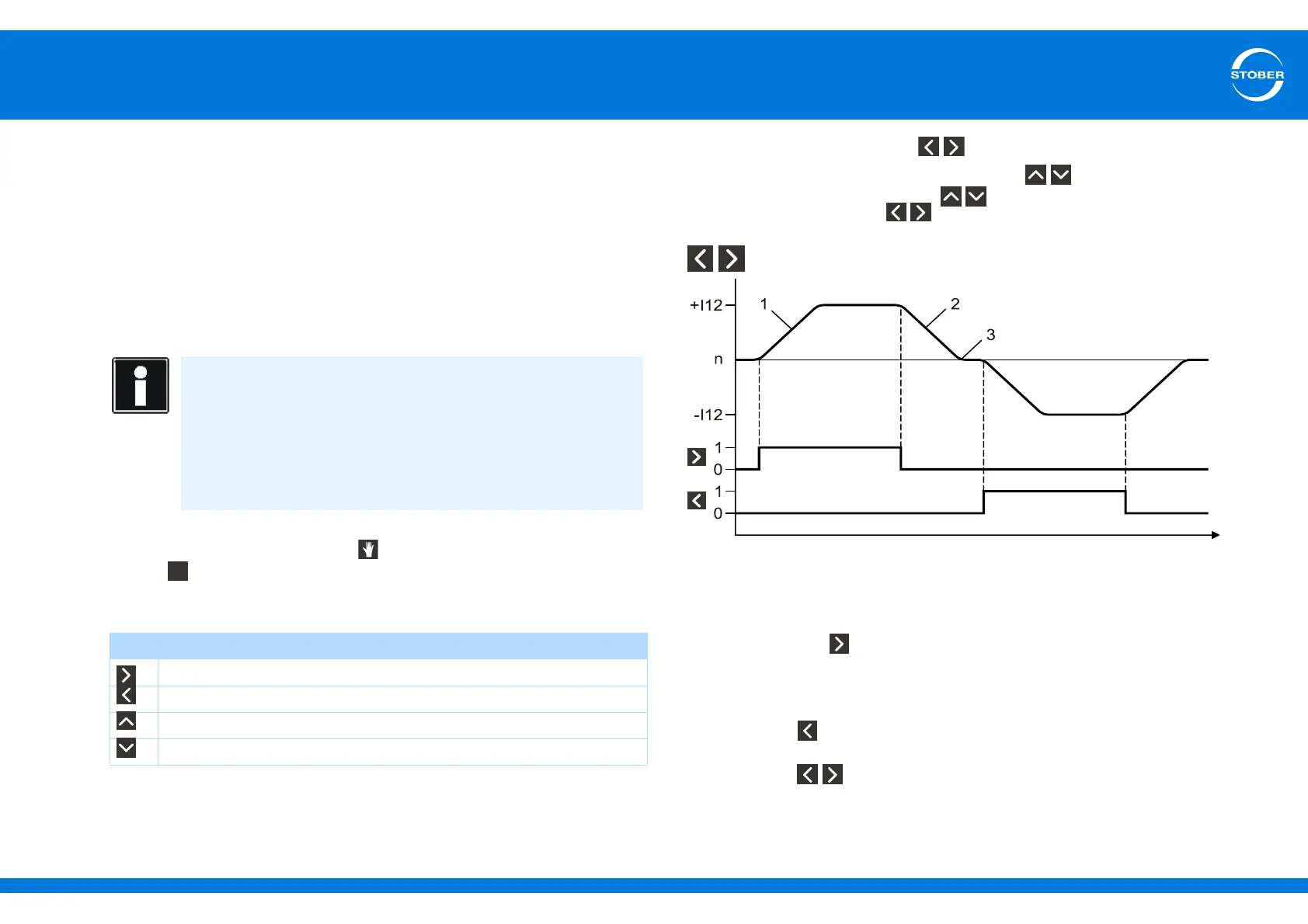
drive with the arrow keys. The meaning of the arrow keys in local mode is as
follows:
Please note: If at least one of the keys is active while local mode is
enabled and you simultaneously press one of the keys, the movement
will be interrupted. If you release the keys, the movement will be
continued. If you release the keys, the drive will stop.
keys
1 I13 tip acceleration
2 I45 tip deceleration
3 I18 tip jerk
When you press the key, the drive accelerates with ramp I13 tip
acceleration and jerk limit I18 tip jerk to speed I12 tip speed. If you release the
key, the drive will brake with ramp I45 tip deceleration until it reaches a
complete stop.
If you press the key, the drive will accelerate to I12 tip speed. The same
applies to acceleration, deceleration and jerk.
If you press the keys at the same time, the drive brakes to a complete
stop:
Information
Please note:
If the drive is enabled, local mode cannot be activated.
Local mode and the jogging (tipping) function available in the
applications access the same functionality.
The drive can still be moved if an IGB motion bus was projected but
is not active.
Key Meaning
Move in positive direction at the speed set in I12
Move in negative direction at the speed set in I12
Move in positive direction for the distance set in I14
Move in negative direction for the distance set in I14



 To Next Page