ID 442426.04 174WE KEEP THINGS MOVING
Drive controller
9
Manual SD6
9.2.5 Quick stop
When a quick stop occurs, the drive controller brings the connected motor
quickly to a standstill. Note that a quick stop is always performed in speed
control and without jerk limiting.
Various signals are available to trigger a quick stop. Note the differences
between the STOBER device state machine (for signal path see section
9.2.5.1) and the device state machine according to CiA 402 (for signal path see
section 9.2.5.2).
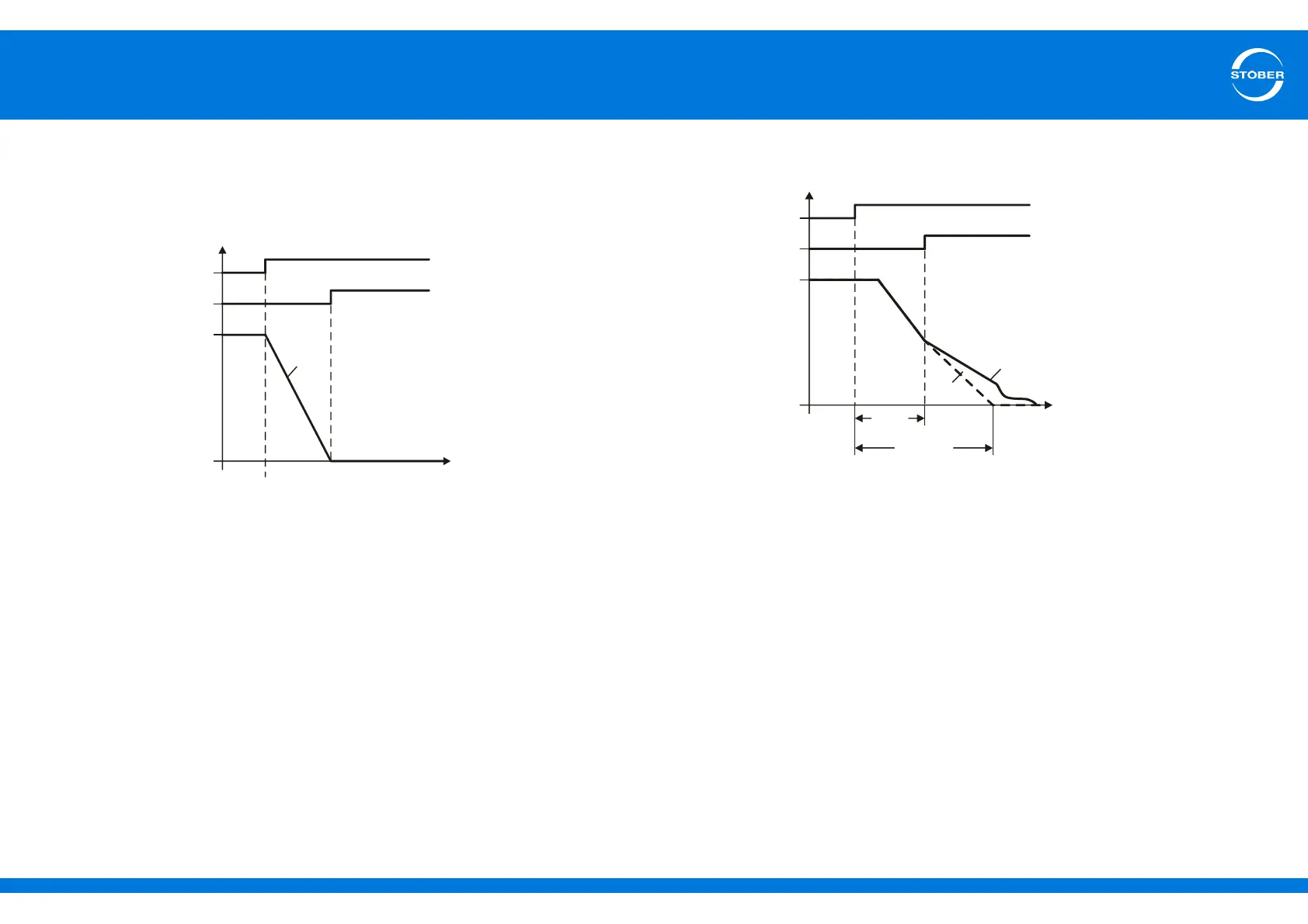
When a quick stop is triggered, the device state machine switches to the quick
stop state. The motor is braked with the ramp set in I17 Quick stop
deceleration. Note that difference sources can write to I17. For example, in the
Controller Based Mode, A578 Quick stop deceleration is copied to I17.
During the quick stop the torque limit C08 quick stop torque limit is in effect.
Note that the torque set in C08 can be reduced if an operating limit of the drive
controller or motor is violated by C08. Other torque limit values such as C03
max-positive torque/C05 and max-negative torque are ignored. For a detailed
description of torque limits see section 13.6 Limit torque, force.
If the drive controller is unable to bring the motor to a standstill with ramp I17
in time A39 t-max. quick stop, the motor coasts down:
1 Reference value
2 Actual course with coasting
The Quick stop end is activated
• for motors without a brake when the motor has reached a standstill.
• for motors with a brake when the brake is set (F08 brake is closed).
Resolution
Quick stop end
n
t
I17
Resolution
Quick stop end
n
t
2
1
A39
t=v/I17



 To Next Page