ID 442426.04 245WE KEEP THINGS MOVING
Holding brake
11
Manual SD6
1. If I
0B
≤ 1.8 * I
N
:
B304[0] = V
M
, B305[0] = -V
M
2. If I
0B
> 1.8 * I
N
:
B304[0] = V
M2
, B305[0] = -V
M2
where:
Example
•M
B
= 10 Nm
•M
N
= 5.12 Nm
•M
K
/M
N
= 2.3
•I
N
= 2.3 A
• E171 Id,nom = 1.383 A
• E172 Iq,nom = 1.581 A
Result: B304[0] = 195 %, B305[0] = -195 %
11.9.1.3 Gravity-loaded axes
Note that for gravity loaded axes, the torque to be applied by the motor for the
direction of rotation in which loads are lowered is calculated as follows:
M
Parameter
= M
Brake
- M
Load
M
Parameter
: torque to be entered in B304[0] or B305[0]
M
Brake
: Holding torque to be applied by the brake, calculated according to
section11.9.1.1 or 11.9.1.2.
M
Load
: Load torque
11.9.2 Single-axis operation
Requirements:
• Brake control is activated and parameterized.
• Enter the torque in B304[0] which the brake must maintain for the positive
direction of rotation.
• Enter the torque in B305[0] which the brake must maintain for the negative
direction of rotation.
• If the drive is only permitted to turn in one direction, restrict the direction of
rotation for the test in parameter B306.
• Enter the angle of rotation which the drive evaluates as a standstill in B307.
If you have not reached the result yet, check B300[2]:
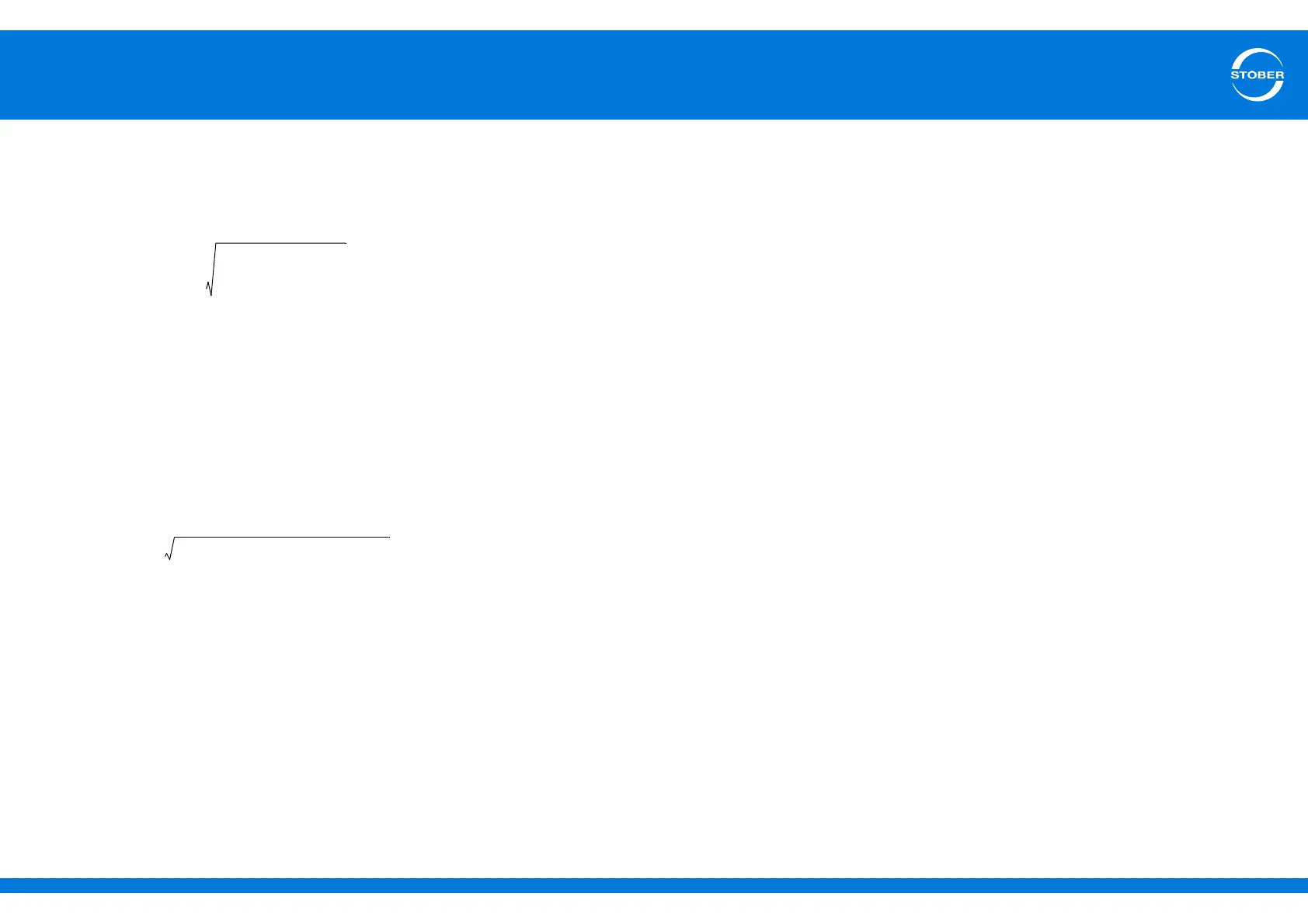
V
M2
18 I
N
2
E171
2
–
E172
2
--------------------------------------------------=
V
M
10Nm
512Nm
-----------------------
100 195%==
I
0B
1383A
2
195% 1 581A
2
+ 338A==
I
0B
338A 18 I
N
414A==
Performing a brake test
1. Change to the device state readySwtchOn.
2. Set parameter B300[0] brake test and start to 1:active.
3. Switch on the enable signal.
The drive controller starts the brake test and the motor turns
4. Wait until parameter B300[1] shows a result of 100 % and parameter
B300[2] a result of 0:error free.
5. Switch off the enable signal.
The brake test has been successfully completed.



 To Next Page