ID 442426.04 271WE KEEP THINGS MOVING
Communication
14
Manual SD6
14.3.2.2 Setting up a direct connection automatically
The following requirements must be met to set up a direct connection
automatically:
• The computer and gateway device or the IGB network must be connected
via a network.
• The drive controller must be turned on.
• You have created a project in DriveControlSuite.
Information
A change to the parameter will not take effect until
- the value is saved with action A00[0] and the drive controller is
turned off and back on again
- or the physical connection is terminated.
0: manual The drive controller is using exclusively
assignments from A164[x] and A165[x].
The active values are displayed in parameter
A157[x] and A158[x].
1: standard The drive controller uses the assignments
from the DHCP server or DriveControlSuite.
If no assignment is received by the DHCP
server or DriveControlSuite within 3 minutes
after connection to the network, assigned
values from A164[x] and A165[x] are used.
The active values are displayed in parameters
A157[x], A158[x], A160[x] and A161[x].
2: only DHCP The drive controller uses exclusively
assignments from the DHCP server.
The active values are displayed in parameters
A157[x], A158[x], A160[x] and A161[x].
Setting up a direct connection automatically
1. In your project in DriveControlSuite, select the module with which you
would like to set up a direct connection.
2. In the bottom part of the project window click the Make connection button.
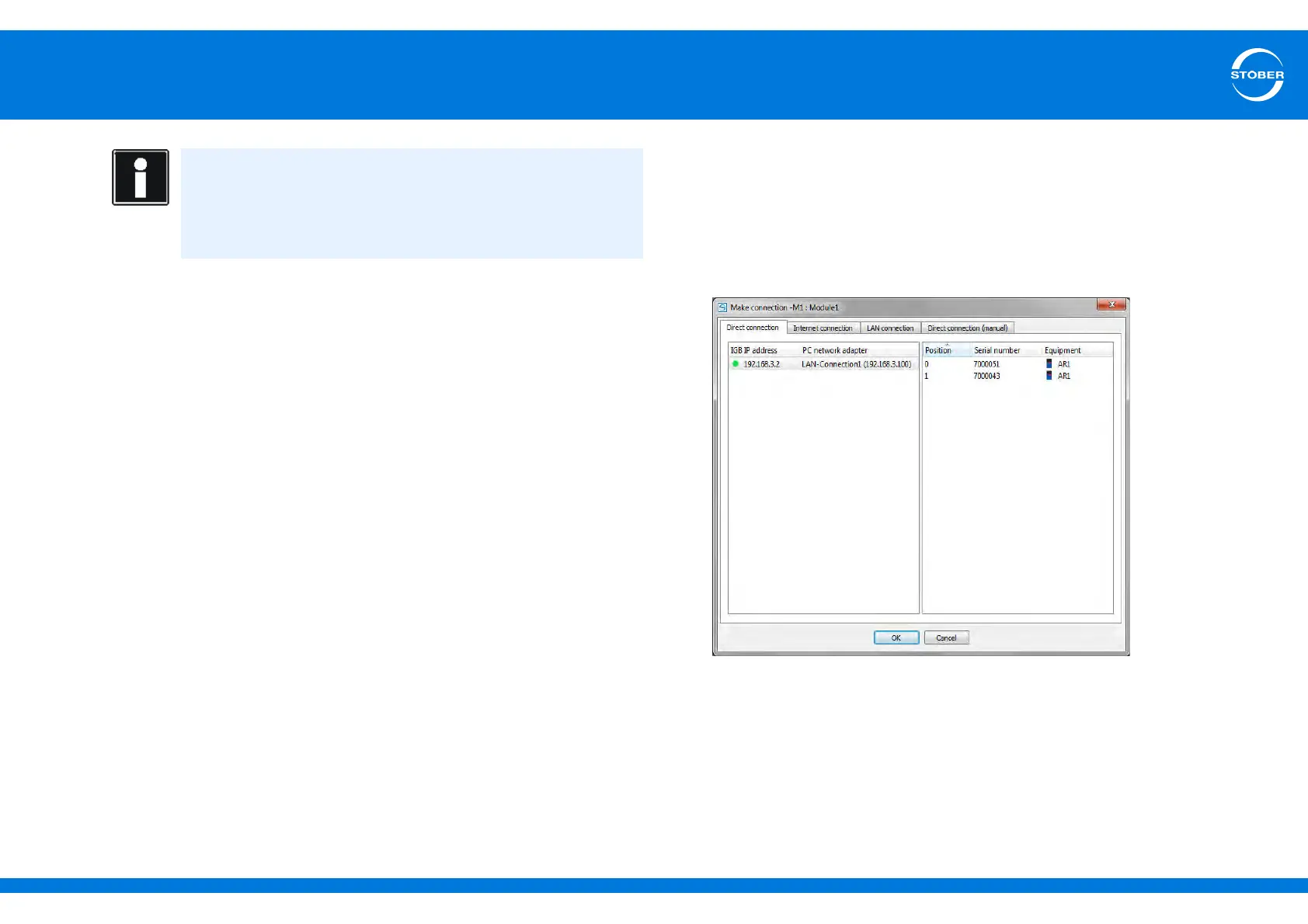
The Make connection dialog for the module opens:
The dialog shows all the gateway devices that are connected with the
network.
3. Select the gateway device with which you would like to set up a direct
connection. If a green or yellow dot appears in the IP address column for
this device, a connection can be set up automatically. If a red dot appears,
it is not possible to set up the connection.



 To Next Page