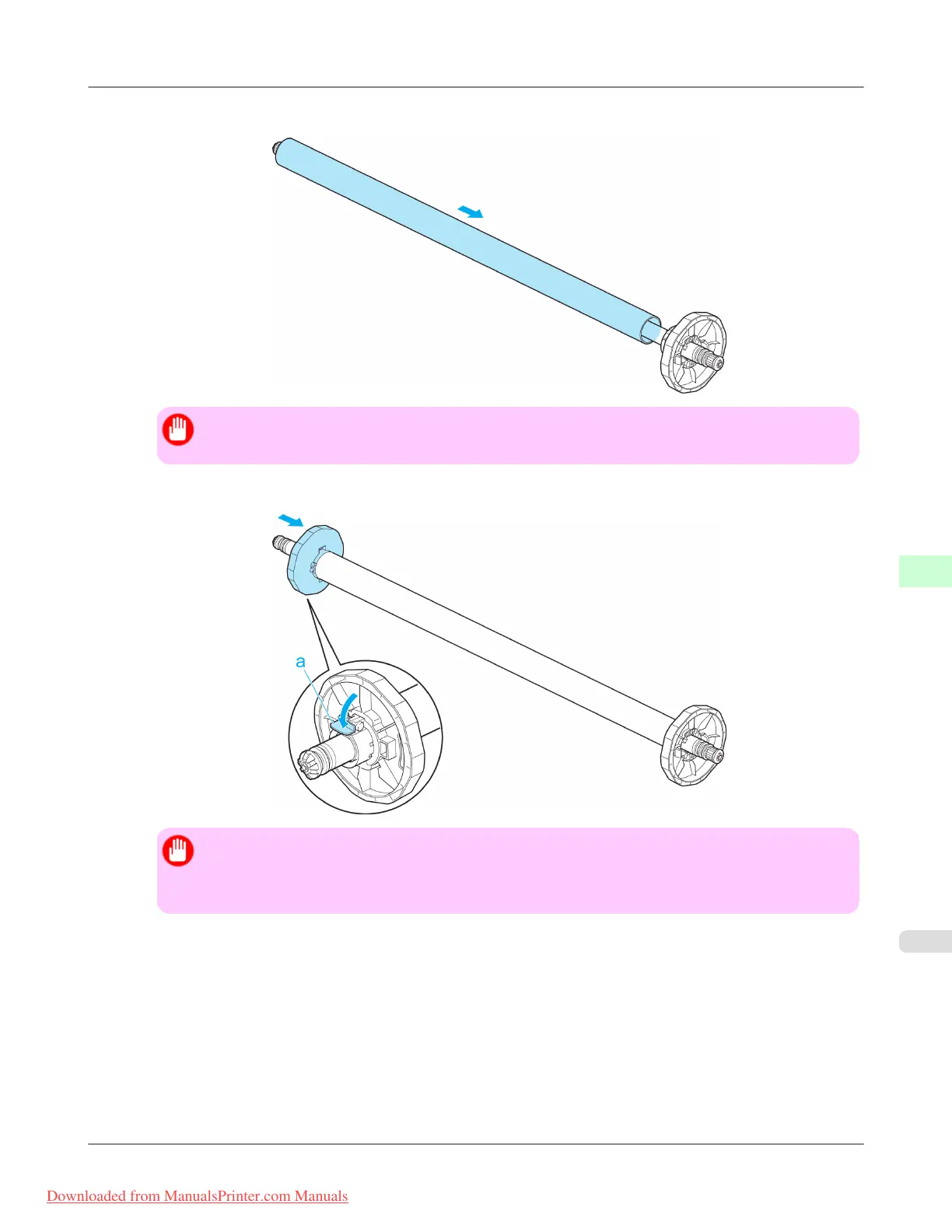
4. Insert the paper core, which serves as the spindle for rewinding a roll, on the Rewind Spool.
Important
• On the Rewind Spool, always use a paper core that is the same size as the roll to be rewound.
5. Push the flanges in firmly until the paper core is secured in place and push down the lever (a) toward the shaft.
Important
• After pushing in the flanges firmly, make sure the paper core is secure and does not move around.
Move the paper core left and right. If there is a gap between the flanges and paper core, repeat steps
2–4.
Handling Paper
>
Media take-up unit
>
iPF8300 Loading the Rewind Spool on the Media Take-up Unit
7
825
Downloaded from ManualsPrinter.com Manuals














 To Next Page