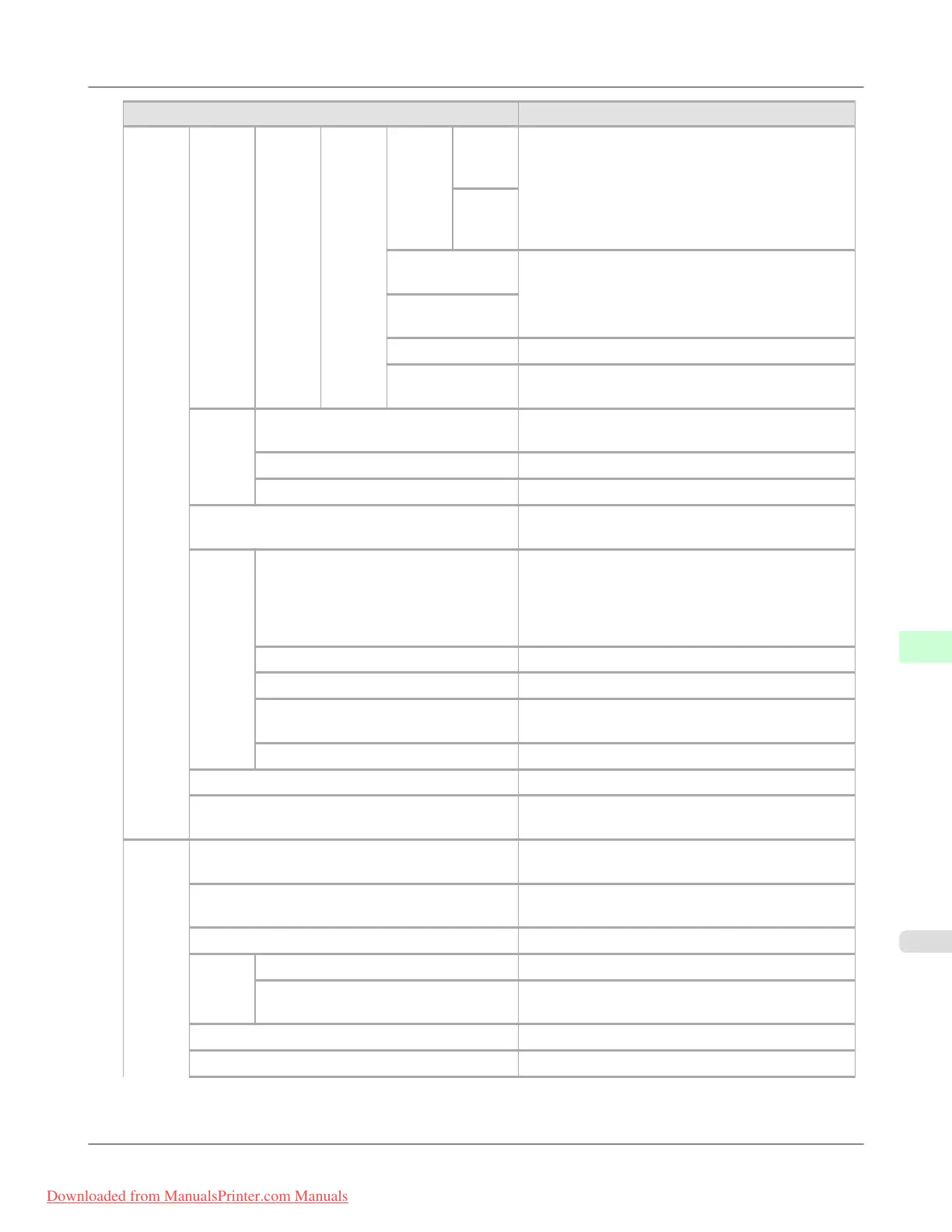
Setting Item Description, Instructions
Inter-
face
Setup
TCP/
IP
IPv6
DNS
Set-
tings
DNS
Dync
update
State-
full
Addr
Specify whether DNS server registration is updated
automatically.
State-
less
Addr
Pri. DNS
SrvAddr
Specify the DNS server address.
Sec. DNS
SrvAddr
DNS Host Name Specify the DNS host name.
DNS Domain
Name
Specify the DNS domain name.
Net-
Ware
NetWare Specify the NetWare protocol. To apply your
changes, choose Register Setting.
Frame Type Specify the frame type to use.
Print Service Choose the print service.
AppleTalk Specify whether to use the AppleTalk protocol. To
apply your changes, choose Register Setting.
Ether-
net
Driver
Auto Detect Specify the communication method. To apply your
changes, choose Register Setting.
Choose On for automatic configuration of the LAN
communication protocol. Choose Off to use settings
values of Comm.Mode and Ethernet Type.
Comm.Mode Choose the LAN communication method.
Ethernet Type Choose the LAN transfer rate.
Spanning Tree Choose whether spanning-tree packets are supported
over the LAN.
MAC Address Indicates the MAC address.
Interface Print Print interface settings information.
Return Defaults Choose OK to restore Interface Setup settings to the
default values.
System
Setup
Sleep Timer Specify the period before the printer enters sleep
mode.
Buzzer Choose On for the buzzer to sound once for warn-
ings and three times for errors.
Contrast Adj. Adjust the Display Screen contrast level.
Date &
Time
Date Set the current date.
Time Set the current time. Available only if the Date set-
ting is specified.
Date Format Specify the date format.
Language Specify the language used on the Display Screen.
Printer Parts
>
Control Panel
>
iPF8300 Menu Settings
9
919
Downloaded from ManualsPrinter.com Manuals














 To Next Page