SV-MAG-236 Remote Magnetometer Installation and Configuration
SkyView HDX System Installation Manual - Revision E 8-7
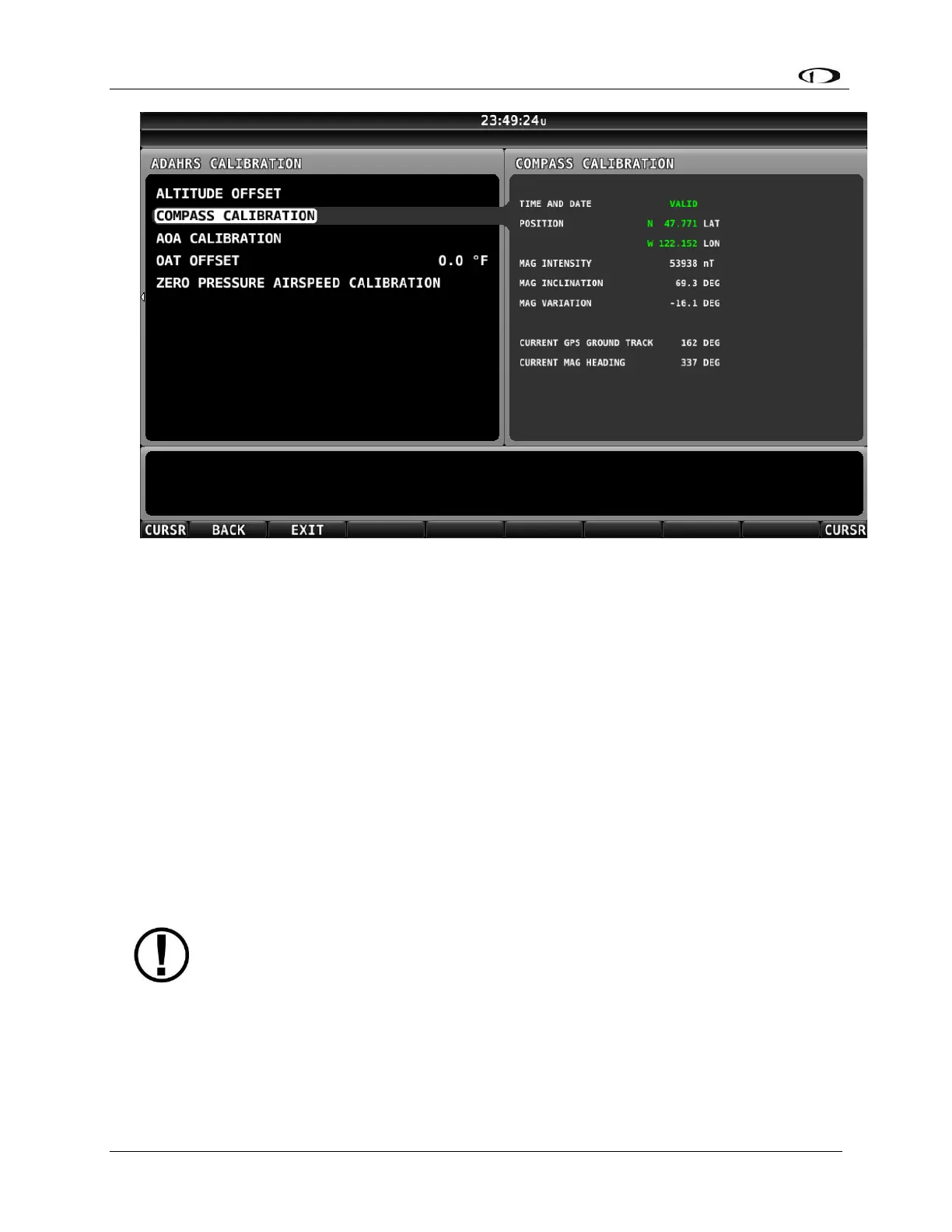
Figure 43 – On-ground COMPASS CALIBRATION Menu
5. Orient the aircraft to North, South, East, or West.
6. When the aircraft is stable at the chosen orientation, push the button indicating
the direction the aircraft is oriented in. Example – when the aircraft is pointed
North, push the NORTH button.
7. Wait for data collection to reach 100%.
8. Rotate to the next cardinal direction and repeat steps 4, 5, and 6 for any
remaining headings.
9. If the Compass Calibration fails, a message will appear:
CALIBRATION FAILED – S/N xxxx.
10. CALIBRATION COMPLETE appears when calibration is complete. Press FINISH
to return to menu navigation mode.
8.4.2 In-flight Compass Calibration Procedure:
The in-flight compass calibration should be conducted on a clear, VFR day.
Before commencing the compass calibration, ensure that you have adequate
altitude, clear weather, no traffic, no obstructions in the flight path, great
visibility, no airspace conflicts, etc. It is recommended that clearing turns be
performed before executing each procedure.
It is recommended that you bring someone along for the in-flight compass
calibration procedure. At times the pilot’s attention will be divided between
documentation, configuring SkyView, and maintaining situational awareness.



 To Next Page