Appendix A: Maintenance and Troubleshooting
SkyView HDX System Installation Manual - Revision E 23-11
• SV-COM-X83, SV-COM-XPNDR-261, SV-ADSB-472 (if installed) – inspect
antennas and coaxial cables for wear, continued correct installation, etc. See
those sections for more detail.
• Autopilot servos – see Autopilot Servo Installation, Configuration, and
Calibration section for details.
• Any other issues should be addressed on an as-needed basis.
23.9.1 Annual SV-BAT-320 Test
This procedure assumes that an Initial SV-BAT-320 Test has been performed
– see SV-BAT-320 Backup Battery Installation, Initial SV-BAT-320 Test.
As with all batteries, the SV-BAT-320 is an electrochemical, rather than a purely electronic
device. Thus, its capacity will gradually diminish over time. The usable lifetime of an SV-
BAT-320 is determined by a number of factors, including age, number of
discharge/charge cycles, temperature, etc. An annual test should be performed on each
SV-BAT-320 to ensure it remains capable of powering a SkyView display and devices
powered by a SkyView display (see Section 23.8.4).
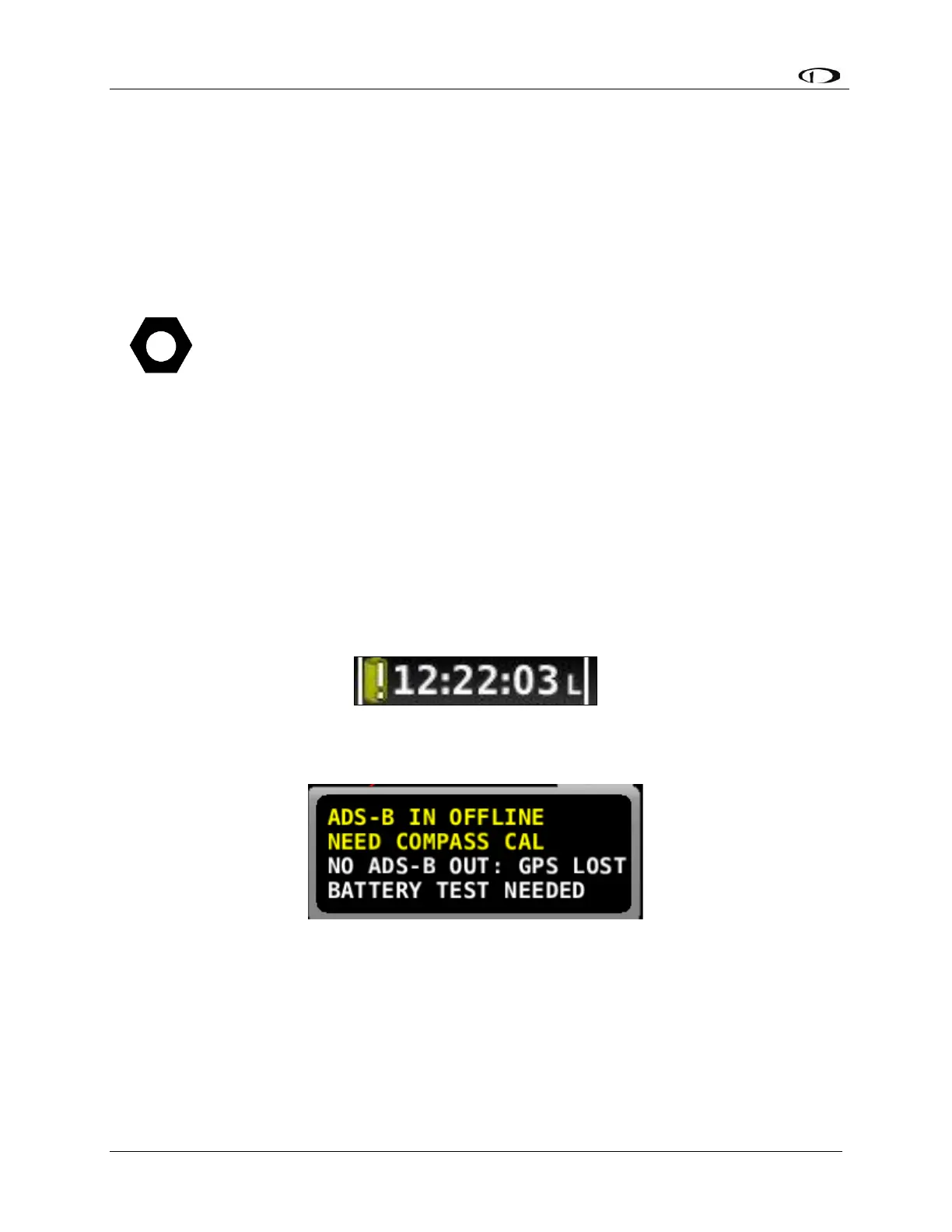
SkyView records the date of successful SV-BAT-320 tests. After one (1) year has passed
since a successful SV-BAT-320 test, SkyView will display a Yellow Battery Alert icon. A
BATTERY TEST NEEDED message will also appear in the Alerts section in the lower
right corner of your SkyView display (displayed when you push Button 8 to display
Messages, Alerts, and Cautions).
If your SkyView system has more than one (1) SkyView display with an SV-BAT-320
installed, perform the following test individually on each SkyView display / SV-BAT-320.



 To Next Page