AP Servo Installation and Configuration
SkyView HDX System Installation Manual - Revision E 16-3
16.2.2 Roll Axis Configuration
16.2.2.1 Roll Axis Torque
The roll axis torque parameter specifies how much torque the servo will exert before
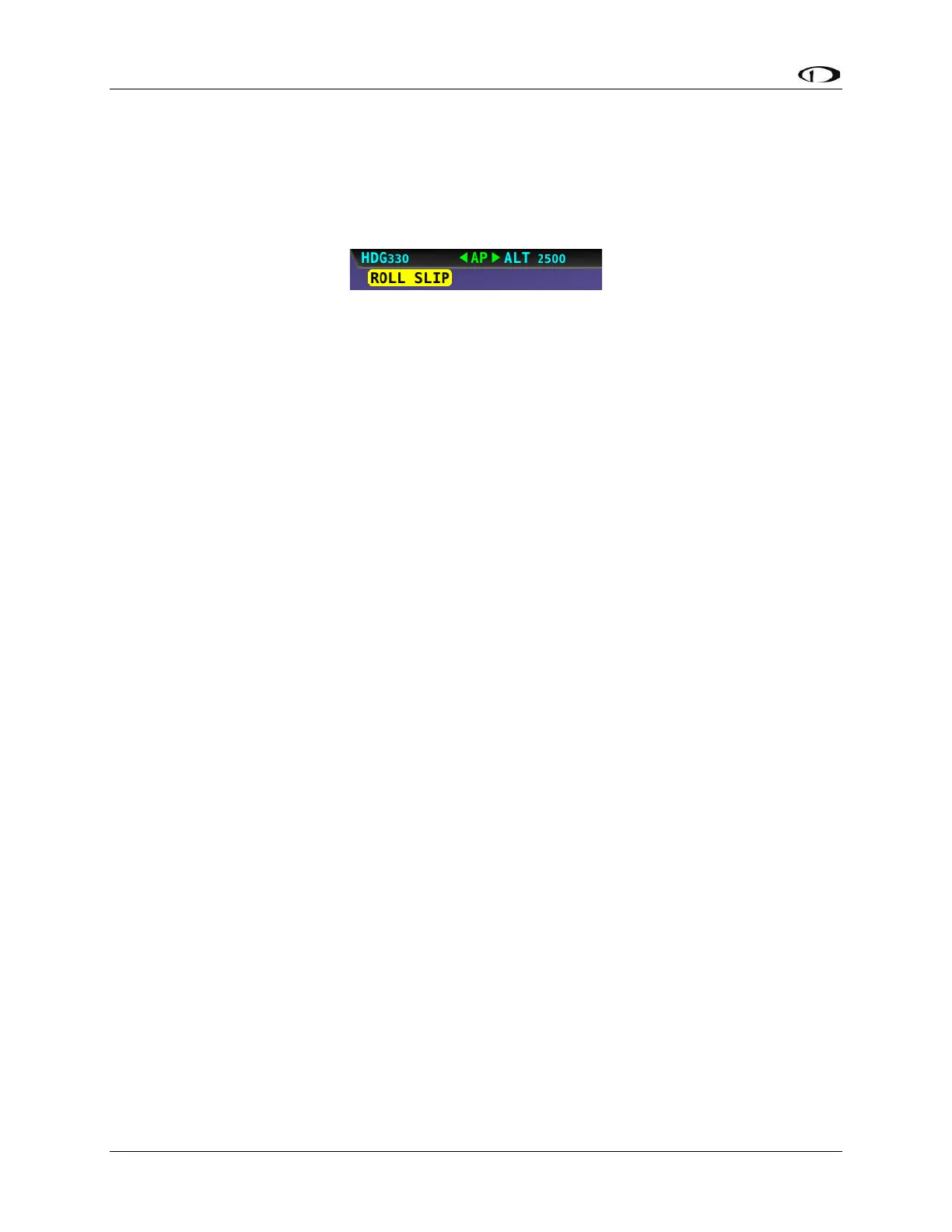
slipping. Servo slip is indicated by the word SLIP in black letters in a yellow box on the
Top Bar for the roll axis as shown in Figure 105.
Figure 105: Example Roll Axis Servo Slip Warning
Torque must be set high enough to prevent any slip due to air loads, but low enough that
the pilot can comfortably override the autopilot should the need arise. If the servo slips
continuously, the autopilot cannot fly the aircraft. Torque is specified in percent (%) of
maximum the servo is capable of exerting. The minimum is 10%, the maximum is 100%,
and the default value is 100%. If you can override the servo at 100% torque, use this
default value.
To test roll axis servo override force:
1. Return to the Main Menu.
2. Center the aircraft controls.
3. Enter the Autopilot Menu (MAIN MENU > AUTOPILOT).
4. Press the LEVEL button to engage the autopilot.
Now, take the controls and override the servo by moving to either roll left or roll right.
Ensure that you are comfortable with the amount of force it takes to override the servo. If
you are not, decrease the roll servo torque value by 10% and repeat the test.
16.2.3 Pitch Axis Configuration
16.2.3.1 Default Climb Vertical Speed
When using simplified autopilot controls, the default climb vertical speed parameter sets
the initial vertical speed the autopilot will command for climbs when an altitude change is
requested. You may also control the climb vertical speed after a climb is in progress with
the vertical speed bug. If you set this parameter above a vertical speed the aircraft can
achieve, the autopilot will run into the airspeed limiter in a climb.
When using expert autopilot controls, the Default Climb Vertical Speed is only used when
NOSE UP is pressed while ALT HOLD mode is already engaged. This activates VS mode
at the Default Climb Vertical Speed.
The default climb vertical speed parameter is specified in the units set in the Measurement
Units Menu (i.e., feet per minute or meters per second; reference Page 21-7 for more
information regarding configuring the measurement units). The default value is 500 feet
(152.4 m) per minute.



 To Next Page