AP Servo Installation and Configuration
16-2 SkyView HDX System Installation Manual - Revision E
For more details on the differences between these two (2) sets of controls, see the
SkyView Pilot’s User Guide.
To set the Autopilot Control scheme:
1. Go to the Autopilot Controls Adjust Page (SETUP MENU > AUTOPILOT SETUP
> AUTOPILOT CONTROLS).
2. Choose SIMPLIFIED or EXPERT controls.
3. Press ACCEPT to save the value or press CANCEL to return to the Autopilot Setup
Menu.
16.2.1.2 Flight Director (Expert Controls Only)
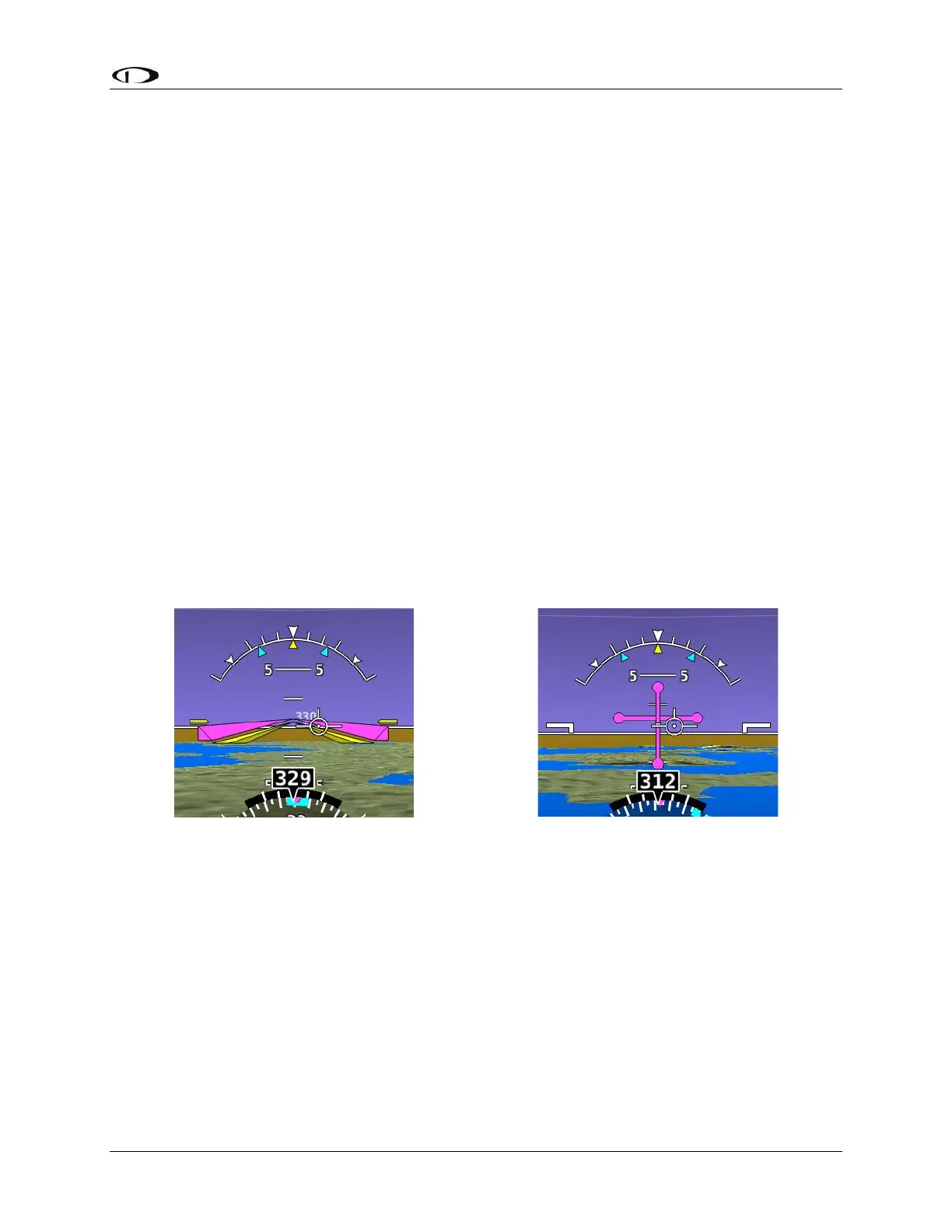
When Expert controls are used, SkyView displays a flight director that provide autopilot
control cues to the pilot. It can be set to one (1) of two (2) visual styles:
SINGLE CUE (INVERTED-V): Uses a single "inverted V" symbol to indicate pitch and roll
angles that the autopilot will use to meet its goals. When the autopilot is not engaged,
pitch and roll the aircraft to align this symbol with the waterline to fly the airplane like the
autopilot would.
DUAL CUE (CROSS BARS): Uses separate horizontal and vertical bars across the
attitude indicator to indicate the pitch and roll angles that the autopilot will use to meet its
goals. When the autopilot is not engaged, pitch and roll the aircraft to center both the
horizontal and vertical bars with the waterline to fly the airplane like the autopilot would.
For more details on Flight Director behavior, see the SkyView Pilot’s User Guide.
To set the Flight Director style:
1. Go to the Autopilot Flight Director Adjust Page (SETUP MENU > AUTOPILOT
SETUP > FLIGHT DIRECTOR).
2. Choose SINGLE CUE or DUAL CUE.
3. Press ACCEPT to save the value or press CANCEL to return to the Autopilot Setup
Menu.



 To Next Page