SV-GPS-2020 GPS Antenna/Receiver Installation and Configuration
11-6 SkyView HDX System Installation Manual - Revision E
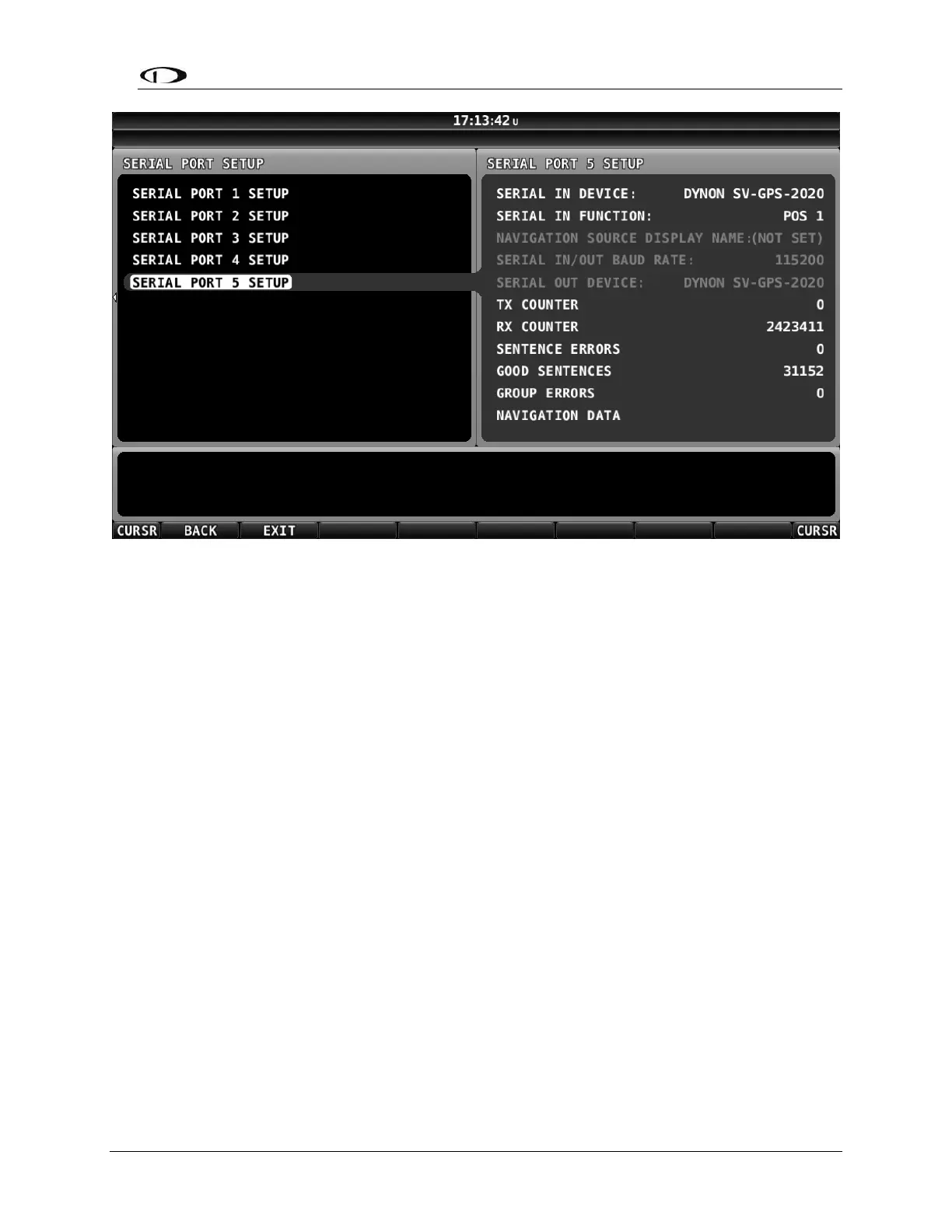
Figure 70: Serial Port 5 Setup for SV-GPS-2020
On this screen, verify the following:
• SERIAL IN DEVICE matches the device connected – either SV-GPS-2020; if
the incorrect device is selected, no GPS data will be received.
• Verify that SERIAL IN FUNCTION is set to POS 1 for the primary (or only) GPS
receiver, or POS 2 for the secondary GPS receiver.
• Verify that RX COUNTER and GOOD SENTENCES are incrementing.
• SENTENCE ERRORS and GROUP ERRORS should not be (significantly)
incrementing.
If POS 1 is shown in Red, another GPS device has already been set as POS 1 and that
“conflict” must be resolved – only one (1) GPS device can be set as POS 1, only one (1)
GPS device can be set as POS 2, etc.
If RX COUNTER and GOOD SENTENCES are not incrementing, check the SV-GPS-
2020 wiring, specifically that the Gray/Violet and Gray/Orange wires were connected
correctly between the unit and the SkyView display. If you have more than one (1)
SkyView display, the SV-GPS-2020 must be connected to all displays.
11.5.2 GPS Receive Performance
To verify that the SV-GPS-2020 can receive GPS signals acceptably, move the plane to
an open area with a relatively unobstructed view of the sky. Moving the plane just out of
a hangar, or between two (2) hangars, where a significant portion of the sky is obscured
from the view of the GPS may result in poor performance of the SV-GPS-2020.



 To Next Page