SV-XPNDR-261 Transponder Installation and Configuration
12-28 SkyView HDX System Installation Manual - Revision E
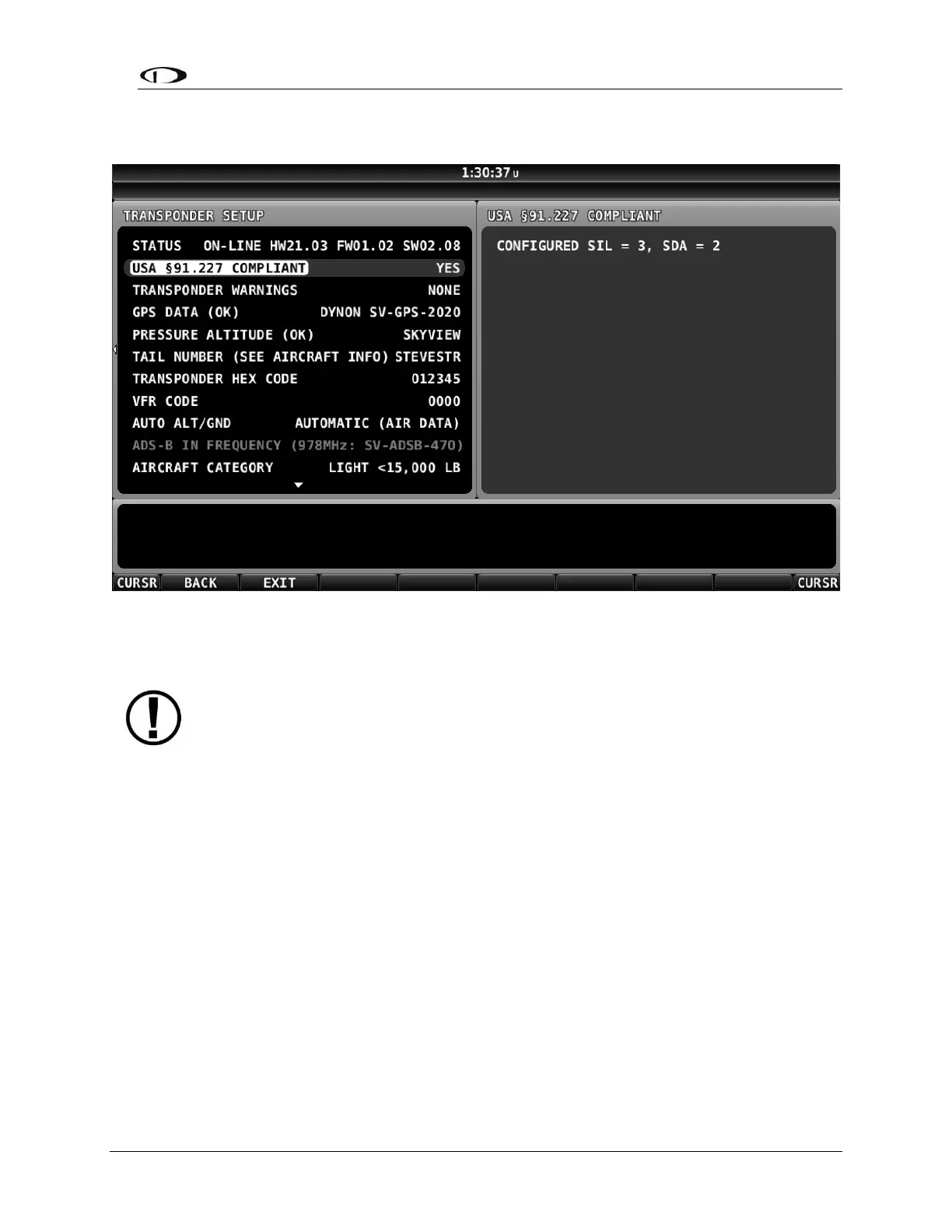
After power-cycling the SV-XPNDR-261, the STATUS changes as shown in the figure
below. The SV-XPNDR-261 is online, with the newer version of Software loaded.
Figure 85: SV-XPNDR-261 Online with Updated Software (Normal Operation)
12.6 SV-XPNDR-261 Post Installation Checks
Post installation checks should be carried out in accordance with your certification
requirements. These checks should include:
• Mode S interrogations to verify correct address programming.
• Verification of the reported altitude using a static tester.
• Where installed, verification of correct squat switch ground/airborne
indications. In an aircraft with a squat switch, setting the Mode switch to ALT
If an SV-XPNDR-261 is newly-installed (has never flown), aviation authorities
typically require that, prior to first flight, a newly-installed transponder be
tested for proper operation (and pass).
Aviation authorities also typically require that a transponder be re-tested after
any significant maintenance involving the transponder system (including the
antenna), and also tested periodically (even if no maintenance has occurred).
For US pilots, transponders must be tested every twenty-four (24) months –
reference FAR 91.413 (other sections, other regulations may apply).
It is the pilot’s / aircraft owner’s responsibility to ensure that the transponder
has been initially, and periodically, tested per (and met) the requirements of
your country’s aviation authority.



 To Next Page