AP Servo Installation and Configuration
16-4 SkyView HDX System Installation Manual - Revision E
To adjust the default climb vertical speed:
1. Go to the Pitch Axis Default Climb Vertical Speed Adjust Page (SETUP MENU >
AUTOPILOT SETUP > PITCH AXIS > DEFAULT CLIMB VERTICAL SPEED).
2. Adjust the default climb vertical speed.
3. Press ACCEPT to save the value or press CANCEL to return to the Pitch Axis
Menu.
16.2.3.2 Default Descent Vertical Speed
When using simplified autopilot controls, the default descent vertical speed parameter
sets the initial vertical speed the autopilot will command for descents when an altitude
change is requested. You may also control the descent vertical speed after a descent is
in progress with the vertical speed bug. If you set this parameter below the vertical speed
the aircraft can achieve, the autopilot will run into the airspeed limiter during descent.
When using expert autopilot controls, the Default Descent Vertical Speed is only used
when NOSE DOWN is pressed while ALT HOLD mode is already engaged. This activates
VS mode at the Default Climb Vertical Speed.
The default descent vertical speed parameter is specified in the units set in the
Measurement Units Menu (i.e., feet per minute or meters per second; reference Page 21-
7 for more information regarding configuring the measurement units). The default value
is 500 feet (152.4 m) per minute.
To adjust the default descent vertical speed:
1. Go to the Pitch Axis Default Descent Vertical Speed Adjust Page (SETUP MENU
> AUTOPILOT SETUP > PITCH AXIS > DEFAULT DESCENT VERTICAL
SPEED).
2. Adjust the default descent vertical speed.
3. Press ACCEPT to save the value or press CANCEL to return to the Pitch Axis
Menu.
16.2.3.3 Maximum Airspeed
If the AP is engaged and the Maximum Airspeed limit is changed to a value
that is lower than the current airspeed, the AP will immediately act to reduce
the airspeed to the new maximum airspeed setting, and may do so
aggressively. Dynon Avionics recommends that this setting only be adjusted
with the AP disengaged.
The pitch axis maximum airspeed parameter is the highest airspeed at which the pilot
may engage the autopilot. If the autopilot is engaged at the time the aircraft’s airspeed
exceeds the maximum, the autopilot enters an airspeed hold mode and pitches the
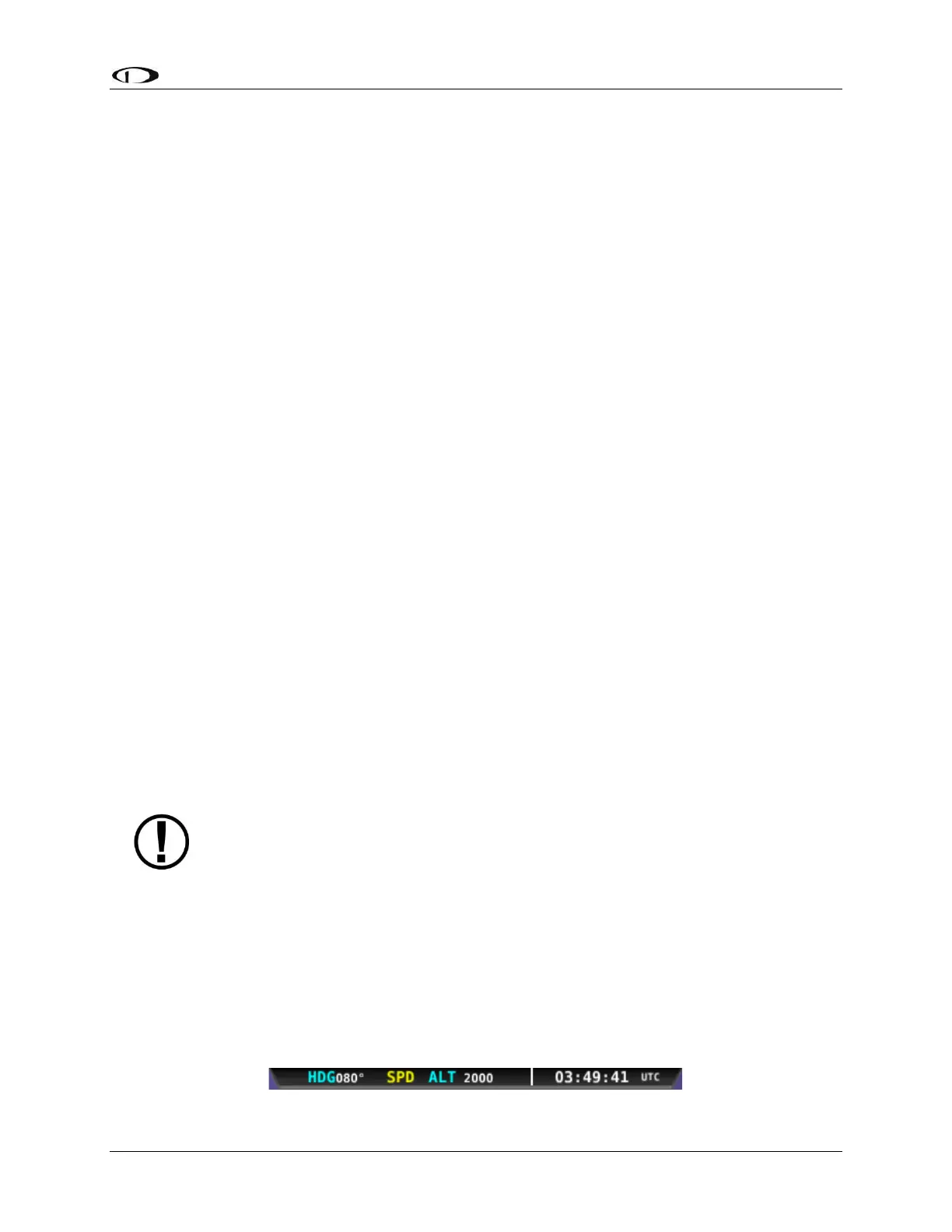
aircraft up to prevent increasing airspeed. SkyView simultaneously indicates that the
aircraft has exceeded the parameter by displaying SPD indicators in the Top Bar as
illustrated in Figure 106.
Figure 106: Top Bar SPD Indicator



 To Next Page