EFIS-D10A Standby Display Installation and Configuration
20-6 SkyView HDX System Installation Manual - Revision E
With the kollsman window set to the same value as the aircraft’s altimeter, verify the altitudes
match within +-50 feet. NOTE: The altimeter bar of the EFIS-D10A/D100 does not appear
until about 10 seconds after power on by design.
Airspeed / Alt check in flight
Leak check
With your plane in as windless an environment as possible (e.g., a hangar), cover both
the existing pitot and static ports with a sock or cloth to minimize airflow without putting
pressure on the ports. Next, on the Dynon Display, enter the EFIS main menu, press
MORE > SETUP > MORE > MORE > MORE > SPDCAL. When you are confident that
there is no pressure on the pitot and static ports, press either button corresponding to
SET ZERO PRESSURE. Press YES to confirm you have zero pressure on the pitot and
static ports. You will see a message indicating that the unit is calibrating. This should only
take a few seconds.
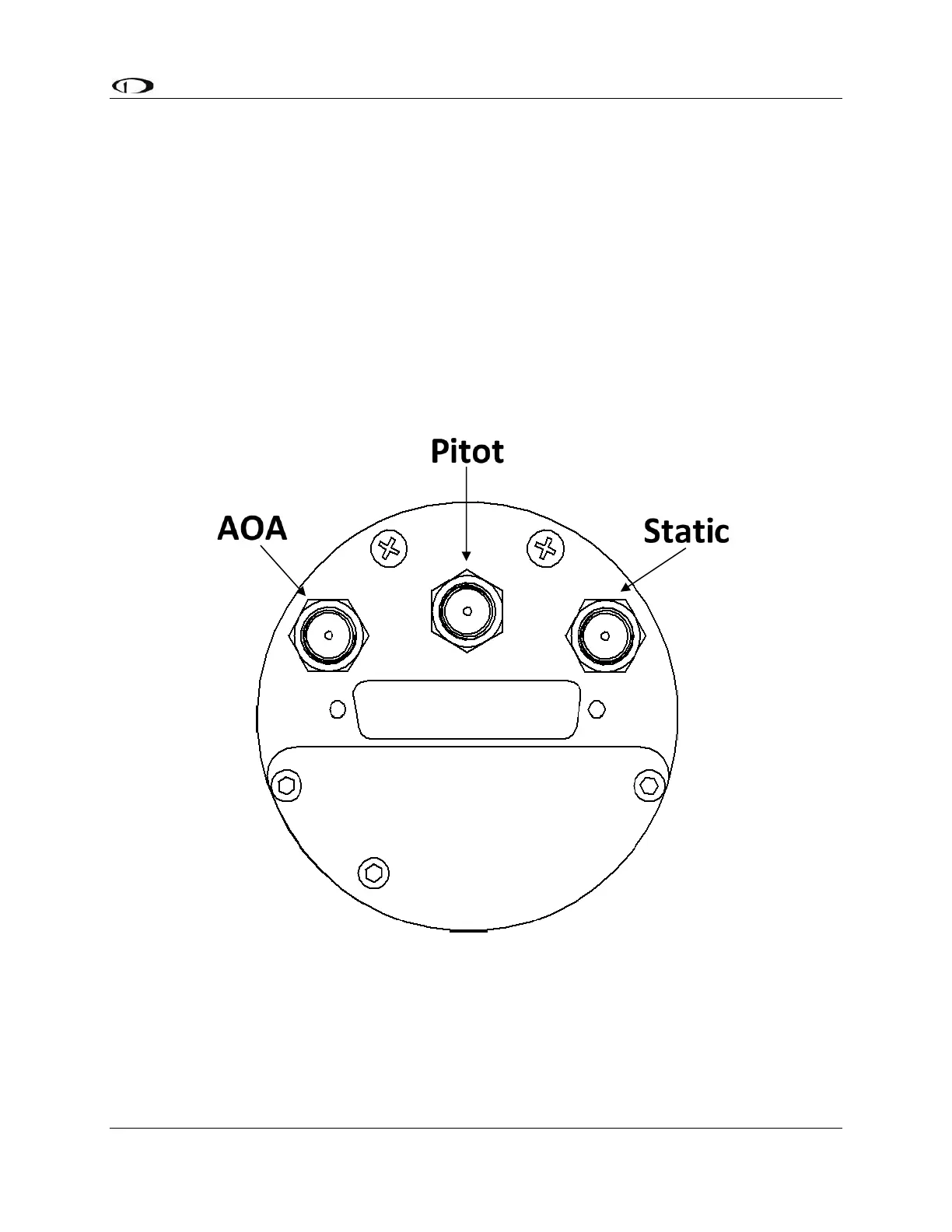
Figure 119: AOA, Pitot, and Static Ports



 To Next Page