4. Troubleshooting
41800
2/5
41800
Attention message: Software upgrade
No. 01804
The printer version is incorrect. Upgrade the printer software.
Attention message release
YES
Condition
Check Point
*1. For the LP7500/LP7600/LP7700/LP7900, install the CD (SYSTEM PROGRAM KIT) supplied with each printer.
*2. If the EZ Controller is installed, the printer processor is automatically performed. (QSS-37)
Diagnosis
Suffix number Condition
00000 When the power supply is turned on, the versions of the printer control PCB, processor control PCB and laser
control PCB are different from those saved on the computer.
Countermeasure
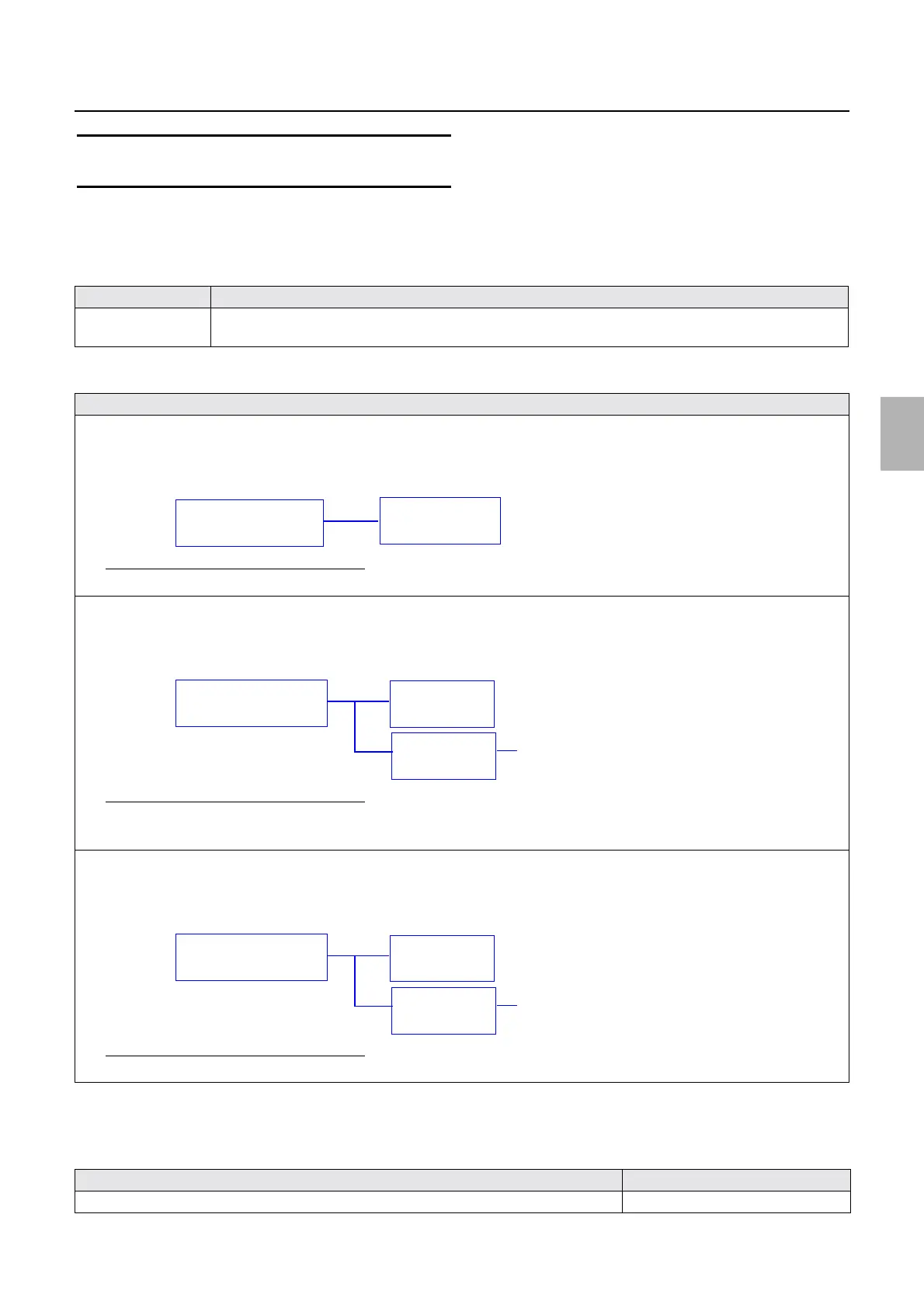
• Condition 1
The printer processor version is lower than the printer version data on the operation PC:
Upgrade the printer processor version to Ver. 2.
Pattern 1
Corrective action for condition 1 and pattern 1
1. Upgrade the printer processor.☞35600
*2
• Condition 2
If the version of newly added printer 2 is higher than those of the operation PC and already connected printer 1:
Upgrade to the later Ver. 2.
Pattern 2
Corrective action for condition 2 and pattern 2
1. Install the CD of Ver. 2 to the operation PC.
*1
2. Upgrade the printer processor of printer 1.☞ 35600
*2
• Condition 3
If the version of newly added printer 2 is lower than those of the operation PC and already connected printer 1:
Upgrade to the Ver. 1.5.
Pattern 3
Corrective action for condition 3 and pattern 3
1. Upgrade the printer processor of printer 2.☞ 35600
*2
Failed part Manual No.
Printer control PCB ☞66000
Operation PC
(Ver. 2)
Printer
(Ver. 1.5)
Example 1
Operation PC
(Ver. 1.5)
Printer 1
(Ver. 1.5)
Example 2
Printer 2
(Ver. 2)
Newly added printer
Operation PC
(Ver. 1.5)
Printer 1
(Ver. 1.5)
Example 3
Printer 2
Ver. 1
Newly added printer
Distributed by: minilablaser.com



 To Next Page