5. Operation sequence
56100
2/4
56100
Processor paper advance operation
NOTE
• The printer examines print size to determine whether prints should be sent to the print conveyor unit or the print
receiving tray (large)/long length print tray, and then issues appropriate instructions to the processor.
!
!!
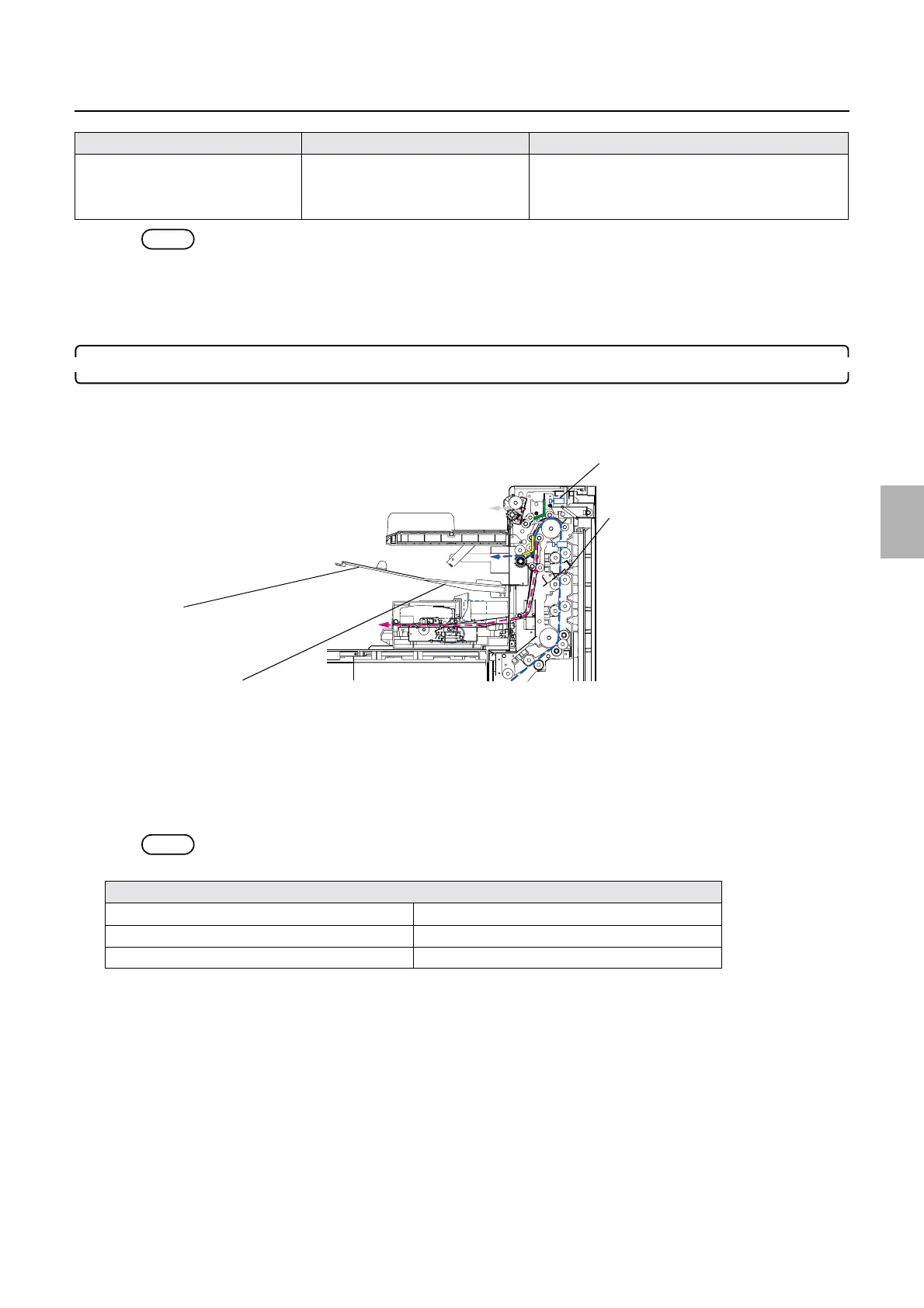
! Paper sent to the print receiving tray (large)/long length print tray:
1. The paper leading edge passes through the dryer lane select sensor.
• If the dryer lane select sensor fails to detect paper sent to the print receiving tray (large)/long length print tray within a
specified amount of time, the message
☞No. 05535-00000: Paper has jammed in the processor section. is shown
onscreen.
• The leading edge of the paper being sent to the print receiving tray (large)/long length print tray passes through the dryer
lane select sensor, activating the Dryer selection solenoid 1 and causing the select guide to move into the print receiving
tray (large) position after a specified amount of time elapses.
• The trailing edge of the paper being sent to the print receiving tray (large)/long length print tray passes through the dryer
lane select sensor, activating the dryer lane select solenoid and causing the select guide to move into the print conveyor
position after a specified amount of time elapses.
NOTE
• Paper other than standard prints also sent to the print receiving tray (large)
• Between 82.5 and 305 mm
• Between 152.1 and 305 mm
• Between 27.1 and 305 mm
• Between 305.1 and 457.2 mm
• Between 82.5 and 305 mm
• Between 457.3 and 914 mm
☞Paper sent to the print receiving tray (large)/long
length print tray:
Types of paper sent to the print receiving tray (large)
Leading-edge feed paper Trailing-edge feed paper
Fogged paper Splice
Control strips
Paper width Advance length Paper advance procedure references
Print receiving tray (large)
Dryer lane select sensor: SE45
Long Length Print Tray
Dryer selection solenoid 1
G085227
Distributed by: minilablaser.com



 To Next Page