6. Electrical parts
66006
7/7
66006
Description of PCB (printer section)
NOTE
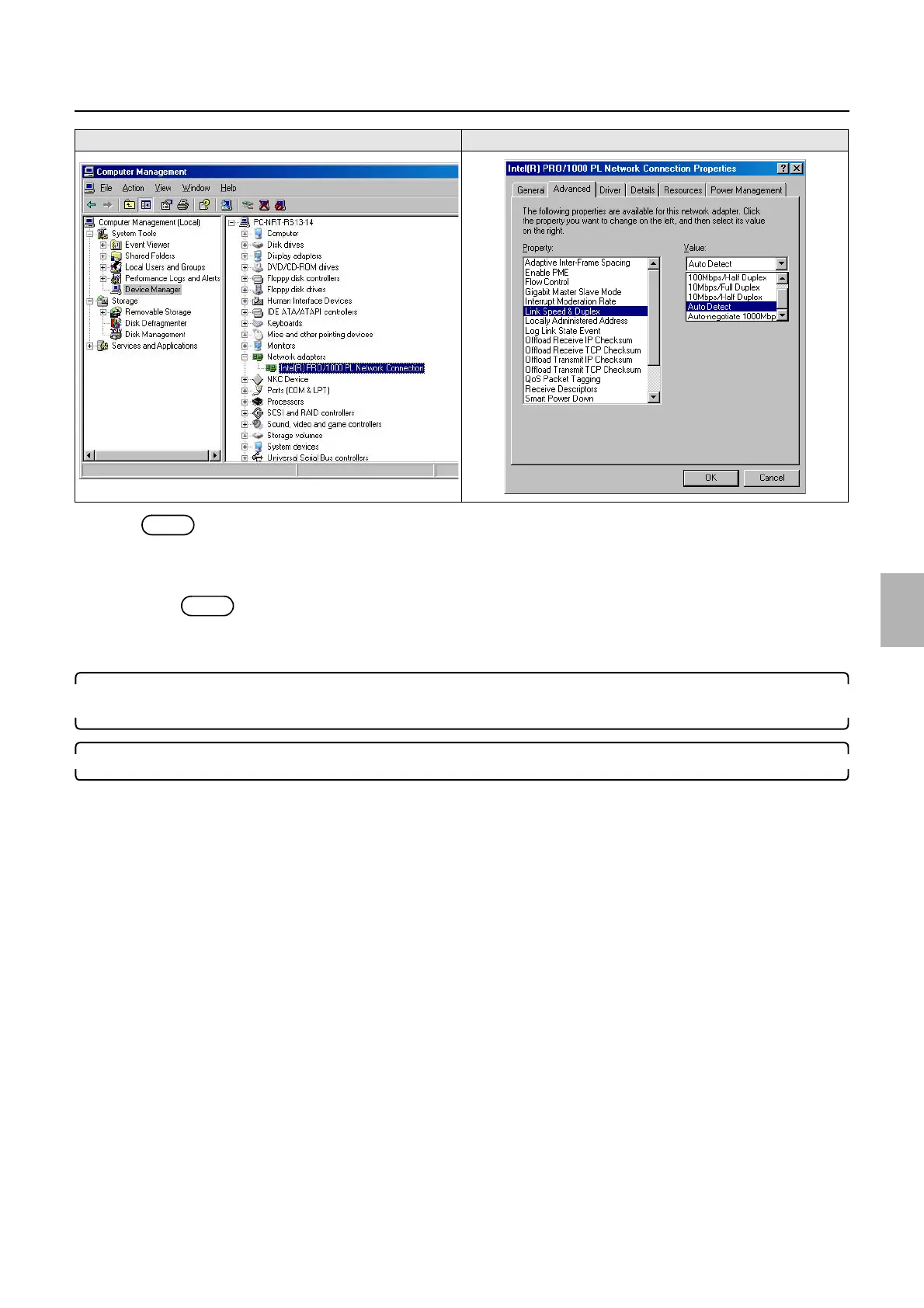
• The Auto Detect display of the Link Speed & Duplex may vary depending on the the PC.
(1) If the Link Speed & Duplex is not set to Auto Detect, set it to Auto Detect.
NOTE
• Write down the Link Speed & Duplex setting as needed.
(2) Click OK.
3. If the operation PC and printer I/F main PCB are connected via HUB as an example 1, match the HUB
setting with Link Speed & Duplex.
4. Turn on the power supply of the printer.
See Step 8 in 66006.
Computer Management Advanced
Distributed by: minilablaser.com



 To Next Page