4/7
6. Electrical parts
68100
68100
Cables
!
!!
! To safely remove the optical fiber cable
IMPORTANT
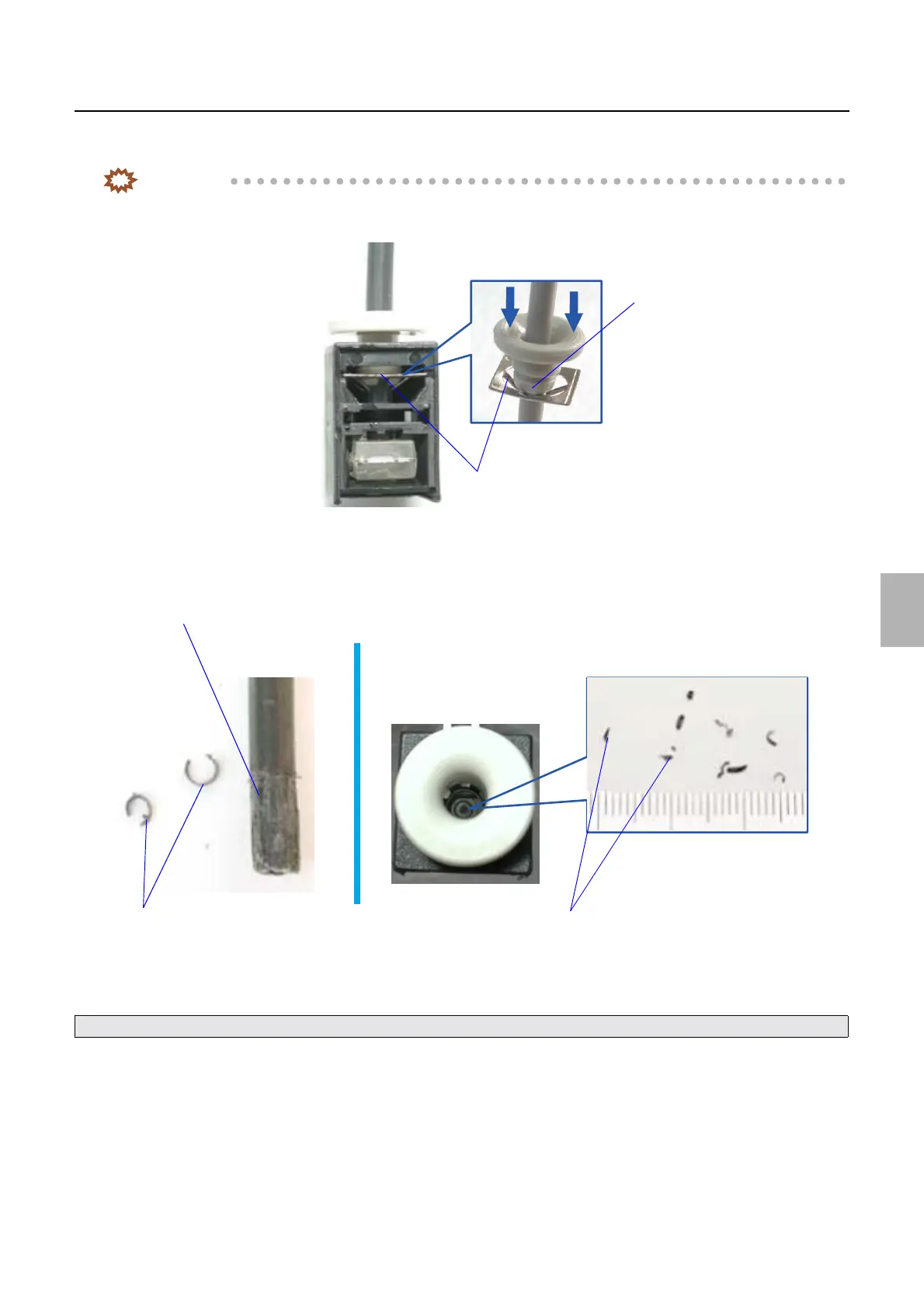
• Evenly pressing the link section of the connector will slightly release the stopper that holds ARCNET cable inside.
If the stopper is released, the ARCNET cable can be safely removed.
• Removing the ARCNET cable while the stopper inside the connector is tightened may shave the cable sheath or
damage the stopper.
In removing the optical fiber cable, understand the structure of the optical fiber connector, and remove the cable while
using the optical fiber cable pushing bar so that the cable and the connector will not get damaged.
!
!!
! How to use the optical fiber cable pushing bar
For precautions for disconnecting the optical fiber cable, see ☞To safely remove the optical fiber cable.
Link section
Stoppers
G082810
ARCNET cable
Chips of shaved ARCNET cable sheath
Chips of shaved ARCNET cable sheath
G082809
Distributed by: minilablaser.com



 To Next Page