6. Electrical parts
68100
3/7
68100
Cables
!
!!
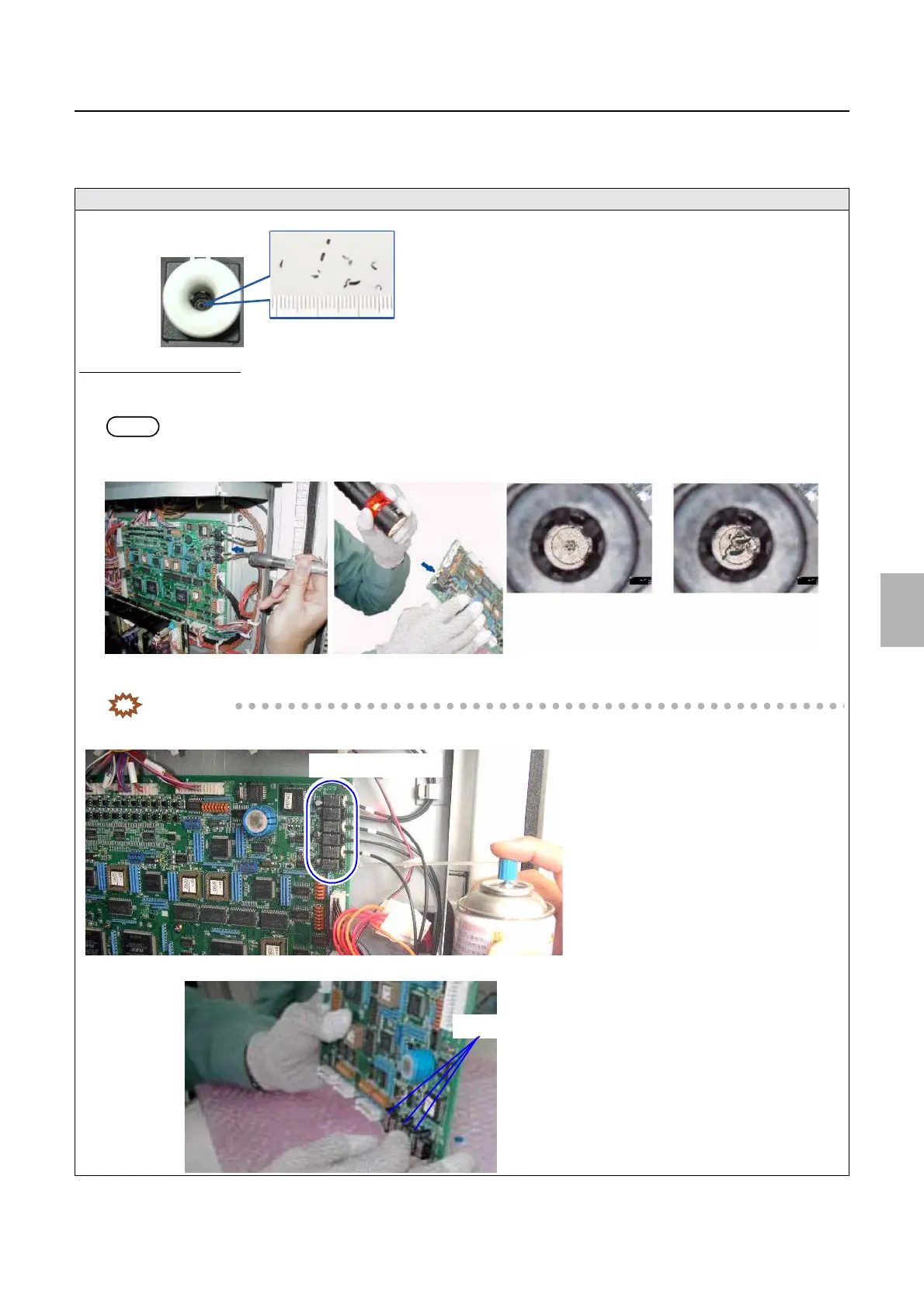
! Removing chips of shaved cable sheath in the ARCNET connector
To remove chips of shaved cable sheath using the service tool (aspirator), see ☞How to use the aspirator.
If the service tool is not used
•
If the service tool is not used
1. Remove the ARCNET cable from the connector.
Put the light from a flashlight on the front of connector, and check the inside of the connector.
NOTE
• If the inside of connector cannot be checked with the PCB attached on the system, remove the PCB to check the connector.
2. Remove the chips in the ARCNET connector using the air spray which is for removing dust on films.
IMPORTANT
• Some types of air spray may spout liquid if it is used upside down. Be sure to confirm the usage.
3. If chips are not removed in step 2 above, remove the PCB, and make a fillip on the PCB with the connector section facing down.
Chips of shaved cable
ARCNET connector
There are no chips. There are chips.
Connectors
Connectors
Distributed by: minilablaser.com



 To Next Page