4/6
2. Replacement and adjustment of parts
25830
25830
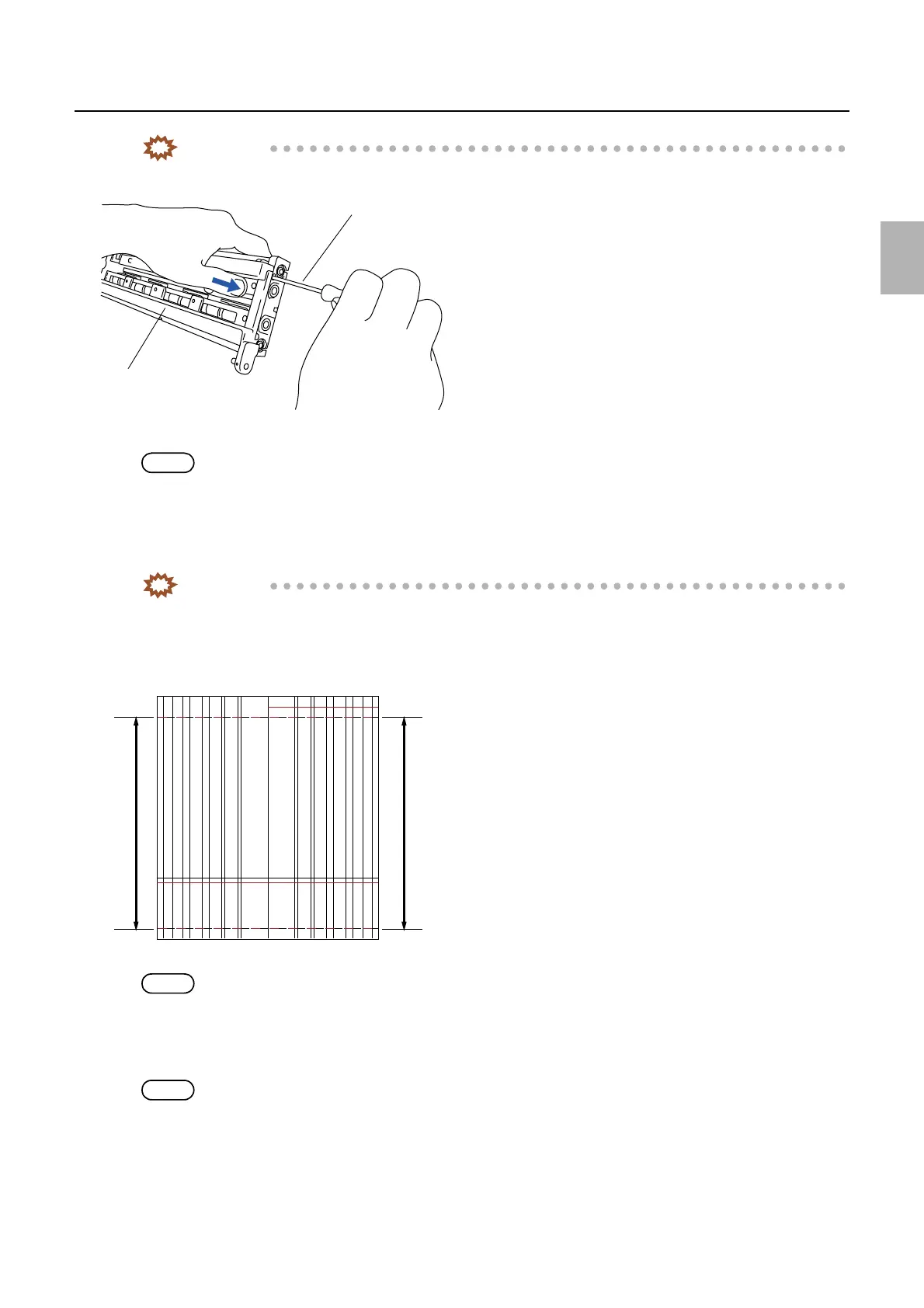
Exposure advance unit
IMPORTANT
• Tighten the fixing screw of the exposure advance roller while the angle bracket of the pressure roller unit is
pressed in the direction indicated by the arrow.
7. Make some gray prints in Print mode to see if the banding occurs.
NOTE
• Any paper size is acceptable.
8. Repeat the pressure adjustment of the pressure guide if the banding is found.
9. After completing the banding adjustment, select and execute Exposure Advance Adjustment →
F:Functions → Exposure Advance Pressure Inlet Roller Test Print (Paper Magazine A/A2/B/C).
IMPORTANT
• Print the test print with the maximum paper width which has been used.
10. After completing the banding adjustment, measure the dimensions between 0 mm-line and 254 mm-line
of right and left edges of the test print and check that the differences are within 0.2 mm.
NOTE
• There is another method to check the difference. Cut the paper at the center and put them together to check the difference.
11. If the difference of right and left measured values is 0.2 mm or more, perform the Exposure Advance
Adjustment.
See 36080 ☞Adjusting the paper zigzagging in the exposure advance unit.
NOTE
• If the difference of right and left measured value is within 0.2 mm, the zigzagging adjustment is completed.
12. Check the Arm Unit 1 Zigzagging Correction.
☞36060
Pressure guide
Screwdriver
G072394
A
Left Right
Rear end
Paper advance direction
G068467
Distributed by: minilablaser.com



 To Next Page