CHAPTER 5: SETPOINTS 5.12 PROCOME CONFIGURATION
GEK-106310-AF F650 DIGITAL BAY CONTROLLER 5-189
The user must select the digital signals to be sent to the Procome master configuring the identifier number (Procome ID) for
each of them. Take into account that this Procome ID is the bit in which is set the digital signal configured in that ID, for
example, it the contact input 1 from the board G is configured to the Procome ID 10, the signal 10 is located in the byte 1
bit 2 of the answer sent by the Procome slave.
To configure a new signal, set the Procome ID selected for that signal, select the digital signal, and then click Add to add
the new signal to the status list of signals configured in the Procome configuration file. To remove an existing signal from
the status list, select the signal and click Remove. To save the data in the configuration file, click Save; all data is stored in
the "f650procome.cfg" file.
Analog Measurements
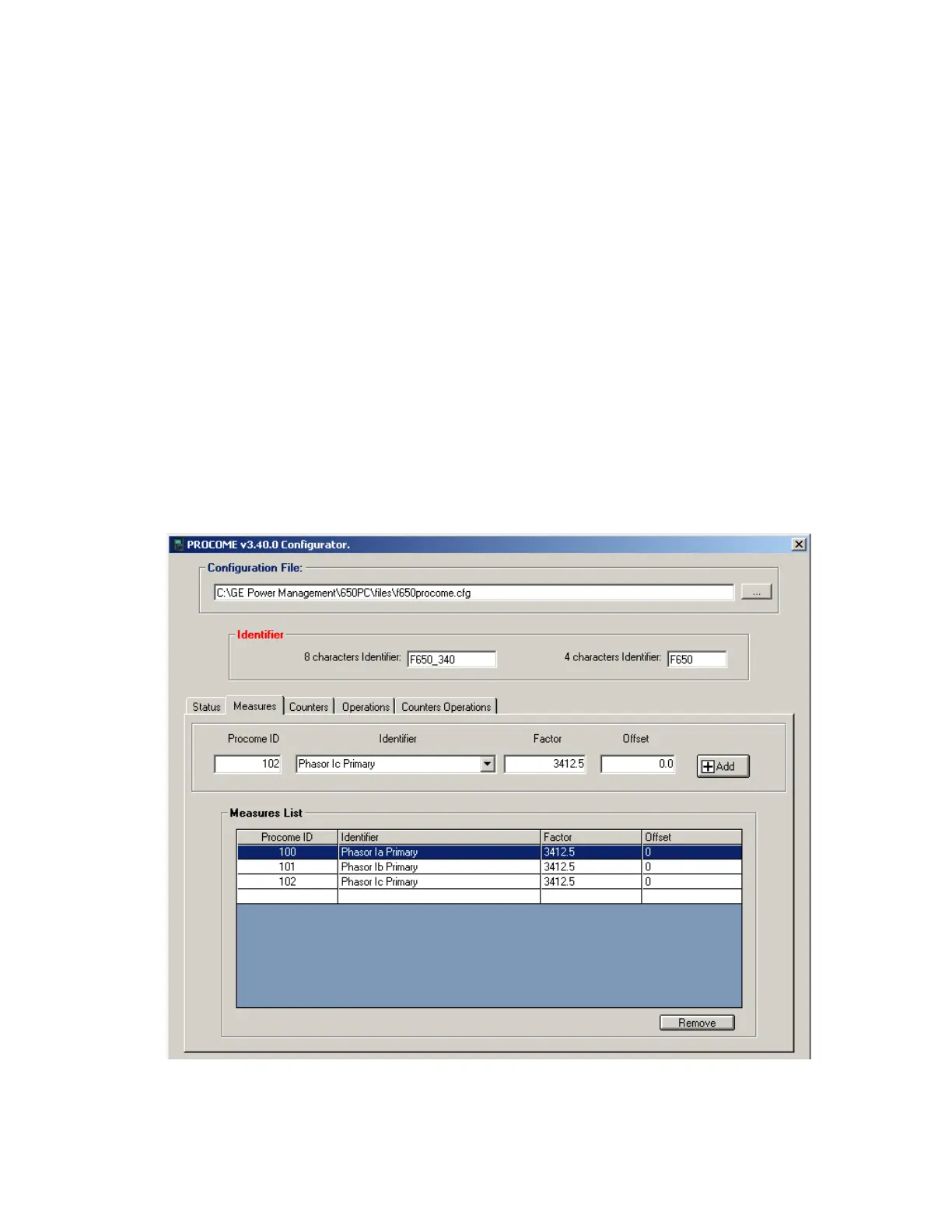
In the measurements configuration screen, for each measurement selected the configuration signals are:
• Procome ID: the identification number for each measurement
• Identifier: the measurement selected to be sent in the Procome slave answer
• Factor: the multiplier factor to be applied to the relay measurement to make the final measurement calculation to be
sen
t to the master
• Offset: an offset factor to be applied to the relay measurement to make the final measurement calculation to be sent
t
o the master
The Factor and offset parameters allow the user to perform different scaling in the relay measurements. The final
measurement sent to the Procome master is: a*x+b, where x is the relay measurement, a is the multiplier factor and b is
the offset.
Figure 5-64: Measurement configuration



 To Next Page