9-18 F650 DIGITAL BAY CONTROLLER GEK-106310-AF
9.1 FIRMWARE UPGRADE VERSIONS BELOW 7.00. CHAPTER 9: BOOTCODE AND FIRMWARE UPGRADE
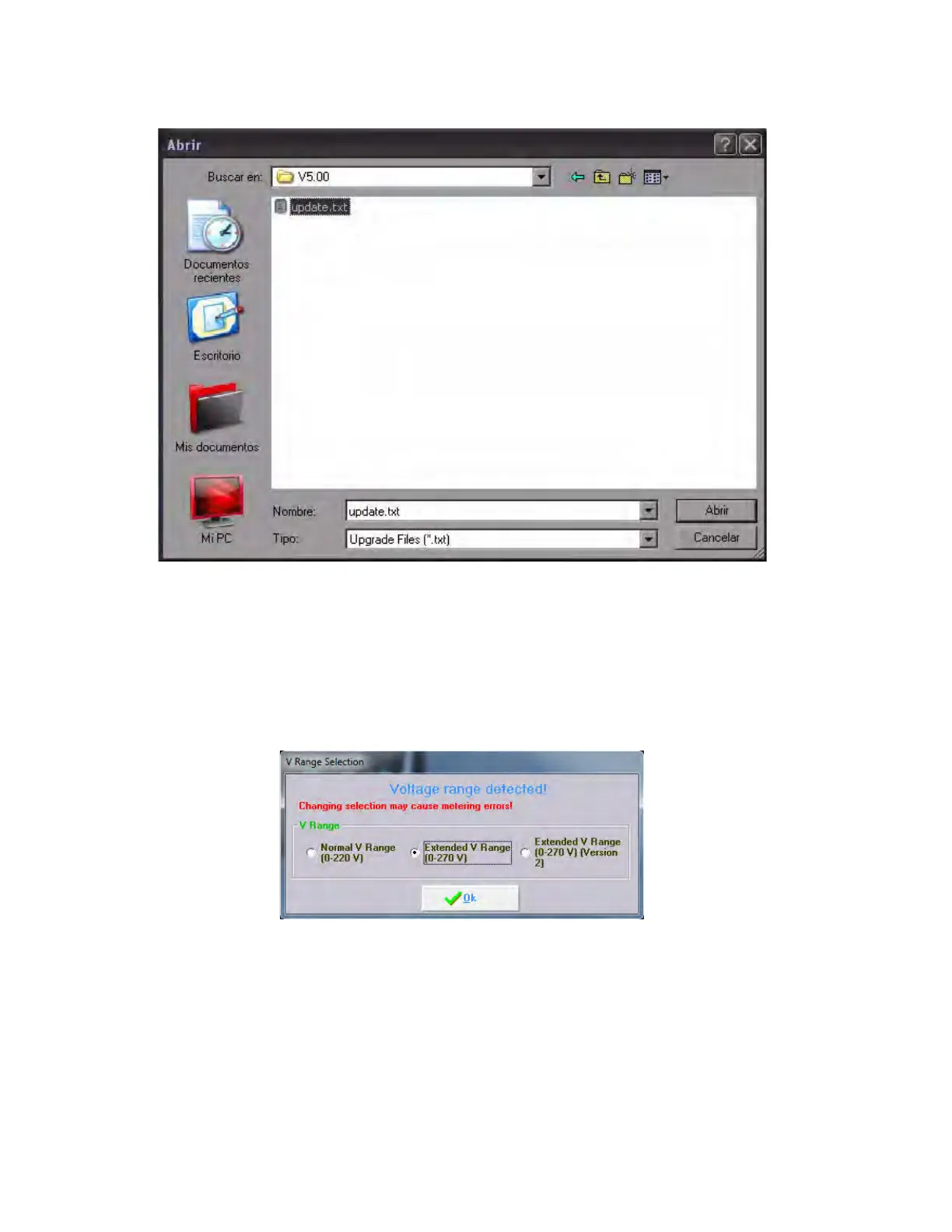
Figure 9-7: Firmware file selection
9. A voltage range selection window appears (see following figur
e). This voltage range is closely related to the serial
number of the relay. For relays manufactured with firmware version 5.70 or higher (from May 2015 onwards), the
EnerVista 650 Setup program automatically selects the appropriate voltage range for the unit based on the serial
number, showing the selection with a step line square over the proper option. Click OK.
In case an incorrect option is selected, metering errors may arise during normal operation (current and voltage values
incorrectly displayed). In order to correct this behavior, the firmware upgrade process must be repeated and the
correct option must be selected.
Figure 9-8: AC voltage range selection - extended V range (version 2)
10. Click Ye
s.
11. The Upgrade Firmware button is now enabled (figure below). Click to start the upgrade.



 To Next Page